Table Of Contents
- What Is PICME?
- Why Is PICME So Vital?
- How Can You Register For PICME
- Option 1: Talk to your Village Health Nurse (VHN)/ Urban Health Nurse (UHN).
- Option 2: Register Online or Other Methods
- How To Monitor Your PICME Status?
- Who Is Eligible To Join PICME?
- Why You Should Not Skip PICME Registration
- How To Get RCH ID From PICME?
- Now Comes The Main Question: How Can You Get The RCH ID?
- picme 3.0 tn gov in login: Step By Step Process
- How Can You Log In To The PICME Portal?
- Lost Password Recovery Procedure
- What Are The Benefits Of Picme 3.0 tn gov in login?
- A. Free Medical Services
- B. Monetary Aid
- C. Supplementary Benefits
Your Journey With PICME 3.0 Login: Ultimate Support For A Healthy Pregnancy
Last Updated on: December 22nd, 2025
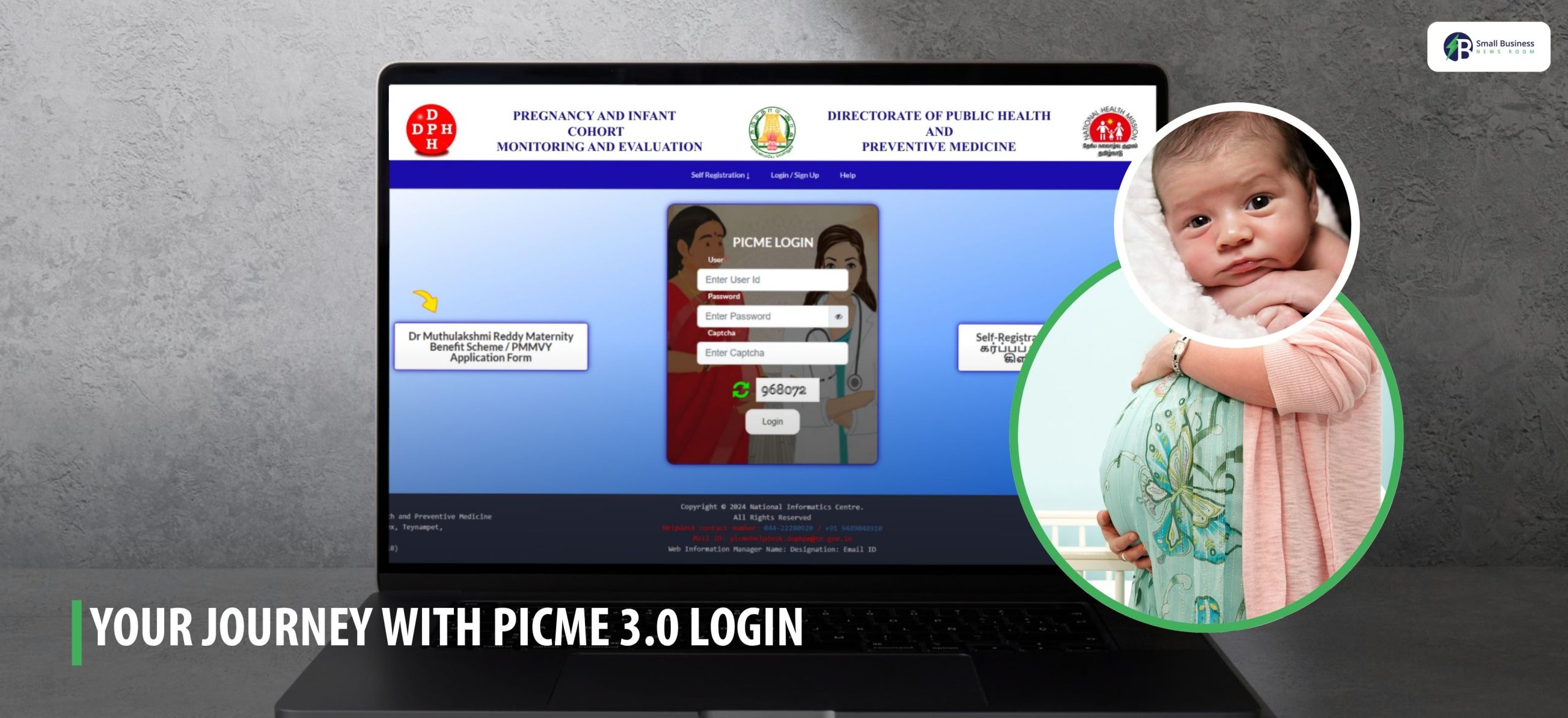
Are you from Tamil Nadu? Expecting a new baby? Or maybe someone from your family or close to someone is expecting one? Then, you should be aware of PICME 3.0 Login.
I believe this is something all pregnant women, their family members, and even the healthcare providers should know about!
Even if you don’t know about it yet? There is nothing to worry about! I am here, as your friend or well-wisher, to assist you with the process. This way you won’t feel confused.
The PICME 3.0 login is a very simple process. Once you are familiar with it, navigating it won’t be difficult.
This platform is specifically designed to enable easy monitoring of your health. Moreover, the platform also allows you to access all the necessary services.
So, what is the PICME 3.0 login, and why does it matter? Let’s find out.
What Is PICME?
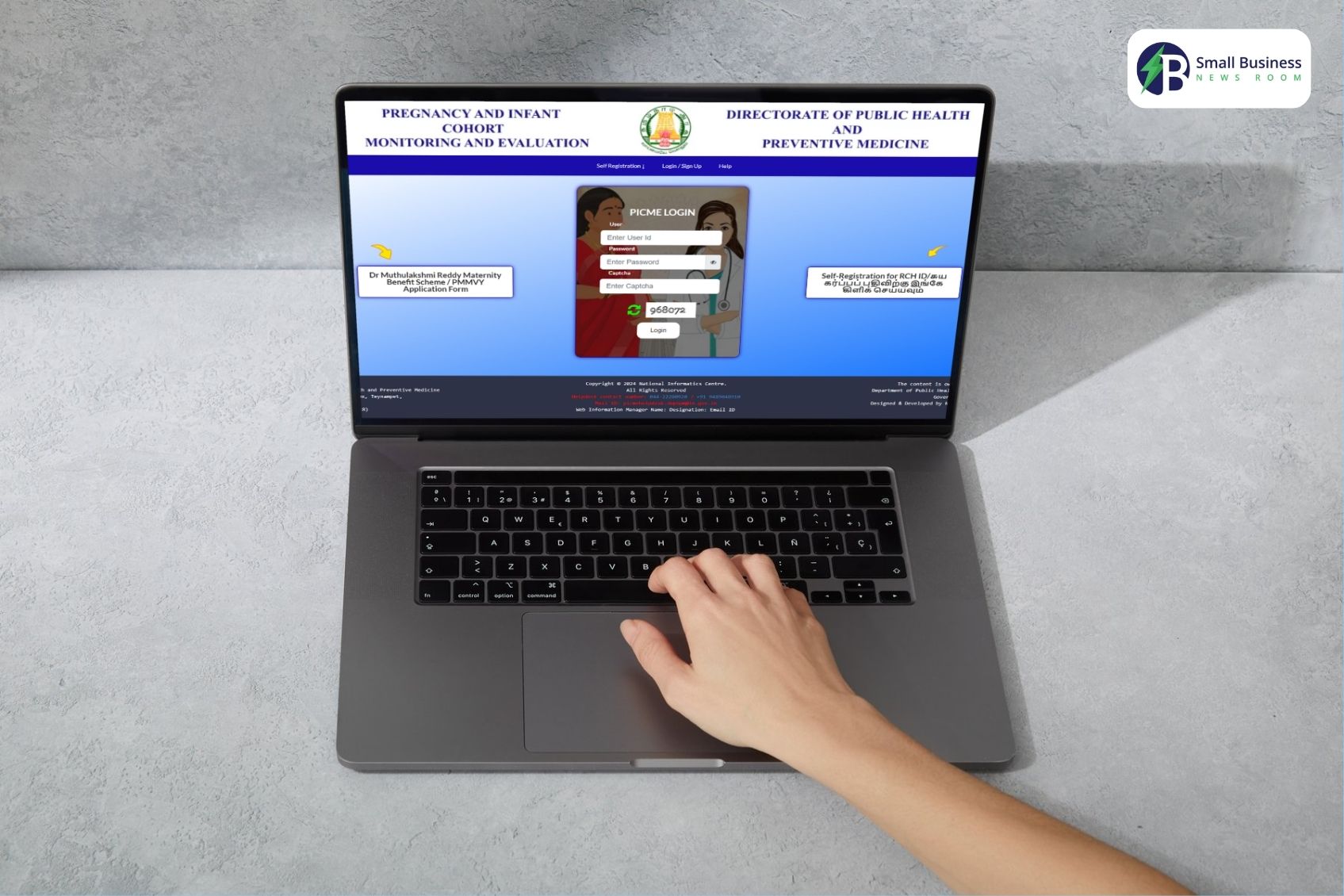
PICME, also known as Pregnancy and Infant Cohort Monitoring and Evaluation, is a somewhat complex-sounding name.
However, in reality, it is an online monitoring system initiated by the Tamil Nadu government. It is used to track the well-being of pregnant women and babies.
The entire process, starting from registration during pregnancy and continuing until the child reaches 16 years of age, is closely monitored under this system.
When a pregnant woman is registered, she is issued a Reproductive and Child Health ID (RCH ID).
The ID is of immense value, as it is required to obtain a birth certificate and access specialized healthcare services.
If you have ever visited PICME 3.0 tn gov in login, that is the official site where all this takes place.
Why Is PICME So Vital?

In all seriousness, taking PICME 3.0 is not automatic – it’s critically important. Here’s why:
Continuous Healthcare: Firstly, the system ensures that pregnant women receive
- Regular check-ups,
- Immunizations, and
- Proper treatment throughout their pregnancy.
It prevents things from going wrong and keeps mothers and babies healthy.
- Legal Requirement for Birth Certificate: In order to get your child’s birth certificate in Tamil Nadu, you will be required first to have the RCH ID from PICME. You can’t manage without it!
- Access to Benefits: Secondly, the Tamil Nadu government has good schemes for pregnant women, such as the Dr. Muthulakshmi Reddy Maternity Benefit Scheme. To access these benefits, you need to register for the PICME login 3.0 system.
- High-Risk Pregnancy Monitoring: Health professionals prefer using the PICME to identify mothers who may require additional support and care.
Early intervention can be a matter of life and death, and this system ensures each of them receives assistance.
- Emergency Support: Lastly, PICME has collaborated with the ambulance service, known as 108. That is, in the event of an emergency, the system provides immediate assistance.
How Can You Register For PICME
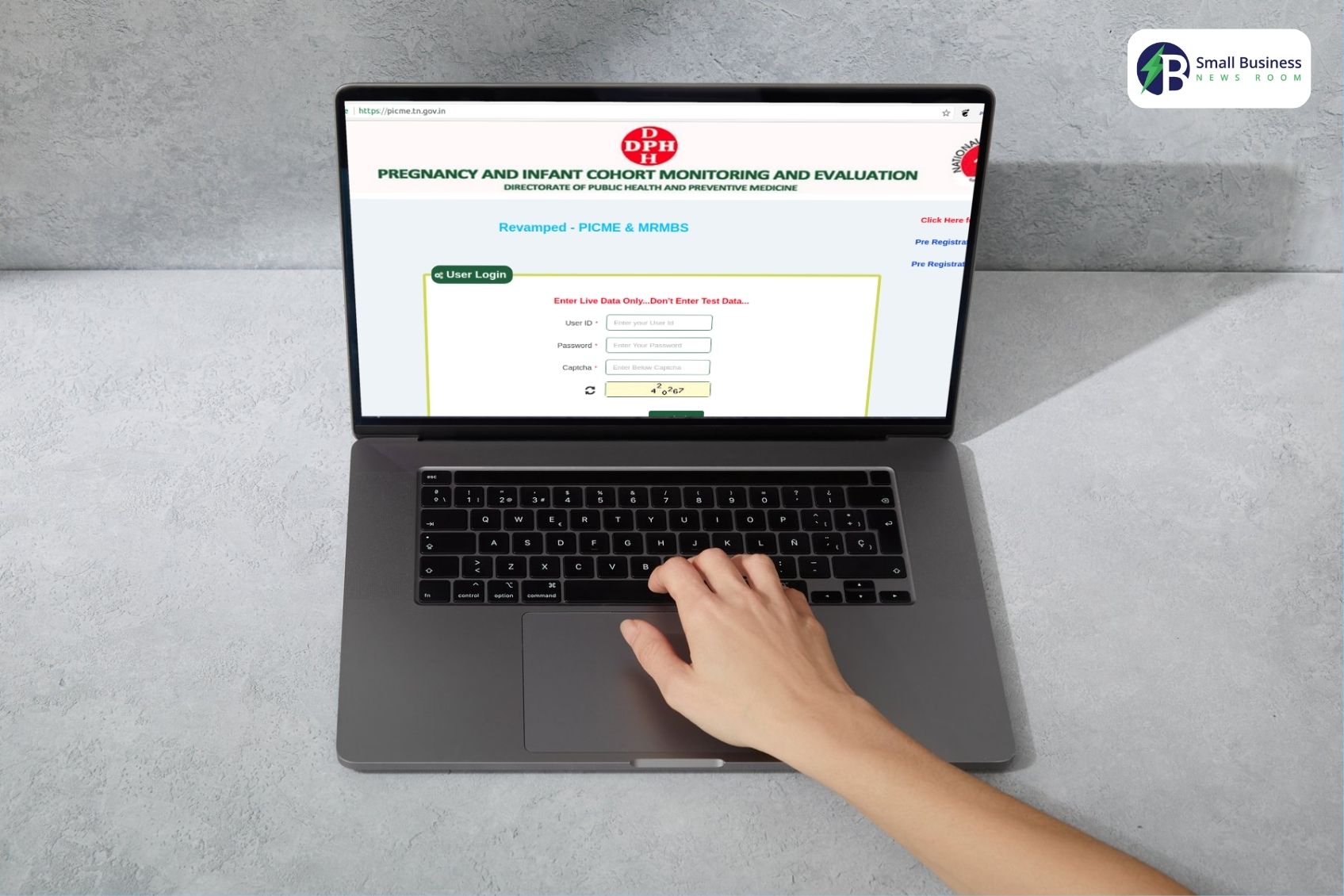
Now that you understand why PICME matters, let’s talk about how you sign up! It’s easy, and you have options.
Option 1: Talk to your Village Health Nurse (VHN)/ Urban Health Nurse (UHN).
Here is the simplest and easiest method of registering.
- First Step: Visit your nearest Health Sub-Centre or Primary Health Centre and talk to the VHN or UHN.
- Second Step: The nurse will ask you questions about your pregnancy, as well as your medical and personal details.
- Third Step: They will enroll you into the system and generate your RCH ID.
- Fourth Step: You will receive a message on your phone with your new RCH ID.
Simple, right?
Option 2: Register Online or Other Methods
If you cannot see your health nurse immediately, you may pre-register. This is how:
a) Log in online with PICME 3.0
- Go to PICME.tn.gov.in login.
- Click on “Pre-Registration” and provide your information.
- After submitting, you will get an SMS with a Pre-Registration ID.
- You will be using the PICME login 3.0 login portal to confirm your registration.
b) e-Seva Centers.
Just visit your local e-Seva center, and they will assist you with free registration. Easy!
c) Dial the 102 Helpline
If you are not near a center, simply dial 102. This is free of charge. You can register by phone, and you will receive a text with your Pre-Registration ID.
d) Public Hospitals
You can approach any government hospital, and they will assist you in your registration.
How To Monitor Your PICME Status?
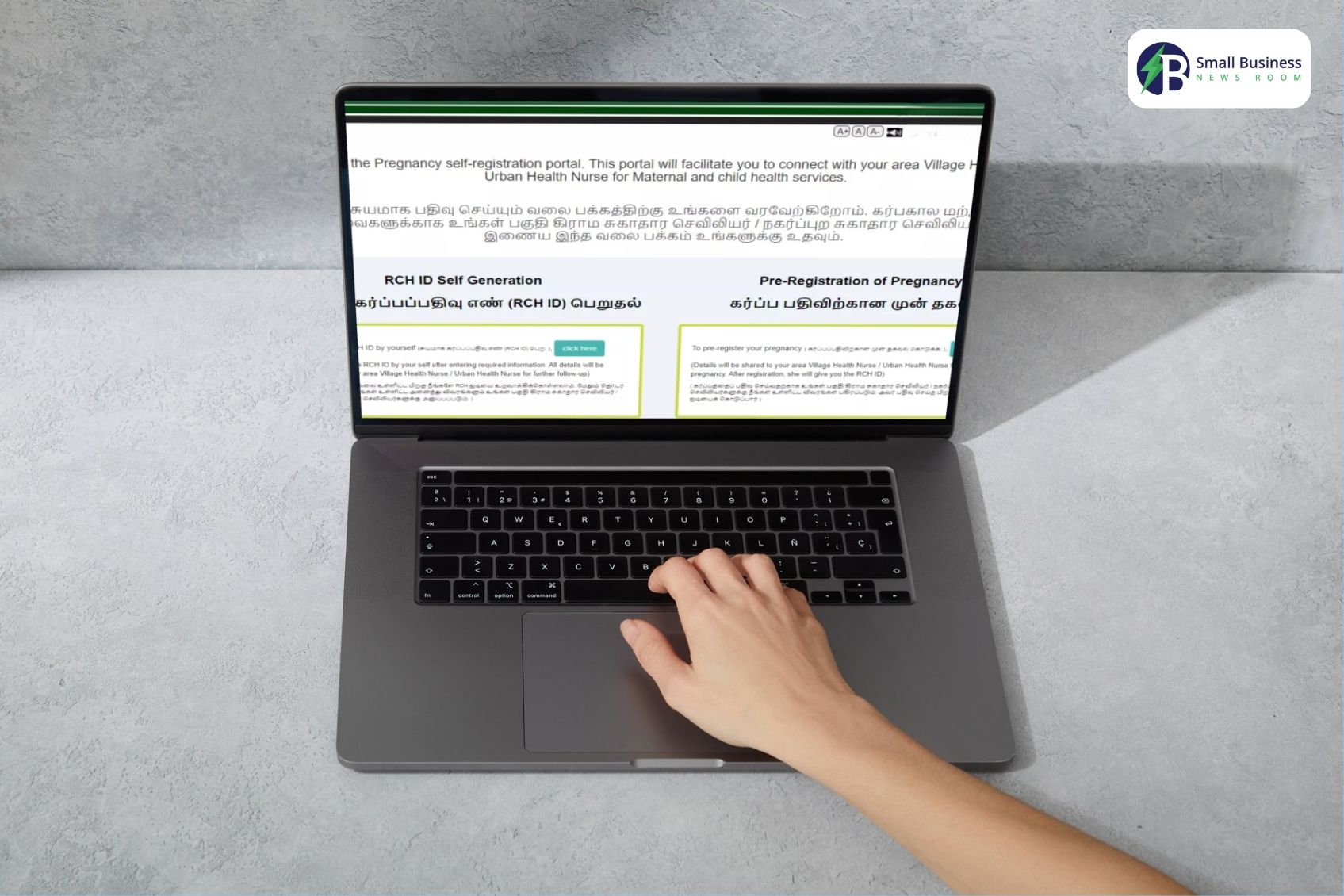
Would you like to verify if your registration is finalized? You can easily view your status online.
Just visit PICME.tn.gov.in login page. After that, enter your cellphone number or Pre-Registration ID.
The system will display your RCH ID and whether you’re registered. This is one of the steps in the picme 3.0 tn gov in login procedure, and this is very simple to accomplish using your cell phone or computer.
Who Is Eligible To Join PICME?

If you are a pregnant mother living in Tamil Nadu, then you are eligible to join PICME. It is particularly beneficial (and essential!) for pregnant women, lactating mothers, and married women.
Remember, using PICME login 3.0 isn’t just a formality—it’s about giving you and your baby the best possible care.
Why You Should Not Skip PICME Registration
You can still register if you didn’t register during pregnancy. It is extremely important. If you don’t register online using the PICME 3.0 login, it is difficult to obtain your child’s birth certificate or avail maternity benefit schemes.
You can enroll online at picme 3.0 tn gov in login, through your local health nurse, or at an e-Seva centre. You simply need to do that!
Last Ideas PICME 3.0 login system is a basic application with a tremendous impact. It enables pregnant women in Tamil Nadu to maintain their health, avail themselves of government schemes, and register their children from the very beginning.
It is an easy process, and there are multiple ways to register – online through the PICME login 3.0 portal, in person with a nurse, at an e-Seva center, or even over the phone.
Moreover, you can verify your registration status at any moment by logging in to PICME.tn.gov.in.
If you or someone you know is pregnant, please let them know about the PICME 3.0 login. It is free, easy, and very important.
How To Get RCH ID From PICME?
One that you have registered yourself successfully by using any method, such as online, offline, or through the mobile application. The next important step would be to get your RCH ID or the Reproductive Child Health ID.
So, what is an RCH ID? Well, it is a combination of a unique identification number that can help you with the following:
- You can track the health status for both the pregnant woman as well as the newborn.
- Secondly, you can get easy access to all sorts of government maternity benefits if you use the RCH ID.
- Moreover, you can also get the benefit of getting birth certificates fast right after the delivery!
Now Comes The Main Question: How Can You Get The RCH ID?
The steps are pretty easy! You just have to follow these steps!
- You have to complete the PICME registration online, offline, or through the mobile application.
- Once it is done, the village health nurse or VHN will visit your home to verify all your details.
- Once the verification is all set, they will allot an RCH ID under your name. They will spend this ID by SMS or online.
- If you want to log in to the portal, you can use your PICME number in order to download the RCH ID.
It is necessary for you to get the RCH ID. This way, you can get various maternity benefits from the government itself. Moreover, the process also helps you to officially register your child’s birth!
picme 3.0 tn gov in login: Step By Step Process
Once you have obtained the RCH ID through the pre-registration, you can use the PICME site to view and further change all the details related to personal and pregnancy!
How Can You Log In To The PICME Portal?
Here are the simple steps that you can follow:
- Go to the official web address of the system.
- Click on the “Sign In” button found in the top right corner of the homepage.
- Type in your personal identifier, which is your User ID (usually your RCH number or an initial registration code).
- Enter your password, which you either created during your first profile setup or was given to you by the Village Health Nurse (VHN).
- Type in the security confirmation characters displayed on the screen and hit the “Continue” button.
After the authentication process, the users will be able to review and update the maternal health information, check the appointments scheduled for them, and get the required documents.
| What Are The Documents Required For The PICME Registration? In order to facilitate the application process and ensure that it is successful, the participants who are interested in it are highly recommended to collect the documents beforehand: Required Submission: Proof of Identity: One of the recognized identification cards, like Aadhaar card, voter ID, or ration card. Proof of Residency: A document that states your present home address, like a utility bill, Aadhaar card, ration card, or current lease agreement. Pregnancy Verification: A medical report or official note confirming the pregnancy (furthermore, submission is optional). Accessory Items for State Program Admission: Banking Data: A personal savings bank book is required for cutting the cheque for direct cash transfers. ID Photograph: A recently taken passport-size photo. Previous Health Records: Any medical document that proves previous health conditions or indicates a high-risk pregnancy status must be presented. Important NoticeAlthough it’s not a hard and fast rule, the showing of an Aadhaar card is highly recommended. The use of it makes identity verification more straightforward and less time-consuming to access the different government support programs. |
Lost Password Recovery Procedure
If you cannot remember your access code:
- On the main login page of picme 3.0 tn gov in login, click on the “Forgot password” option.
- Enter the mobile number or email address that is linked to your account.
- A one-time verification code (OTP) will be sent to you to confirm that you are the one requesting the password change.
- Then follow the instructions to create a new password.
What Are The Benefits Of Picme 3.0 tn gov in login?
The Pregnancy and Infant Cohort Monitoring and Evaluation (PICME) system’s goal goes beyond mere registration and maternal monitoring.
Its main aim is to ensure that the state of Tamil Nadu’s pregnant women and newborns have access to the most essential healthcare services.
Once the pregnant woman is enrolled in the program, she and the baby will receive a long list of free medical services:
A. Free Medical Services
Prenatal Check-ups and Counseling: Regular health checks during pregnancy to keep an eye on the health of both the mother and the baby.
Imaging and Diagnostic Tests: Necessary scans, including ultrasounds and lab tests related to the pregnancy, are provided free of charge.
Delivery in a Public Hospital: Giving birth with the necessary medical support and supervision in the government-run healthcare facility.
Postpartum medical care and Baby Immunization: The mother receives medical care after childbirth, and the newborn is vaccinated according to the regular schedule.
B. Monetary Aid
Eligible participants may access the benefit programs, among which is the Dr. Muthulakshmi Reddy Maternity Benefit Scheme that grants financial support of more than ₹18,000.
The payment is made in multiple tranches at different intervals, before and after delivery.
However, the disbursement is contingent on the existence of a valid Reproductive Child Health (RCH) identifier and a bank account connected to an Aadhaar ID.
C. Supplementary Benefits
Nutritional Support: Free health supplements together with nutrition packages are offered by public healthcare centers to facilitate and promote maternal health through pregnancy.
Appointment Reminders: Text message alerts are sent to remind participants about immunizations and vital medical appointments.
Birth Registration: The child’s official birth certificate is produced swiftly and efficiently right after the birth.
Additional Benefit: Participation in PICME makes the documentation that gets done for school admission, access to further government health programs, and the issuance of a child’s official identification documents a lot easier.
Read More: