Table Of Contents
- Meesho Seller Login: The Concept
- What Do You Need While Creating A Meesho Seller Account?
- Meesho Seller Login: A Step-By-Step Process To Register and Log In
- Step-by-Step Meesho Seller Registration Process
- Step-by-Step Meesho Seller Login Process
- Method 1: Web Login (Using Your Computer)
- Method 2: Mobile App Login (On-the-Go)
- Understanding Your Meesho Seller Panel Dashboard
- A Complete Guide To Meesho Product Page
- What Is A Meesho Product Page?
- 5 Steps To Perfect Product Images
- Writing Titles And Descriptions That Convert
- Combine Different Options In A Single Listing
- Pricing, Shipping, And Visibility
- Product IDs And Codes
- Orders, Payments, And Returns: How Do These Work?
- How Can You Delete Your Account?
- · Temporary Deactivation
- · Permanent Deletion
- Common Issues and Solutions That You Need To Know!
- Tips To Follow To Increase Your Sales!
- Meesho Vs Flipkart Vs Amazon: Which One Is The Best?
- What Are The Best AI Tools You Can Use For Selling Growth?
Meesho Seller Login: Secrets To 10X Your Sales Today!
Whether you are starting fresh or growing your business, this friendly guide covers everything you need to know.
First, we will walk through the Meesho seller login process step by step. Next, you will learn how to create attractive product pages that bring in orders.
We will also explain tricky terms like product IDs and style codes in plain English.
After that, you will see how easy it is to manage your orders. Finally, we will even show you how to close your account safely if you ever need a break.
The best part? Meesho charges 0% commission! So, let’s jump right in and get your business growing today!
Meesho Seller Login: The Concept
Logging into your shop should never feel like rocket science! Essentially, the Meesho seller login is just your digital key to open your online store at supplier.meesho.com.
To get inside, just enter your registered mobile number. Next, you will get a quick security OTP or type in your password, and boom—you are in!
Once you unlock your dashboard, you can easily upload new products, check the purchase orders, and track your payments.
Honestly, it’s as simple as logging in to WhatsApp Business. You do not need any special tech skills at all.
What Do You Need While Creating A Meesho Seller Account?
Before you log in to Meesho as a seller for the first time, gather a few essentials to set up your store properly.
To start with, have an active mobile number for receiving quick security codes.
Also, for your registration, a GSTIN is required, but don’t worry if you don’t have one. Small businesses can use the Enrollment ID instead.
Besides that, keep your bank account details and IFSC code ready so that Meesho can make timely payments to you.
Lastly, choose an attractive name for your shop and provide a pickup address for delivering your items.
| Feature | GST Sellers | Non-GST Sellers |
| Tax ID | GSTIN | Enrollment ID |
| Setup Time | 2-3 days | Instant |
Best of all, joining is completely free!
Meesho Seller Login: A Step-By-Step Process To Register and Log In
Starting an online business can feel overwhelming, but selling on Meesho is actually a breeze!
In fact, setting up your Meesho supplier account is completely free and takes only about 5 to 10 minutes.
Let’s break down exactly how to get started, step by step, using simple terms that anyone can follow.
Step-by-Step Meesho Seller Registration Process
So, the first thing you need is your phone and the business documents. Once that is done, you can start:
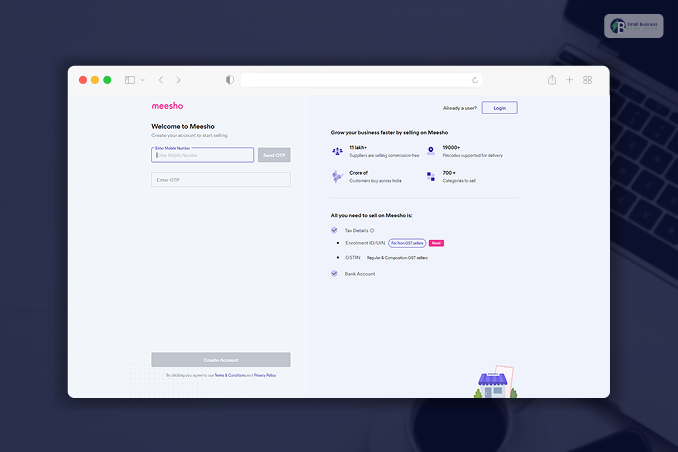
- Firstly, check out the Meesho website and click on the “Start Selling” button
- Secondly, you need to enter your mobile number to receive an OTP instantly. Fill that OTP in the box to finish your number verification.
- Thirdly, you can fill in your details. This will involve your business name, pickup address, city, and whether to register with a GST number, as per your tax rules.
- Now, to lock your account, you need to provide your GSTIN or PAN details.
Additionally, you need to provide your bank account number and IFSC code so Meesho can collect your earnings.
- Now, create a new password that is at least 8 characters long with a fair mix of letters and numbers.
- After that, supply your shop’s unique Store Name, your full name, your email ID, and your business type. Then hit the submit button.
- Lastly, just wait! Meesho usually reviews and approves your account within 1 to 3 days. They confirm through email or SMS.
Business Tip: Keep one mobile number for your business only. Do not mix with your personal number so that your work and personal life remain separate.
Step-by-Step Meesho Seller Login Process
After your account gets approved, navigating your dashboard is a breeze. Here is the way you can do a quick Meesho seller login in two different ways:
Method 1: Web Login (Using Your Computer)
- Firstly, launch your browser and visit meesho.com.
- Secondly, present your registered phone number or email address.
- Thirdly, you need to choose whether to log in with an OTP or a password.
- Lastly, they will ask you to confirm the OTP or enter your secret word, and you are officially inside!
Method 2: Mobile App Login (On-the-Go)
- At first, grab the “Meesho Supplier” app from the Google Play Store.
- Then launch the app and keep using the credentials you used to sign up (your phone number and OTP).
- From now on, you can handle your entire shop at your fingertips.
Understanding Your Meesho Seller Panel Dashboard
Upon completing your Meesho seller login, you will be directed to your Meesho supplier dashboard.
Moreover, this is your main control area. It is super neat and quite simple to navigate.
Inside, you will :
- Home: This page provides a brief insight into your daily sales and displays how many new orders you have received today.
- Products: Now, this is the spot where you put up pictures of your products, describe them, and keep the inventory updated.
- Orders: This part is all about convenience. You can view new orders, items ready for shipment, and customer returns.
- Payments: After that, we know transparency is important! This section lists all your payout history and shows the exact date when your money will be credited.
- Analytics: If you want to scale up your business, here’s the place to find your best-selling items and discover what your customers want most.
A Complete Guide To Meesho Product Page
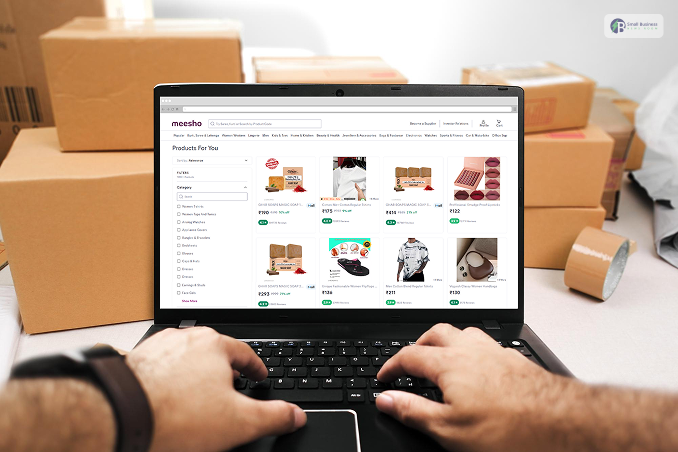
Once your seller account is active, your product page becomes your digital storefront.
Optimizing this page directly influences whether a shopper purchases your item or scrolls past it.
What Is A Meesho Product Page?
This product page is basically a customer’s window to a product. Through this, they can check your photos, prices, descriptions, ratings, sizes, and delivery times.
Moreover, the more accurately you tweak the details here, the greater your chances of increasing conversion rates.
5 Steps To Perfect Product Images
Pictures speak even before words do. Good images can hook up buyers and create a sense of reliability right away.
- Number: Don’t exceed 4 clear photos.
- Different Views: Present the front, back, and a close-up of a special part.
- Backdrop: Use a neat, uniform, plain background.
- Choices: Show all the colors or patterns that you have.
- Situational: Add one photo that gives an idea of size or shows a model wearing the product.
Writing Titles And Descriptions That Convert
Here are the tips that you can follow!
- Clear Product Titles
Make your titles clear, neat, and SEO-oriented (about 5-8 words).
- The approach: Product Type + Principal Feature/Material + Target Audience.
- Example: “Elegant Cotton Kurti for Women”
- Don’t use: “Wow, incredible top, get it nsow cheap.”
- Informative Descriptions
Try to answer all the questions customers may have in order to lessen the return of products:
- Specify the pure fabric/material (e.g., 100% Cotton).
- Mention the fit type (e.g., Slim fit, regular, loose).
- Give precise wash/care instructions.
- For instance: “This soft cotton kurti is ideally suited for everyday wear. It has a regular fit and a sleeveless design. Hand wash is suggested.”
Combine Different Options In A Single Listing
Instead of posting different listings for various colors or sizes of the same product, keep them together.
Grouped listings keep your customer reviews, ratings, and search wheel going all on one page.
If production cost differences make it necessary for you to charge higher prices for bulkier sizes, it is possible:
- Size M: ₹295
- Size L: ₹310
- Size XL: ₹320
Pricing, Shipping, And Visibility
The total price a buyer sees on Meesho already includes the shipping fee. To price yourself competitively, look at similar listings.
You have to ensure that the listings with a 4+ star rating and Free Delivery Badge get maximum visibility on the site and sell the most.
Product IDs And Codes
Each product on the site is identified by certain codes you can find in your Meesho Supplier Panel.
| ID Type | What It Is | Where to Find It |
| Product ID | Unique number Meesho gives your item. Customers can search this number to find you instantly. | Bottom left of product image & Supplier Panel |
| Style Code | A custom identifier you can create to organize your stock. | Supplier Panel (under “Product, Size, and Inventory”) |
| Variation Name | The public label for a specific option (e.g., “Red – XL”). | Visible to buyers on the product page |
| Variation ID | A unique internal number is assigned to every specific size/color combination. | Supplier Panel (used for tracking inventory) |
Orders, Payments, And Returns: How Do These Work?
Meesho features a zero-commission model, meaning you keep all your profits while covering only the shipping costs.
Once you complete your Meesho seller login, you get instant order alerts. Simply pack the items within 24 hours, and Meesho’s partners will handle the pickup and delivery.
Moreover, payouts arrive safely in your bank account every week, minus shipping or return fees.
Also, buyers have 7 days to request returns, which you can easily manage.
| Stage | Timeline | Seller Action |
| Order | Instant | Check stock |
| Pickup | 1-2 Days | Pack safely |
| Delivery | 3-5 Days | Track app |
| Payout | 15 Days | Get paid |
With zero hidden fees, you can easily earn 20-40% profit margins!
How Can You Delete Your Account?
Sometimes, you just need to take a break or permanently close down the platform.
Fortunately, it is quite simple to do this. Below is the step-by-step guide to safely store pausing or close.
· Temporary Deactivation
In case you are only taking a breather, deactivating your store is the right solution.
- Initially, log in to your Meesho seller account to open your dashboard.
- Then, click Account Settings and choose Profile.
- After that, press Deactivate Account and select the reason.
- Finally, authenticate the edit with the OTP sent to your phone.
This will immediately stop receiving new orders, and by simply logging back you will be able to reopen the shop.
· Permanent Deletion
If you are determined to go, there is a formal procedure for it.
- First, fulfill all your pending orders and payments.
- Also, grab a copy of your sales records from the payments tab to keep for your tax file.
- Finally, write to support@supplier.meesho.com, providing your registered mobile number and the reason for your decision.
Within 7 to 10 days, Meesho will completely delete your data.
Common Issues and Solutions That You Need To Know!
Getting locked out of Meesho while trying to log in as a seller can be incredibly frustrating when you have a business to run. Fortunately, most of these glitches are super easy to fix on your own!
Here are the quickest ways to solve common login issues:
- OTP Not Coming: Double-check your phone number, wait 5 minutes, or switch between the website and the mobile app.
- Wrong Password: Click on “Forgot Password” to reset it instantly via phone verification.
- App Crashes: Head to the app store and update your app to the latest version.
- Blocked Login: Clear your browser cache or switch over to an incognito window.
- Account Locked: Reach out directly to support@meesho.com or use the in-app chat to get back online.
Tips To Follow To Increase Your Sales!
Growing your business after your Meesho seller login is way more simple than it might seem!
Initially, tweak your product descriptions to incorporate common buyer queries that come up when searching on the platform. For example:
“cotton kurti under 500”. Finding trending keywords is very easy with tools like Google Gemini.
Then, to keep your store updated, you should aim to add about 10 new product listings each day.
Moreover, in order to win over buyers who are price-sensitive, bring down your prices by just by 10% of what your competitors’ prices are, so that your prices remain attractive, but you still make a profit.
To end with, prioritize quick, same-day order handovers, and also try using less expensive Meesho ads. This can help you increase your visibility in no time.
Meesho Vs Flipkart Vs Amazon: Which One Is The Best?
Choosing the right platform to sell your products can be tough. However, looking at this quick breakdown makes your decision much easier before you perform your Meesho seller login.
| Feature | Meesho | Amazon | Flipkart |
| Commission | 0% | 5-15% | 4-12% |
| Seller Size | Small/Resellers | All Sizes | Medium+ |
| Approval | 1-3 Days | 2-7 Days | 3-5 Days |
| Payments | Weekly | 7 Days | Bi-weekly |
| Deletion | Email Support | Self-service | Self-service |
In short, Meesho is perfect for smaller budgets because of its zero-commission model and fast weekly payouts.
Whereas Amazon and Flipkart offer massive reach but take a cut of your sales.
What Are The Best AI Tools You Can Use For Selling Growth?
Expanding your online business isn’t about being a tech genius. Nowadays, you can very well upgrade your business using these intelligent AI tools right after your Meesho seller login:
- ChatGPT: Promptly come up with attractive, selling product titles and vivid descriptions.
- Google Gemini: Conduct simple keyword analysis and discover February 2023 hidden trends to strengthen your SEO.
- Microsoft Copilot: Easily handle your business’s daily emails and monitor your main competitors with ease.
- Canva AI: Effortlessly erase distracting backgrounds from images and one-click enhance your product photos.
Harness the power of these free tools to dramatically reduce your hours of physical labor!