
Table Of Contents
- Why Use the Meesho Supplier Panel? (Benefits for 2026)
- 1. Expanded Market Reach
- 2. Zero Commission Selling
- 3. Simplified E-Commerce Operations
- 4. Integrated Logistics & Delivery Support
- 5. Analytics and Business Insights
- 6. Cost-Effective Marketing Tools
- Features Of The Meesho Supplier Panel
- 1. Product Listing & Management
- 2. Inventory Control
- 3. Order Management
- 4. Shipment & Logistics Tracking
- 5. Payments & Settlements
- 6. Promotional Tools
- 7. Analytics & Performance Insights
- 8. Support & Help Center
- Who Can Use the Meesho Supplier Panel?
- Meesho Supplier Login Panel Guide and How it Can be Helpful :
- Step 1
- Step 2
- Phone Number and OTP Verification
- Step 3
- Step 4
- Dashboard:
- Order:
- Inventory:
- Payment Section:
- Analytics:
- Step 5
- New Product Addition:
- Optimizing Product Listing:
- Inventory Management:
- Meesho Suppliers Panel App
- Best Practices For Using The Meesho Supplier Panel
- 1. Use High-Quality Images
- 2. Write Detailed Descriptions
- 3. Keep Inventory Updated
- 4. Respond Swiftly to Orders
- 5. Leverage Analytics
- How to Register for a Meesho Supplier Account Before Login?
- Safety & Account Security Tips
- 2026 Trends & Updates to Watch
- FAQs
- 1. Is GST mandatory to register on the Meesho Supplier Panel in 2026?
- 2. How long does it take for a Meesho supplier account to get approved?
- 3. Can I manage my Meesho Supplier Panel using a mobile phone?
- 4. How does payment settlement work on the Meesho Supplier Panel?
- 5. What should I do if I forget my Meesho Supplier Panel login password?
- 6. Can I sell multiple product categories using one Meesho supplier account?
- 7. What happens if a customer returns or cancels an order?
- 8. How can I improve my sales performance on Meesho?
- 9. Is customer support available for Meesho suppliers?
- 10. Is the Meesho Supplier Panel safe and secure to use?
- Read More:
Meesho Supplier Panel: Know The Best Features And Login Process (2026 Guide)
Last Updated on: May 4th, 2026
Selling on Meesho has several advantages, including one of the largest customer bases, which makes it particularly beneficial for small businesses, as they may not have the proper resources to maintain individual e-commerce stores.
In India’s booming e-commerce ecosystem, Meesho has emerged as a game-changer, especially for small and medium suppliers looking to scale without huge upfront investments or tech expertise.
As of 2026, Meesho continues to evolve its Supplier Panel, offering a powerful, intuitive platform that helps suppliers manage products, orders, payments, analytics, and more, all in one dashboard.
This comprehensive guide explains what the Meesho Supplier Panel is, how it works, its key features, the login process, and best practices to make the most of it as a supplier on the platform.
Whether you’re new to Meesho or already selling, this updated 2026 article gives you the complete picture.
This article is a guide to the Meesho supplier panel login and can also help people navigate through the Meesho supplier panel app.
Why Use the Meesho Supplier Panel? (Benefits for 2026)
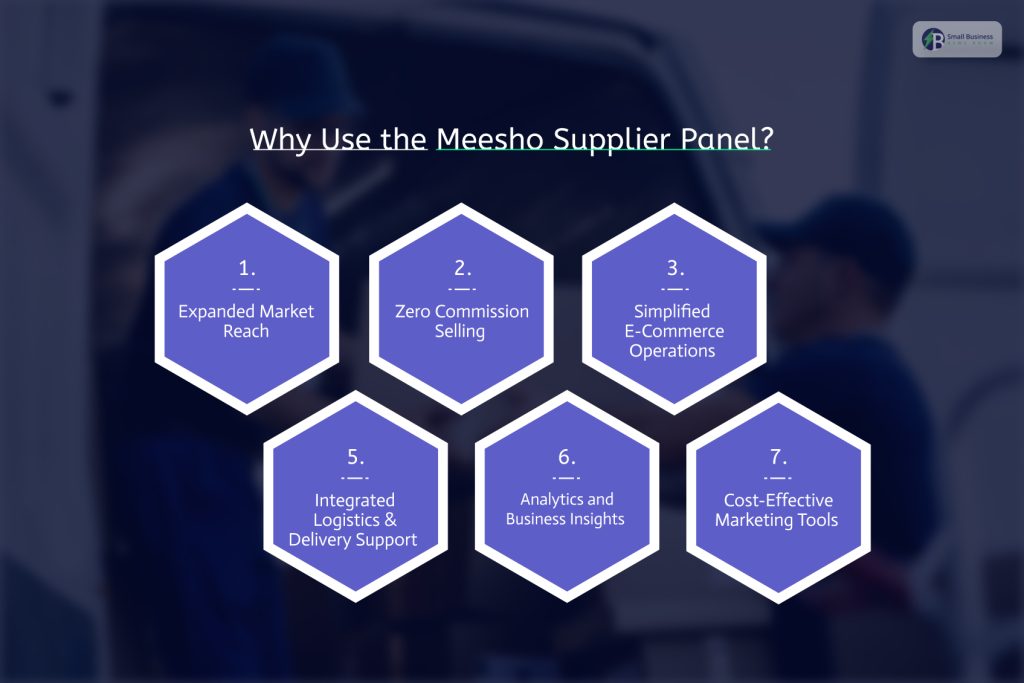
There are a few reasons why the Meesho Supplier panel is beneficial for 2026.
1. Expanded Market Reach
Meesho connects suppliers with millions of active customers and a vast network of resellers across India. This access dramatically boosts your reach compared to selling only through your own channels.
2. Zero Commission Selling
Unlike many marketplaces that charge a commission on sales, Meesho often offers 0% commission to suppliers, allowing you to retain more profit. This has been a strong incentive for new and traditional sellers to migrate online.
3. Simplified E-Commerce Operations
From product listing to order processing and payment reconciliation, the Supplier Panel helps streamline your daily operations without needing external tools or team resources.
4. Integrated Logistics & Delivery Support
Meesho’s platform includes logistics coordination, which means suppliers largely do not need to separately manage third-party delivery services. You can track shipping and delivery statuses directly from your dashboard.
5. Analytics and Business Insights
The dashboard offers performance analytics such as sales trends, best-selling products, and inventory movement helping you make data-driven decisions.
6. Cost-Effective Marketing Tools
Features like promotional campaigns and catalog visibility options help even small suppliers attract more demand without heavy marketing costs.
Features Of The Meesho Supplier Panel
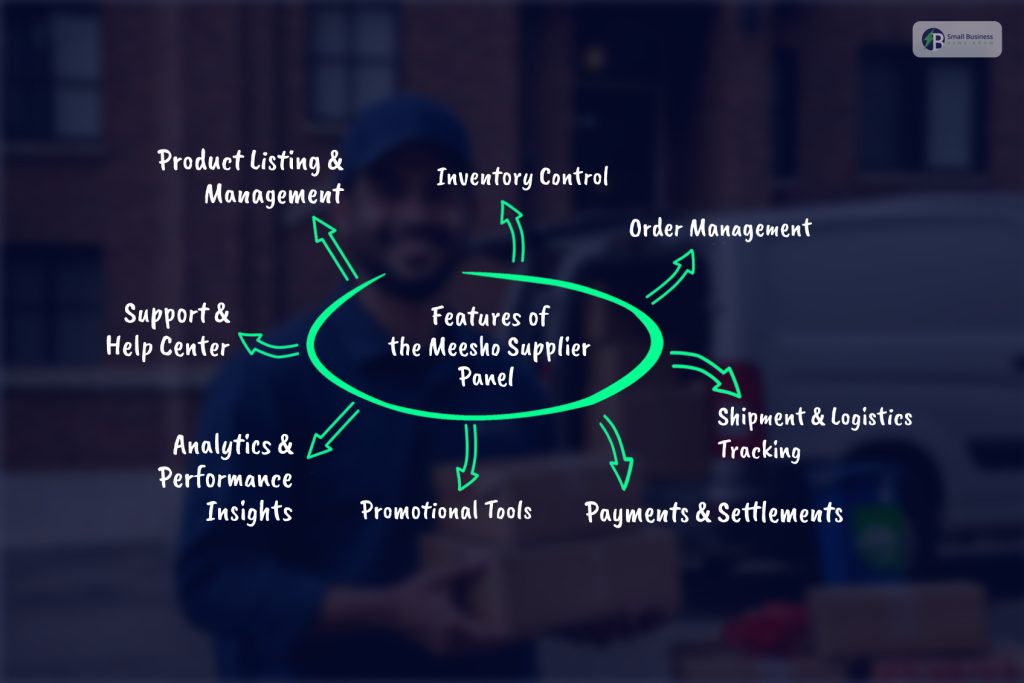
Here’s what you can expect inside your Supplier Panel once you log in:
1. Product Listing & Management
Suppliers can:
- Add new products with detailed titles and descriptions
- Upload multiple high-quality images
- Set prices and discount schemes
- Edit or delete products as needed
This is the first step to making your products available to Meesho’s reseller network.
2. Inventory Control
Manage product stock status to avoid overselling or stockouts. You can monitor:
- Available inventory
- Out-of-stock products
- Low stock alerts
This helps ensure you’re always ready to fulfill orders efficiently.
3. Order Management
In the Supplier Panel:
- New orders appear under the “Pending” tab
- You can accept or cancel orders
- Shipped orders move to the “Shipped” tab
- Cancellations and returns are tracked separately
Immediate order action ensures timely fulfillment and enhances buyer satisfaction.
4. Shipment & Logistics Tracking
Once orders are accepted, you can coordinate packaging and pickup according to Meesho’s guidelines. Third-party logistics are integrated, allowing you to:
- Print shipping labels
- Track delivery progress
- Confirm delivery status
This reduces hassles and delays for suppliers.
5. Payments & Settlements
The “Payments” section provides:
- A clear history of received and pending payments
- Settlement reports
- Transparent breakdowns of earnings
Meesho typically settles payments within a set cycle after delivery confirmation, which helps with predictable cash flow management.
6. Promotional Tools
You can:
- Use catalog ads to increase visibility
- Participate in Meesho’s promotional campaigns
- Offer discounts and special deals
Promotional features help boost product visibility and encourage more orders.
7. Analytics & Performance Insights
The Panel offers data on:
- Sales trends
- Top-selling products
- Inventory turnover
- Reseller engagement
These insights help you optimize pricing strategies and stock choices.
To maximize your profit margins on the Meesho supplier panel, collaborating with a professional SyncStar Sourcing partner can help you secure high-quality products directly from top Chinese manufacturers at competitive prices.
8. Support & Help Center
If you face issues with orders, cataloging, or logistics, you can raise support tickets directly from the panel and track their status.
Who Can Use the Meesho Supplier Panel?
The platform attracts a wide range of sellers:
- Small manufacturers shifting from offline to online
- Home-based entrepreneurs
- Wholesalers and brands
- Suppliers without traditional e-commerce experience
There is a minimal technical barrier to entry, and even sellers without an extensive online background can start with basic requirements like a mobile number, GSTIN (or UIN), and bank details.
Meesho Supplier Login Panel Guide and How it Can be Helpful :
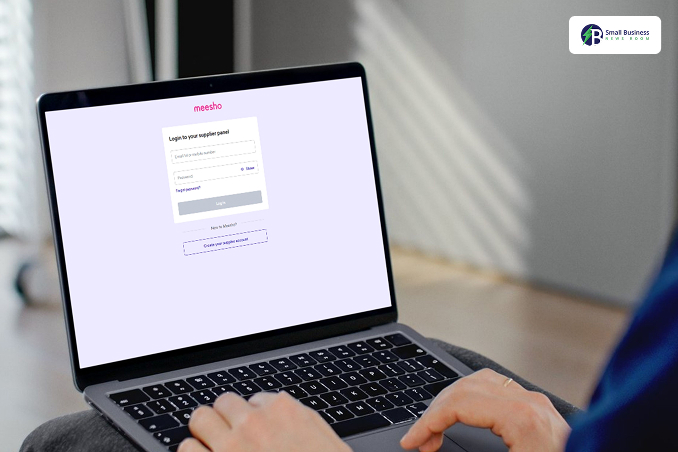
Meesho seller login to Meesho Supplier while following a few easy steps, after which they can avail themselves of the features available through the Meesho Supplier Panel.
The suppliers can use the dashboard effectively only after completing the login process.
Step 1
Go to the official website of Meesho.
Step 2
The new users should sign up and create a new account, while the old users must log in.
Phone Number and OTP Verification
The new suppliers are supposed to follow the following steps:
Go to the official website of Meesho.
Click on the “create your supplier account” option at the bottom, beneath “new to Meesho.”
After clicking on the option, they will be taken to a page where they will be asked for the phone number on which a person is supposed to get OTP.
Simply add the phone number to get the OTP.
After getting the OTP, enter it.
The old users can simply add their phone number and password. Remembering the password is crucial for the login process. However, those who have forgotten their password can always reset it.
Step 3
First-time users fill in all the important details about their business, and completing the portfolio is crucial to using it effectively.
These are the details that a new supplier is supposed to add.
Business Name: Here, the business’s legal name is supposed to be entered.
GSTIN is mandatory for the identification of the category.
PAN Number: If the business PAN number is to be entered, proprietors will have to add their personal PAN number if there is no business PAN number.
Information about the business type needs to be entered, whether it is Individual, Partnership, or Proprietorship.
Address: Proper information about the pickup address needs to be provided. This should include the pin code, the city name, and a landmark for better navigation.
Bank Details.
Store Details.
KYC Documents based on the type of business.
Step 4
Meesho provides all features and options, and the 4th step concerns navigating through all the features of the Meesho supplier panel.
Dashboard:
The dashboard gives an overview of the store’s performance, including details like:
Sales Figures: This helps suppliers remain aware of their sales numbers.
Orders: Order details are also provided and are always accessible to suppliers.
Earnings: With this data, a supplier can clearly understand their earnings.
Data about New Customers: This is a brief overview of the acquired customers by any supplier.
Order:
This section is crucial as a person can access several features and benefits from this section, including things like:
Getting vital information about incoming orders.
Processing orders.
Updating order status.
Track deliveries.
Inventory:
The inventory section helps a user with several things, including managing the product listing, adding new items, and correcting discrepancies.
Suppliers set prices through the inventory section, not just that. Also, tracking the inventory level can be done by the inventory section.
Payment Section:
Tracking the payments, viewing earnings, and checking the pay schedule can be done here.
Analytics:
The analytics section is crucial for decision-making as it provides data-driven insights about performance.
This feature also helps to understand customer trends, sales data, and conversion rates.
Step 5
Product Management Section:
Product management on Meesho is a crucial part. Suppliers manage their products efficiently on Meesho while following these steps:
New Product Addition:
Suppliers add new products while going to the inventory section and following the instructions.
This may include
Uploading Images.
Setting up product details.
Categorizing the item
Suppliers should enter appropriate details about the products to make sure that there is proper information that gives a clear idea to potential buyers.
Optimizing Product Listing:
Suppliers should optimize their titles while using SEO friendly titles and should make sure that the descriptions are crisp and to the point while providing the customers with a clear idea of what is being sold.
Users of Meesho generally prefer a high-quality image that uplifts clarity.
Inventory Management:
Managing inventory is important; keeping track of the inventory helps in the prevention of out-of-stock situations.
It is also important to regulate the product pricing while updating it based on market trends.
Effective product management helps in clearing dead stocks.
Meesho Suppliers Panel App
The Meesho Supplier Panel dashboard is also available through the Meesho mobile application.
All features can be handled through the mobile phone as well. The app keeps resources and data really tangible making it easy to handle.
The Meesho Supplier Panel app is available online in the Google Play Store and the App Store.
Best Practices For Using The Meesho Supplier Panel
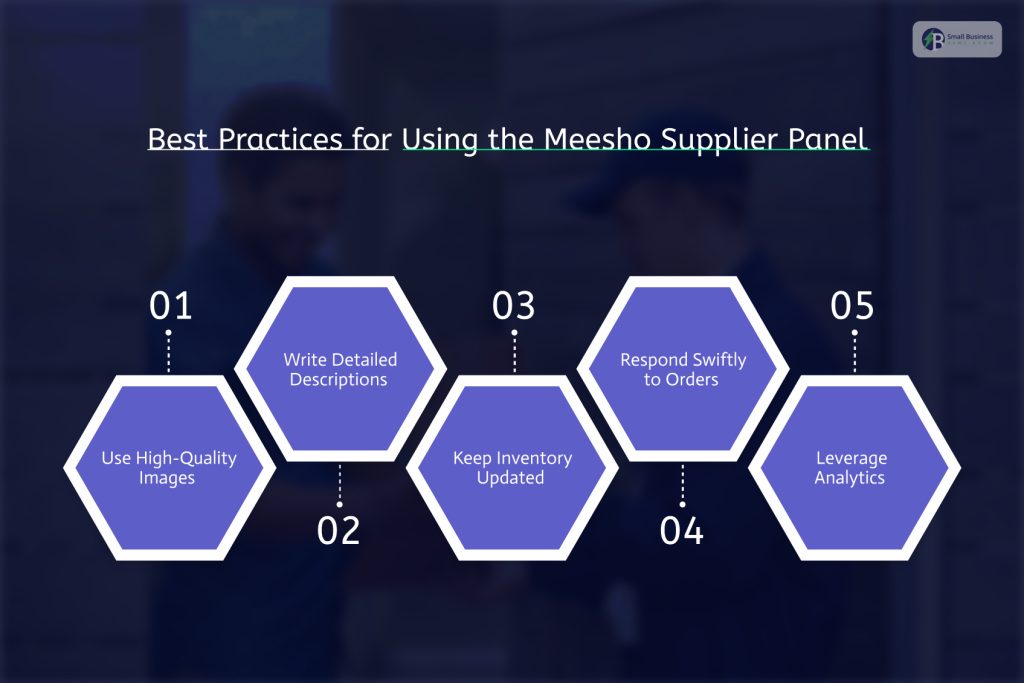
To maximise your success on Meesho:
1. Use High-Quality Images
Clear and professional product photos increase conversions. Multiple views and accurate visuals help resellers and customers make informed purchasing decisions.
2. Write Detailed Descriptions
Include relevant details like size, material, usage instructions, and benefits to reduce return rates and boost sales.
3. Keep Inventory Updated
Regularly update stock levels to avoid cancellations and negative feedback.
4. Respond Swiftly to Orders
Quick acceptance and preparation for pickup improve your fulfillment metrics and increase reliability.
5. Leverage Analytics
Use sales data and trends to stock winning products and adjust pricing strategies over time.
How to Register for a Meesho Supplier Account Before Login?
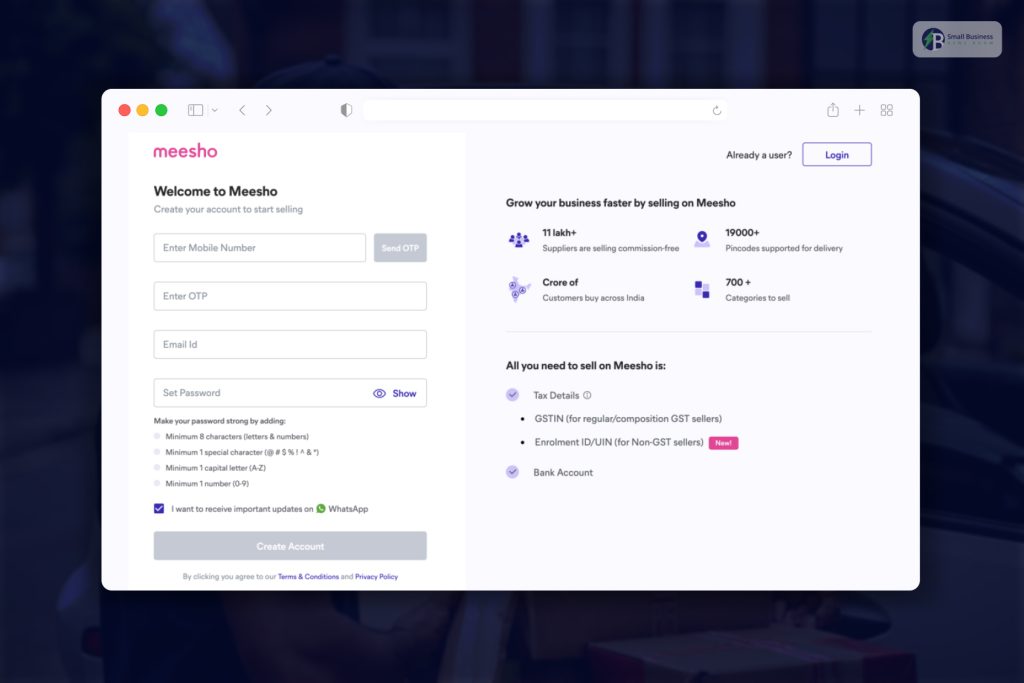
If you haven’t signed up yet:
- Visit the Supplier registration page
- Enter your mobile number and email, then verify with OTP
- Provide business details like PAN, GSTIN/UIN, and bank account
- Accept the terms and complete onboarding
After verification, your account is ready, and you can log in as described above.
Safety & Account Security Tips
Since your Supplier Panel contains sensitive business data:
- Use strong, unique passwords
- Enable OTP or two-factor authentication
- Avoid sharing login credentials
- Always log out when using shared devices
These basics help prevent unauthorized access or misuse.
2026 Trends & Updates to Watch
As Meesho continues innovating:
- Mobile Supplier tools will improve real-time management.
- AI-powered product and price recommendations will become more sophisticated.
- Inventory forecasting tools will help suppliers plan stock.
- Localized language support will expand accessibility.
Expect ongoing enhancements through 2026.
FAQs
Here are a few questions and queries on the topic of Meesho Supplier Panel that others have asked, and you might find helpful at the same time.
1. Is GST mandatory to register on the Meesho Supplier Panel in 2026?
In most cases, yes, GST registration is required to sell on Meesho, especially for suppliers dealing in taxable goods. However, certain categories and sellers operating under special exemptions (such as GST-exempt goods or small sellers with valid UINs) may be allowed to onboard without a GST number.
Meesho periodically updates its compliance requirements, so suppliers should always check the latest onboarding guidelines during registration.
2. How long does it take for a Meesho supplier account to get approved?
Typically, supplier account approval takes 24 to 72 hours after submitting all required documents, including:
- PAN details
- GSTIN or UIN (if applicable)
- Bank account information
Delays can occur if documents are incomplete, mismatched, or under verification review. Once approved, suppliers can immediately log in and start listing products.
3. Can I manage my Meesho Supplier Panel using a mobile phone?
Yes. In 2026, Meesho offers mobile-friendly access to the Supplier Panel through:
- The mobile web browser
- The Meesho Supplier app (where available)
Suppliers can manage orders, accept shipments, track payments, and monitor performance directly from their smartphones, making it convenient for small and home-based sellers.
4. How does payment settlement work on the Meesho Supplier Panel?
Payments are settled after successful order delivery and completion of the return window. The Supplier Panel shows:
- Pending payments
- Completed settlements
- Payment cycle timelines
Funds are transferred directly to the supplier’s registered bank account, usually within a fixed settlement period defined by Meesho. Transparent reports help suppliers track earnings accurately.
5. What should I do if I forget my Meesho Supplier Panel login password?
If you forget your password:
- Go to the Supplier Panel login page
- Click on “Forgot Password”
- Enter your registered mobile number or email
- Verify using OTP
- Set a new password
This process ensures secure account recovery without needing customer support intervention.
6. Can I sell multiple product categories using one Meesho supplier account?
Yes. A single supplier account can list products across multiple categories, provided they comply with Meesho’s product guidelines and quality standards. Expanding into new categories can help increase visibility and diversify revenue streams.
7. What happens if a customer returns or cancels an order?
Returns and cancellations are managed through the Supplier Panel:
- Order status updates automatically
- Returned items follow Meesho’s return policy
- Payment adjustments are reflected in settlement reports
Maintaining accurate product descriptions and quality standards can help minimize returns and protect seller ratings.
8. How can I improve my sales performance on Meesho?
To improve performance:
- Upload clear, high-quality product images
- Write accurate and detailed descriptions
- Keep prices competitive
- Maintain sufficient inventory
- Accept and ship orders quickly
Using analytics inside the Supplier Panel helps identify best-selling products and optimize listings over time.
9. Is customer support available for Meesho suppliers?
Yes. Meesho provides dedicated supplier support through:
- Support tickets raised via the Supplier Panel
- Help center resources and learning hubs
Suppliers can track ticket status and receive resolution updates directly in their dashboard.
10. Is the Meesho Supplier Panel safe and secure to use?
Yes. Meesho uses modern security measures such as:
- OTP-based login verification
- Encrypted data handling
- Secure payment settlements
Suppliers are advised to protect their accounts by using strong passwords and avoiding credential sharing.