Table Of Contents
- What Is Udyam Verification?
- Udyam Verification: Why Is It Necessary?
- What Details Do You Need To Check The Udyam Verification Number?
- Udyam Verification Registration Online: Step-By-Step Guide
- How To Check The MSME Certificate Status
- MSME Certificate Verification Online For Third Parties: The Process
- How Can You Check Udyam Registration Details?
- Printing Guide For Udyam Verification
- What Is The Difference Between Udyam Verification And MSME Certificate Check?
- MSME Certificate: When Must You Verify?
- What Are The Benefits Of Having Udyam Verification Registration?
- What Are The Major Security Tips You Need To Follow?
Udyam Verification Guide: How To Verify Msme Registration And Check Certificate Status Online
The MSME registration is more like an official ID card for your business. However, having the card is not just enough.
You also need Udyam verification. This can help to prove it is the real deal.
This simple online check confirms that your business is properly mapped to a valid Udyam Registration Number.
So, why does this matter? Well, for starters, it builds instant trust! When your profile details are accurate!
The banks can even process business loans much faster. Additionally, it makes onboarding as a vendor smoother. Moreover, it ensures you get easy access to the government perks.
So, if you are worried about the process, don’t be!
You can quickly verify your status through the official portal. Even if you hit a snag, most common errors are easy to fix.
Ultimately, staying verified can keep your business credible and ready for growth.
What Is Udyam Verification?
For any entrepreneur in India, it is necessary to get their business officially recognised. You can consider it a milestone!
It all starts with obtaining a Udyam certificate, which serves as an official ID card for your Micro, Small, and Medium Enterprise (MSME).
However, it is also not enough to get the certificate. You would also need the Udyam Certificate.
This is a quick online check on the official Udyam portal to confirm:
- Your business is real
- Your details, such as name and address, are accurate in the government database.
Ultimately, this simple step can help you build massive trust with the banks and suppliers. Moreover, it helps you to clear vendor onboarding.
Udyam Verification: Why Is It Necessary?
You got your business registered! That’s fine! But you would also need to stay on top of it. It is just as important.
That is why Udyam verification is such a lifesaver for small business owners. It is a quick way to make sure everything is official and up to date!
You just need to perform this simple check, this way you can:
- Firstly, confirm your registration is active and valid.
- Secondly, you can double-check that all your business details are 100% correct.
- Thirdly, you can spot any fake or incorrect certificates instantly.
- Lastly, this helps you to track your status and download a fresh copy anytime.
Most importantly, banks and government portals use this step before handing out loans or benefits. It is the best way to prove your business is the real deal!
What Details Do You Need To Check The Udyam Verification Number?

So, you only need a few simple things to get started with your Udyam certificate number.
All you need to grab is:
- Your Udyam Registration Number (URN).
- Your registered mobile number or email.
Don’t worry if you have lost your URN! You can easily recover it. Just remember to use the phone number linked to your Aadhaar.
Udyam Verification Registration Online: Step-By-Step Guide
It is very easy to check your business status. You would only require a few minutes.
All you need to do is head over to the official government portal. After that, you can follow these simple basic steps:
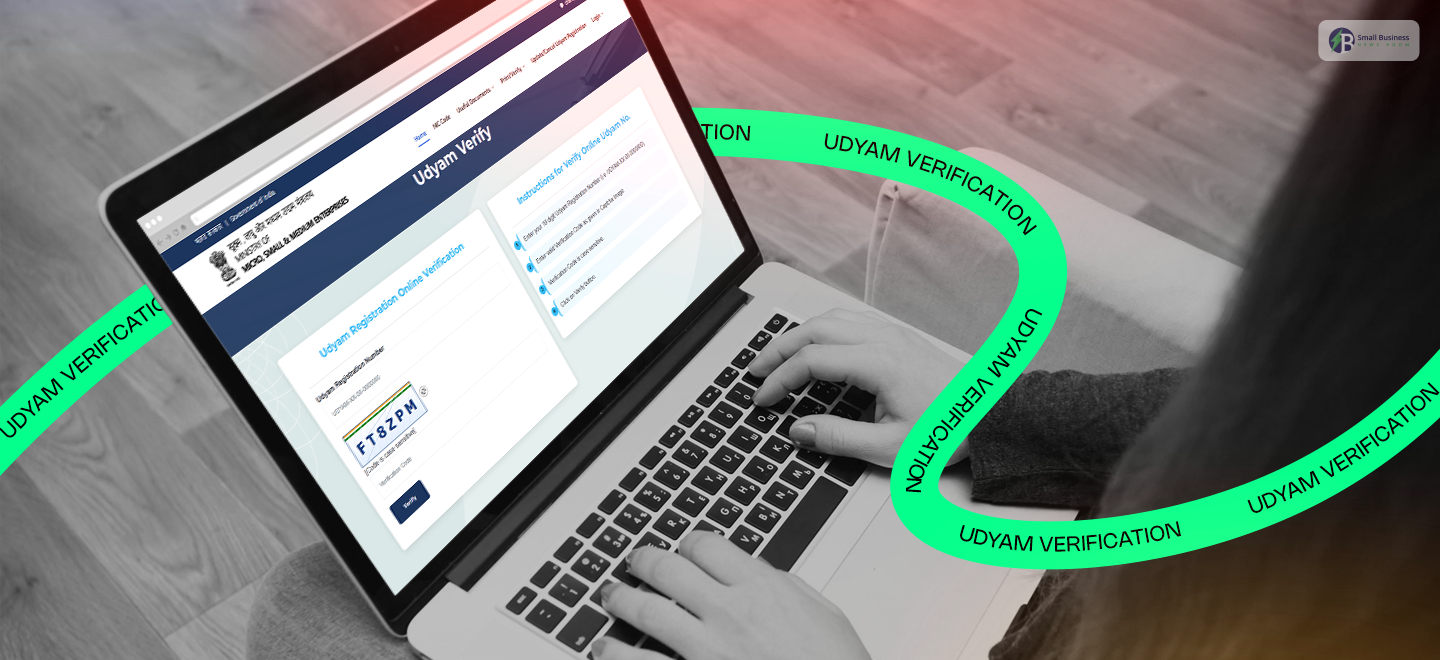
- Visit the Portal: First, open the official Udyam Registration website on your computer or phone.
- Find the Link: Look for the button that says “Verify Udyam Registration.” This is the specific spot for any MSME certificate check.
- Enter Your ID: Next, carefully type in your Udyam Registration Number (URN).
- Security Check: Simply fill in the captcha code exactly as it appears on the screen.
- Submit: Finally, click the submit button to see your full profile.
Once you hit that button, you will be able to view all your important details. This can be
- Your business name,
- The type of enterprise you run,
- Your current registration status.
It is a fantastic way to ensure your information is 100% accurate and up to date.
By completing this Udyam verification, you are basically giving your business a “seal of approval” that banks and partners love to see.
It is quick, easy, and keeps your business journey moving forward!
How To Check The MSME Certificate Status
Want to see if your certificate is officially active or recently updated? It’s actually super easy! To get your Udyam verification done, just follow these quick steps:
- Visit the portal: First, you need to head to the official Udyam website.
- Select status: Click on the registration status option.
- Enter your ID: Type in your Udyam Registration Number.
- Check details: Hit submit to see your current status instantly.
This simple check is the best way to confirm everything is approved and ready to go!
MSME Certificate Verification Online For Third Parties: The Process

Now, if you are a buyer, a bank officer, or a vendor, checking someone’s credentials is a smart move. It is actually quite simple to handle a Udyam verification for another business!
Just follow these quick steps:
- Visit the official site: Head to the verification section on the Udyam portal.
- Enter the ID: Type in their unique Udyam registration number.
- Fill the captcha: Complete the quick security check.
- View results: Hit submit to see their official details.
This small step ensures everything is transparent and helps you avoid any fake certificates.
How Can You Check Udyam Registration Details?
After you finish your Udyam verification, it’s wise to give the information on your screen a thorough check once more. Now you can easily find all your essential business details in one place!
Don’t forget to verify these major points:
- Trading name: Is your company name correctly spelled?
- Owner’s name: Is it the one that appears on your legal documents?
- PAN and Address: You must verify if your taxpayer link and the place of your business are correct.
- Activity codes: You can check if your business type (NIC codes) is correct.
- Category: You have to validate your investment and turnover brackets. Frankly, a tiny mistake could cause you to miss a tender, or a loan might be rejected.
That is why you must perform a quick Udyam verification check. It is an excellent way to ensure that your business development is going smoothly!
Printing Guide For Udyam Verification
Do you want to have a hard copy of your business ID? It’s very straightforward! After completing your Udyam verification, you can get a printed certificate in just a few clicks. Here’s what you do:
- Verify: First, you must finish your Udyam verification at the official website.
- Select print: Then, on your account page, hit the “Print Certificate” button.
- Download: After that, you can download a PDF copy for your records.
- Save & Print: In the end, you will save the digital file and can also print the paper copy if you want.
And the coolest part of all? This printed certificate is recognized by banks and government offices everywhere.
What Is The Difference Between Udyam Verification And MSME Certificate Check?
It is easy to get these terms mixed up. However, they actually help you in different ways.
Whether you are checking your own records or vetting a partner, here is a simple breakdown of how Udyam verification differs from a basic certificate check.
| Purpose | Method |
| MSME Certificate Check | Confirms whether a certificate is valid and genuine. |
| Udyam Verification | Confirms all your deep registration details are correct. |
| MSME Certificate Status | Shows if your application is approved or has been recently updated. |
| Udyam Registration Print | Let’s you download a fresh copy of your official certificate. |
And the best part? All of these helpful services are available online. On top of that, these are completely free on the official portals.
Thus, you need to take a moment for Udyam verification. This ensures your business stays credible and ready for new opportunities!
MSME Certificate: When Must You Verify?

It is always a smart idea to stay on top of your Udyam verification to keep your business running without any hiccups. It is more like a quick health check for your official paperwork!
You should definitely verify your certificate in these situations:
- Applying for loans: Banks need to see that your status is active and accurate.
- Bidding on GeM: Do not miss out on major tenders due to outdated information.
- Updating details: A quick check can help ensure everything is up to date as your business grows or changes.
- Registering as a vendor: Most big companies will ask for proof of your MSME status.
- Claiming subsidies: To get those government benefits, your records must be spot on.
In short, you can make this a regular habit. This can help you avoid annoying compliance headaches down the road. It only takes a minute, but it saves you a lot of trouble!
What Are The Benefits Of Having Udyam Verification Registration?
Once you get a Udyam certification, it is like turning the key to a world full of new opportunities for your business growth.
For example, you can avail the following easily:
- Getting bank loans at lower interest rates and faster credit.
- Participating in government tenders.
- Legal remedies to ensure timely payments.
- Tax breaks and subsidies.
In short, it helps you maintain your status and build trust, and you will also save more money. So, don’t miss this opportunity!
What Are The Major Security Tips You Need To Follow?
Keeping safe while getting your Udyam verification done is extremely crucial, as there are many risks everywhere.
Also, it is really very simple to keep your business data secure by following a few simple rules! For instance, you can always keep the following tips in mind:
- Real websites only: Firstly, you must use only the genuine government website.
- Keep your OTPs secret: Secondly, under no circumstances should you disclose your security codes to anyone.
- Beware of Fakes: Thirdly, stay away from third-party websites that seem “official” but actually aren’t.
- Don’t Pay: Lastly, keep in mind that it’s absolutely free!
Basically, just get that URL verified before you get started. Being cautious now saves you from big troubles later!
MSME Verification Methods: Common Errors and Troubleshooting?
Sometimes a quick Udyam verification fails. Don’t be upset! Most problems are either typos or outdated information.
Just go through this simple checklist to resolve common problems like “no record found” or misalignments. It might be of great help to you.
Here are a couple of tips to get it right:
- Copy and paste the URN: Take the URN straight from the PDF to avoid making typing errors.
- Update your profile: If you have changed your location or business categories, update your details on the portal before making any other moves.
- Check PAN/GST: Be sure your business name matches exactly what is in all government databases.
- Watch the clock: When the website is slow, try again at a time when fewer people are online, or switch to a different Wi-Fi network.
- Keep contacts active: Make sure your mobile number and email address are up to date so you receive your OTPs without delay.
In the end, staying up to date spares you the hassle of a plethora of support tickets later on!