Table Of Contents
- Ehrms.Upsdc.Gov.In Up: Understanding The Purpose
- What Are The Key Objectives Of The Uttar Pradesh Manav Sampada App?
- What Are The Key Features Of ehrms.upsdc.gov.in UP?
- 1. Transfer And Posting Made Effortless
- 2. Easy Leave Application
- 3. Performance Reviews (Acr)
- 4. Property Returns (Apr)
- Important Links That You Need To Know!
- Everything You Need To Know About The eHRMS Up Services
- www.ehrms.upsdc.gov.in login: What Are The Eligibility Criteria?
- What Documents Do You Need For Registration?
- How To Register On The Portal?
- How To Check the Status Process On The Portal?
- How Can You Apply For Leaves Online On ehrms.upsdc.gov.in UP?
- How To Troubleshoot The Common Login Issues?
- 1. Forgot Your Password?
- 2. Login Details Not Working?
- 3. Website Won't Load?
- 4. Server Errors?
- What Services Are Available On The Manav Sampada Portal?
- A Simple Guide To Checking Your Attendance And Salary Slip On eHRMS UP
- How To Check Your Attendance On eHRMS UP
- How To Check Your Payroll And Salary Slip
How To Access And Use ehrms.upsdc.gov.in UP: A Step-By-Step Tutorial For Employees
Last Updated on: July 14th, 2026
You are probably well aware of how exhausting paperwork can be if you are a UP government employee.
However, the Manav Sampada portal (eHRMS UP) has come to your rescue! It is an online platform that caters to all your HR, related needs.
Imagine being able to handle your salary, access promotion information, or even manage transfers, all without going to the office.
In fact, the portal securely stores your entire service history file.
Moreover, the registration is extremely fast. You just have to submit the request online and wait for approval.
Overall, it is about saving you time and making things transparent. In this article, we will show you how to log in and check your application status.
So, keep reading to find out how to become an expert in using this portal and have your work life set up in order!
Ehrms.Upsdc.Gov.In Up: Understanding The Purpose
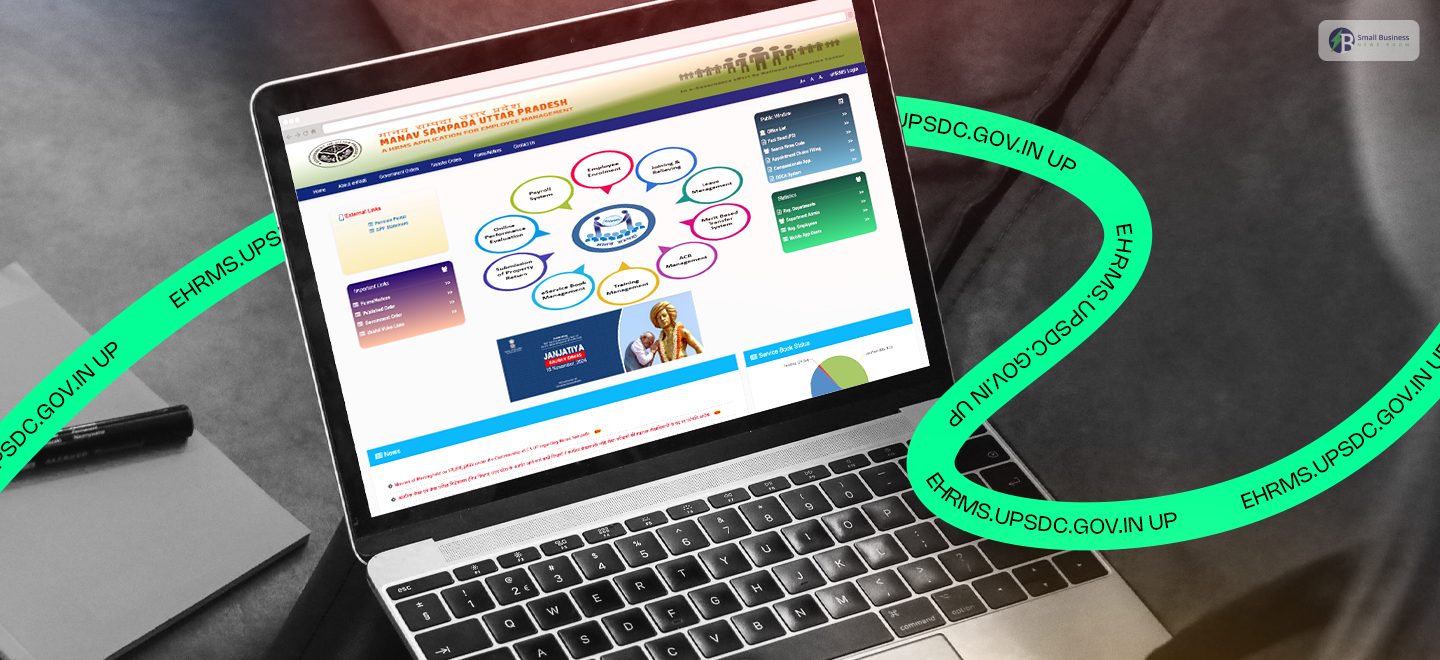
The NIC Uttar Pradesh team created a really helpful portal called Manav Sampada. If you work for the government, this tool is going to be your new best friend.
It’s an online system that takes all those messy HR tasks and makes them super simple.
For starters, you can handle your payroll and check your work history in just a few clicks.
Do you need to take some time off? You can apply for leave right through the portal! At the same time, it’s great for managers too.
They can see your request and approve it instantly without any back-and-forth emails.
Since everything is automated, there’s no need to worry about mistakes or lost paperwork. It keeps your data safe and makes the whole process transparent for everyone.
Basically, it saves you a ton of time and stress. Stick around to find out how you can make the most of it!
What Are The Key Objectives Of The Uttar Pradesh Manav Sampada App?
The NIC Uttar Pradesh team developed a very convenient portal, Manav Sampada. If you are a government employee, then this one is going to be your best buddy.
It is an online platform that streamlines the personnel work that previously looked very complicated and cumbersome. As a result, tasks that once took days can now be completed in minutes.
With it, you can basically do payroll work in a few simple steps. Want to go out? You can request leave digitally! The portal is also very helpful to superiors.
They can review your request and grant their consent immediately, without any unnecessary email exchanges.
As the whole thing is mechanized, one doesn’t have to fear errors or such things getting misplaced.
Besides that, the portal safeguards your information while also being an open record for everyone.
This way, it helps you to be more productive and less anxious.
What Are The Key Features Of ehrms.upsdc.gov.in UP?
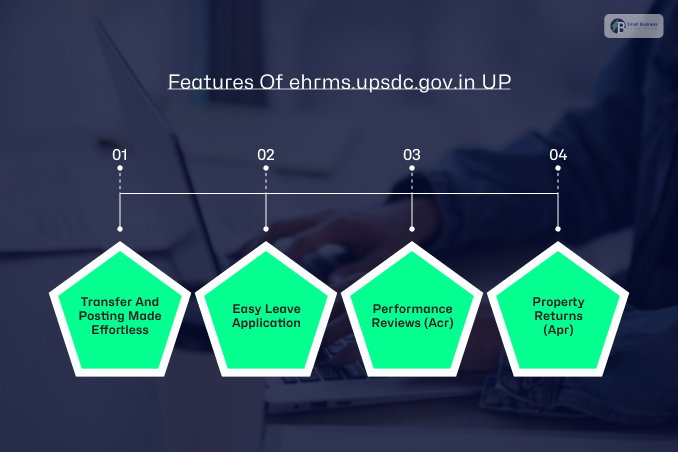
The Manav Sampada portal, or ehrms.upsdc.gov.in, offers a ton of cool functionalities that make work life more comfortable for everyone.
It is a technology-savvy buddy that handles the boring stuff so you have more time to do other things.
Here are some great features that you should consider:
1. Transfer And Posting Made Effortless
Are you going for a new role? The system uses an electronic method to process transfer orders.
Therefore, everything remains open, and your service records get updated without any misunderstanding.
2. Easy Leave Application
Applying for leave and getting manager approval has never been more straightforward.
Instead of dealing with paper trails, you can simply go to the portal and track status on the spot, with the manager’s approval or rejection happening almost instantly.
3. Performance Reviews (Acr)
This platform offers a performance-tracking tool that measures how well your current work aligns with your key objectives.
Consequently, it gives an accurate report that motivates and keeps everyone accountable.
4. Property Returns (Apr)
Now, submitting your annual property details is as simple as pie. You can just upload your information for this year, or find the necessary records from any time in the past that you might need.
Basically, the work these tools want to achieve is to make the HR process quicker and more transparent. They indeed relieve the pain of government paperwork!
Important Links That You Need To Know!
Here are the other links that you must check out!
| Forms and notices on UP Manav Sampada | https://ehrms.upsdc.gov.in/Home/HomeFormsNotices |
| Published Order on UP Manav Sampada | https://ehrms.upsdc.gov.in/Home/HomeNoticeBoard |
| Government Order on ehrms.upsdc.gov.in | https://ehrms.upsdc.gov.in/Home/GOUp |
Everything You Need To Know About The eHRMS Up Services
The ehrms.upsdc.gov.in UP is like a digital Swiss Army knife for government employees.
It is packed with helpful tools to handle almost anything related to your job. Instead of jumping through hoops, you can find all these services in one handy spot:
- Payroll & Salary: Manage your pay and slips hassle-free.
- Joining & Leaving: Everything from enrollment to relieving is handled online.
- Leave & Attendance: Apply for time off and easily track your balance.
- Digital Service Book: Keep your entire work history safe and organized.
- Property & Pension: Submit your property returns or check on your pension status.
- Growth & Transfers: View performance reviews, find training, or apply for merit-based transfers.
- Job Updates: You can even check for new online vacancies!
Basically, it’s designed to save you time and reduce stress. Everything is transparent, so you always know where you stand!
You Can Also Check: How To Use myuday.lupin.com Login For Free Access?
www.ehrms.upsdc.gov.in login: What Are The Eligibility Criteria?
Before you jump into the Manav Sampada UP portal or ehrms.upsdc.gov.in UP, you need to make sure you’re good to go.
Fortunately, the rules are pretty straightforward, so don’t worry about anything too complicated!
To get started, here is what you need to have:
| Requirement | Description |
| Be from UP | You should be a resident of Uttar Pradesh to use this specific system. |
| Government Job | This portal is strictly for people currently working in a government department. |
| Unique ID | You must have a specific Employee Code or ID from your office. This is how the system recognizes you! |
| Registration | Finally, make sure you are officially registered on the eHRMS UP website. |
Basically, if you are a state employee with a valid ID, you are all set. It is a quick way to ensure only the right people access the data. This is equally important!
Once you tick these boxes, you can start enjoying all those helpful online features!
What Documents Do You Need For Registration?

These are the documents that you need to submit when you register on the UP Manav Sampada portal:
- Mobile Number
- Birth Certificate
- PAN Card
- Passport-size Photo
- Aadhaar Card
- Email Address
- Caste Certificate
- Employee Unique ID
- Residential Proof
- Bank Account
How To Register On The Portal?
Getting yourself set up on the Manav Sampada UP portal is actually pretty simple! You don’t need to be a tech expert to get it done. Just follow these few steps, and you will be able to log in:
- Go to the site: First, you have to open your browser and go to the official eHRMS website.
- Find the login: Once you see the home page, try to locate the “Employee Login” button and click it.
- Enter your details: Next, you simply enter your Employee Code, which is unique to you, and your password.
- Choose your department: A drop-down list will be available; just scroll through and select the department you belong to.
- Finish up: Finally, enter the CAPTCHA code as shown and press the login button!
That’s it! Now you have access to your work profile right from your desktop.
How To Check the Status Process On The Portal?
It only takes a few minutes and is super simple to check the application status. The Manav Sampada UP site will keep you informed about holiday approvals and transfer updates!
Here’s how you can check all the stuff:
- Visit the portal: First, open your internet browser and go to the official eHRMS website.
- Sign in: Press the Employee Login button. To enter, type in your ID, password, and the small CAPTCHA code.
- Locate the status area: In your dashboard, find the Leave Status or Application Status section.
- Follow your request: Select the option to Check Leave Status and Track Application.
- Specify your request: Identify the specific matter you want checked, for instance, a recent leave request or a transfer.
- Get the answer: That is how all your status information will be displayed on the screen!
It’s way nicer than ringing the office and waiting for a response. Now, you can get the latest info whenever you want!
Also Read: MyStuff 2.0 Explained: Streamlining Work Information for McDonald’s Employees
How Can You Apply For Leaves Online On ehrms.upsdc.gov.in UP?
It only takes a few minutes and is super simple to check the status of your application. The Manav Sampada UP site will keep you informed about holiday approvals and transfer updates!
Here’s how you can check all the stuff:
- Visit the portal: First, open your internet browser and go to the official eHRMS website.
- Sign in: Press the Employee Login button. To enter, type in your ID, password, and the small CAPTCHA code.
- Locate the status area: In your dashboard, go to the Leave Status or Application Status section.
- Follow your request: Select the option to Check Leave Status and Track Application.
- Specify your request: Identify the specific matter you want checked, for instance, a recent leave request or a transfer.
- Get the answer: That is how all your status information will be displayed on the screen!
It’s way nicer than ringing the office and waiting for a response. Now, you can get the latest info whenever you want!
How To Troubleshoot The Common Login Issues?
Sometimes, getting the Manav Sampada portal to let you in can be somewhat of an ordeal.
It can be anything from a forgotten password to a slow website, but dont worry! Most of the problems can be easily solved by yourself.
Here are some simple ways to resolve the most common issues:
1. Forgot Your Password?
Simply go to the login page and select the option Forgot Password. Choose your department, then enter your User ID.
You may choose to receive the reset link via SMS or email. Simply follow the link to reset your password!
2. Login Details Not Working?
Make sure your User ID is typed correctly. Besides that, be aware of the Caps Lock key! Passwords are sensitive to capital letters. Thus, even a minor mistake can result in you being locked out.
3. Website Won’t Load?
The first thing you should do is test your internet connection. If you already have a working connection.
Then try another web browser, such as Chrome or Edge. In addition, you could clear your browser cache.
4. Server Errors?
Your government might be performing maintenance if the website is down. Just give it some time and try again later.
However, if it’s continuously down, contact your department’s IT helpdesk for assistance!
What Services Are Available On The Manav Sampada Portal?
Managing work details can be a headache, but the Uttar Pradesh government has made life much easier for its workers.
They created the Manav Sampada portal (ehrms.upsdc.gov.in) to consolidate all employee services into a single, simple online space.
Wondering what you can do on the platform? Here are the key services available on the Manav Sampada portal:
- Easy Profile Updates: First, the portal keeps all your personal details, educational history, and job records in one secure digital place.
- Quick Leave Requests: Next, you can apply for casual, medical, or earned leave online.
Because of this, bosses can approve your time off instantly without any messy paperwork.
- Simple Attendance: Additionally, you can log your daily work hours directly on the site, ensuring your salary is processed smoothly and on time.
- Instant Payslips: You can view and download your monthly payslips or track your tax deductions anytime.
- Digital Service Book: You can also easily look up your career history, including promotions and past transfers, with just a few clicks.
- Smooth Appraisals: Finally, you can submit your annual self-appraisal forms online so your managers can quickly review your hard work.
Ultimately, this smart platform removes the boring paperwork and puts everything you need right at your fingertips!
A Simple Guide To Checking Your Attendance And Salary Slip On eHRMS UP
Checking your work hours and monthly salary in Uttar Pradesh is now super easy. Thanks to the eHRMS UP portal (ehrms.upsdc.gov.in), government employees can track everything online in just a few minutes.
Here is a simple, step-by-step guide to help you check your attendance and payroll without any confusion.
How To Check Your Attendance On eHRMS UP
Keeping track of your work days is very straightforward. Just follow these easy steps:
- Step 1: Visit the Portal: First, open the browser on your phone or computer. Then, type ehrms.upsdc.gov.in and hit Enter to open the official homepage.
- Step 2: Log In: Next, click the “eHRMS Login” button. When the box pops up, select your department, enter your User ID, password, and the captcha code, then click “Login”.
- Step 3: Find Attendance: Once you are on your personal dashboard, look for the “Payroll” tab. Simply click it and select “Attendance” from the menu.
- Step 4: View Records: Now, you will see your daily attendance records, total working days, and any leaves you took.
- Step 5: Fill in Missing Dates: If your department allows self-entry, you can manually enter any missing dates here. Just remember to click “Submit” when you are done.
- Step 6: Lock Your Data: Finally, review everything carefully. If it looks good, click “Lock Attendance” to send it to your boss for final approval.
How To Check Your Payroll And Salary Slip
Need to download your monthly payslip? Here is what you need to do next:
- Step 1: Go to Payroll: After logging into your account, head back to the main “Payroll” tab on your dashboard. This time, click on “Salary Slip”.
- Step 2: Pick the Date: Next, use the dropdown menus to select the specific month and year you want to check.
- Step 3: View and Download: Then, click the “View” button to see your slip on the screen. If you want a copy for your records, simply click the download button to save it as a PDF.
- Step 4: Review the Details: Take a quick look at the breakdown. Your slip will clearly show your basic pay, extra allowances, deductions, and your final take-home net salary.
Friendly Tip: If you notice any mistakes in your pay, don’t panic! Just reach out to your department’s payroll office right away to get it fixed.
Additional Resources: