Table Of Contents
- What Is The HPCL Business/Sales Portal?
- National Procurement Framework Compliance
- 1. GeM Portal Integration
- 2. ZED Certification Mandate
- Key Features & Modules: Sales.HPCL.Co.In Portal
- Login & Secure Access
- Dashboard & Transaction Monitoring
- Invoice & Statement Management
- Order & Delivery Management
- Tender & E-Procurement Tools
- Notifications & Alerts
- How To Use The HPCL Portal (sales.hpcl.co.in portal): Step By Step
- Step 1: Account Registration
- Step 2: Login
- Step 3: Dashboard Navigation
- Step 4: Core Tools Utilisation
- What Are The Benefits Of Using The HPCL Portal?
- Increased Operational Efficiency
- Transparency & Real-Time Data
- Faster Decision-Making
- Cost & Time Savings
- Expert Tips & Best Practices
- Keep Your Profile Updated
- Use Reporting Tools Regularly
- Stay Alert On Tender Updates
- Security Best Practices
- Common Issues & Troubleshooting
- Advanced Vendor Credentials Management (VCM) Failures
Complete Guide To The sales.hpcl.co.in Portal — HPCL Business & Sales Portal Explained (Login, Features, Benefits & How-To)
Last Updated on: August 31st, 2026
The HPCL Business Portal (sales.hpcl.co.in) is the digital nerve centre of Hindustan Petroleum Corporation Limited (HPCL), a “Maharatna” public sector enterprise in India’s oil and gas sector.
It effectively controls a huge system of thousands of dealers, vendors, transporters, and large-scale consumers across the country.
Regulatory Overview: Operating directly under the administrative jurisdiction of the Ministry of Petroleum and Natural Gas (MoPNG), Government of India, HPCL is an official subsidiary of the Oil and Natural Gas Corporation (ONGC).
The sales.hpcl.co.in portal serves as the officially mandated gateway for compliance-driven B2B energy transactions across the Indian subcontinent.
The portal has significantly improved its main operations, delivering major advantages, including:
- Improved stock and order management,
- Real-time data for monitoring transactions and payments,
- Enhanced communication between HPCL and its partners, and
- Greater openness throughout the supply chain.
It is a very helpful instrument for HPCL to run its enormous daily activities, which include serving a huge number of customers through retail outlets and LPG distributors.
This guide is your ultimate resource for understanding this key platform, offering clear guidance on:
- Official features,
- Login/registration processes with step-by-step instructions,
- Practical use cases,
- Common issues and troubleshooting, and Expert tips.
All the necessary facilities to maintain an effective business relationship with HPCL’s digital services are included.
What Is The HPCL Business/Sales Portal?
The HPCL Business Portal (sales.hpcl.co.in) is the B2B digital platform. The platform is officially recognised and serves as the backbone of the supply chain.
It creates a bridge between HPCL, a giant “Maharatna” oil and gas corporation, and its wide-ranging network of business partners across the country.
The HPCL partner’s main objective is to automate and integrate all commercial and logistical operations.
They aim to do it through digital workflows that are not only fast but also highly efficient.
The portal is designed for the main stakeholders, such as:
- Retail Dealers (operators of petrol stations for stock control)
- LPG Distributors (customer care and logistics)
- Vendors and Suppliers (invoices and contracts)
- Transport Partners (cargo tracking)
The platform’s main objectives include
- Real-time monitoring of orders and payments,
- Digital documentation of the entire process.
This helps to ensure transactional transparency and improved productivity throughout the supply chain.
Important quick links:
Homepage: https://www.hindustanpetroleum.com/
Registration: https://vendor.hpcl.co.in/vendor_reg/
Login: https://sales.hpcl.co.in/bportal/index_sales.jsp
Forgot Password: https://vcm.hpcl.co.in/vendorcredmgmt/public/forgotpwd
National Procurement Framework Compliance
To align with modern digital governance protocols, business interactions on the platform are structured around specific state mandates:
1. GeM Portal Integration
HPCL vendor registration is not mandatory for participating in tenders floated on the Government e-Marketplace (GeM) portal.
All tenders issued by HPCL via GeM are open to any eligible vendor registered on that platform.
However, if a tender is hosted directly through the custom HPCL procurement portal, a dedicated HPCL vendor ID remains strictly necessary.
2. ZED Certification Mandate
Micro and Small Enterprises (MSEs) are strongly encouraged to obtain ZED (Zero Effect Zero Defect) certification.
This Government of India initiative promotes sustainable practices, offering certified vendors enhanced credibility and priority in public procurement tenders.
Key Features & Modules: Sales.HPCL.Co.In Portal

The HPCL Business Portal (sales.hpcl.co.in portal) is the official portal. This modern, wide-reaching multi-module platform simplifies communication.
This offers transparency to all HPCL partners and equips the entire company with powerful tools throughout its life cycle.
Login & Secure Access
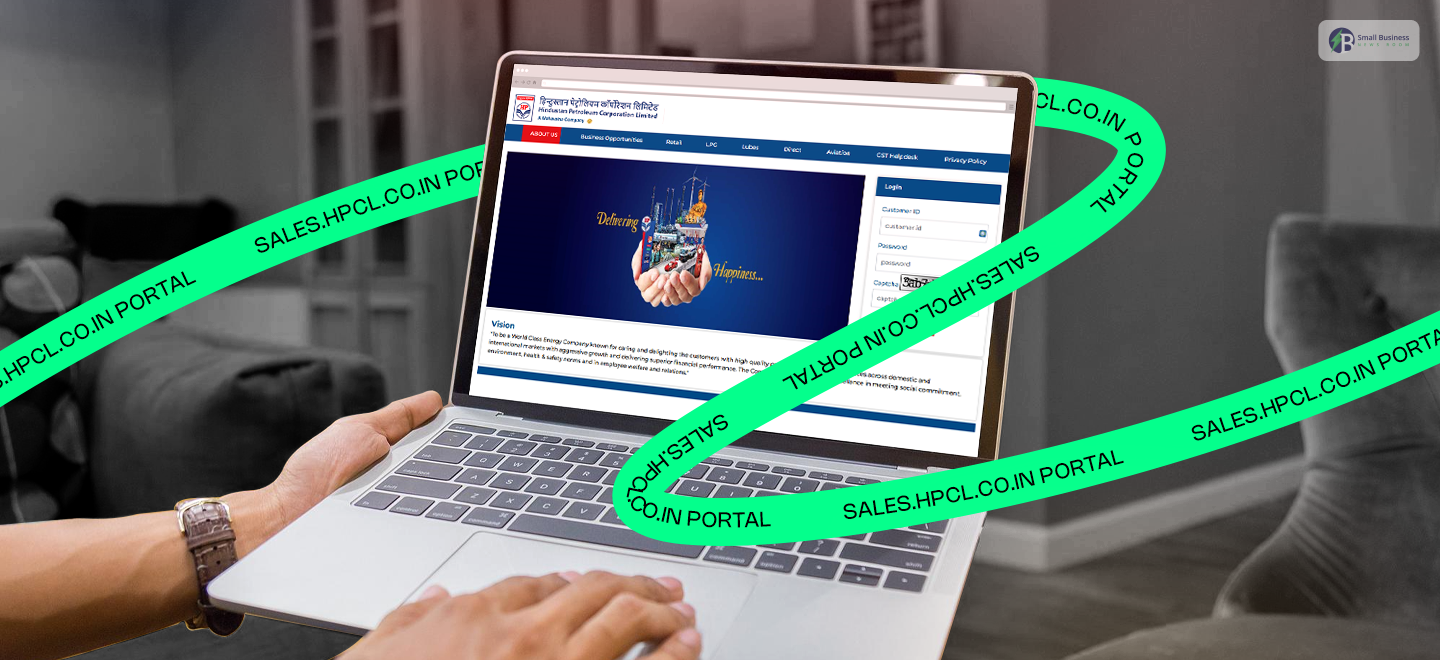
The site guarantees secure, role-based access using individual User IDs and passwords, supplemented by CAPTCHA validation.
In addition, a strong self-service facility is available for safe password retrieval via email or mobile number.
| If you encounter any issues resetting your password of sales.hpcl.co.in portal, you can contact the helpdesk immediately! Timings: From 0800 hrs till 2000 hrs, Monday to SaturdayMobile: 7710911191Phone Number: 022-41146666. Email ID: eprochelpdesk@mail.hpcl.co.in |
Dashboard & Transaction Monitoring
The main dashboard of sales.hpcl.co.in portal gives an immediate picture of all business activities.
This module is critical for efficient tracking of HPCL sales and provides real-time visibility into orders, deliveries, and historical transactions.
The partners can create and access comprehensive reports and analytics (PDF/Excel) to support strategic decision-making.
Invoice & Statement Management
The financial part is made easier with digital invoices sent to partners, who can view, filter, and download them instantly.
Moreover, account statements are made available for financial reconciliation and auditing. So, the primary HPCL invoice download feature is being utilised.
Order & Delivery Management
This main module directs the supply chain for fuel, lubricants, and LPG. The partners can use the online system to place and keep track of new product orders (indents), being able to see the order status from placement to delivery, along with the expected timelines.
Tender & E-Procurement Tools
The site provides a development tool for businesses that allows registered vendors to participate in
- Live tendering,
- Download the necessary documents,
- Submit the electronic bid securely.
Notifications & Alerts
The automated communication keeps the operations efficient. Users receive real-time alerts about payment confirmations and transactions.
How To Use The HPCL Portal (sales.hpcl.co.in portal): Step By Step
The HPCL Business Portal (sales.hpcl.co.in portal) stands out as an indispensable digital platform for HPCL partners to run their operations efficiently.
This HPCL login guide outlines the straightforward steps to use this platform.
Step 1: Account Registration
The first step is to collect the necessary paperwork and the business codes. Make sure to verify all the details before submission to prevent common registration errors and ensure a smooth integration into the system.
- Commercial Cost Parameters: Permanent Vendor Registration requires a non-refundable fee of 5,000 Rupees plus 18% GST, payable exclusively through secure online transaction modes.
- Exemption Policy: Registered Micro and Small Enterprises (MSEs) holding valid government certificates and pre-existing validated legacy HPCL vendors are fully exempted from this registration fee.
- Physical Document Waiver: Vendors are no longer required to mail physical, hard-copy documents to the primary Central Procurement Office (CPO).
Soft copies in PDF format must instead be uploaded for verification by authorized third-party auditors and HPCL managers.
Step 2: Login
Visit the login page of the portal. Input your User ID and password. A possible additional security step is to ask, for example, to enter a CAPTCHA.
If you cannot recall your password, find a link labelled “Forgot Password” and follow the steps to reset it, typically using your registered email address or phone number.
Step 3: Dashboard Navigation
After a successful sign-in, you will be directed to the principal dashboard or main page.
This focal point gives a summary and links to various portal sections. You can use navigation menus or tabs to switch between modules.
This can give you access to the functionality that matches your business requirements.
Step 4: Core Tools Utilisation
You can carry out the major business processes across the different areas. This might mean
- Ordering products or services,
- Receiving delivery updates,
- Checking and bookkeeping through invoice downloading,
- Reviewing your transaction history.
The tools in the portal are designed to make everyday tasks easier. It can help you manage your partnership or account efficiently.
Also Check: Maximizing Your Business with sdms.px.indianoil.in/edealer_enu/: Key Insights for Fuel Dealers
What Are The Benefits Of Using The HPCL Portal?
HPCL’s acceptance of the HPCL Business Portal is a significant factor in its overall digital transformation plan.
This digital platform is a great support for HPCL and its partners across the value chain, optimised through digital integration and improved processes.
Increased Operational Efficiency
Operational efficiency is significantly improved by converting all manual, paper-based systems into a single digital hub. The partners can conduct all their dealings with HPCL online.
Reduced Paperwork: The portal allows for the circulation of digital invoices, account statements, order confirmations, and delivery challans.
Thus, the physical paperwork, storage needs, and administrative costs are greatly reduced.
Streamlined Processes: Tasks that previously needed phone calls, faxes, or physical visits.
This includes indenting products or tracing shipments, which are now automated and executed instantly via the portal interface.
Transparency & Real-Time Data
The portal provides a comprehensive view of all transactions, thereby giving clarity and accountability across the entire network.
Shared Live Data: HPCL management and each partner (dealers, vendors, distributors) can see the same real-time data simultaneously.
This transparency decreases the number of disputes over order quantities, prices, and payment statuses.
Better Trust: The transparency of every transaction enhances trust and accountability in the business ecosystem. This, in turn, makes partnerships more reliable.
Faster Decision-Making
OPDA partners will find it easier to make quick, informed, and strategic choices because they will have access to powerful data analytics.
Access to Sales History and Analytics: Trading partners can view detailed sales histories and performance trends via downloadable reports.
This information will be of great help in generating accurate demand forecasts, managing inventories, and planning promotions.
Data-Driven Planning: Partners with market or operational issues at the same time and in a very agile way, thus improving overall business planning and agility.
Cost & Time Savings
The entire digitalisation of the partner relationship is a direct source of measurable savings. Reduced Administrative
Costs: Routine tasks automation cuts down labour costs that would have been spent on data entry, filing, and communication follow-ups.
Minimised Delays: Instantaneous Digital communication reduces the time required for order fulfilment and payment processing, thereby improving overall cash flow and a highly responsive supply chain.
These combined benefits underscore the crucial role of the HPCL portal in creating a modern, resilient, and efficient oil and gas business ecosystem.
Expert Tips & Best Practices
To get the most out of the HPCL Business Portal, you need to engage in advance and follow the main best practices.
If partners apply these expert tips, they will be able to maximize efficiency, increase security, and be aware of the most important business opportunities.
Keep Your Profile Updated
Having correct information is the basis of a problem-free partnership. Check and change your profile information in the portal from time to time.
Essential Information: Make sure your contact information (phone numbers, email addresses), banking details for payments, and Goods and Services Tax (GST) details are up to date.
Wrong information may cause payment delays or missed communications regarding important updates.
Use Reporting Tools Regularly
Take advantage of the powerful analytics built into the portal to control your finances effectively.
Monthly Reconciliation: Each month, extract and analyse all transaction histories and bank statements.
This procedure is important for accurate accounting, simple financial reconciliation, and making documentation ready for audits. Regularly checking data can help you identify errors early.
Stay Alert On Tender Updates
Portal is an important source of new business for vendors and contractors.
Daily Monitoring: Make it a habit to visit the “Tender & E-Procurement” section and check your notification alerts every day.
You are aware of tender notices in a timely manner. This way, you will not miss the submission deadlines for contracts and business opportunities with HPCL that are worth your attention.
Security Best Practices
It is a mutual responsibility to protect your credentials and data in the digital world.
Strong Passwords: Always use strong, unique passwords that consist of letters, numbers, and symbols.
Periodic Changes: Change your password regularly (e.g., every 90 days) to reduce security vulnerabilities.
Secure network: Only access the portal from a safe, trusted network connection. Try to avoid public Wi-Fi when you are handling sensitive business transactions.
If you can adhere to these security measures, they can help safeguard your business operations and data integrity.
Common Issues & Troubleshooting
While using the HPCL Business Portal, several issues may arise, but applying the usual easy troubleshooting steps will effectively resolve them.
Login Problems: The main reason is usually incorrect credentials or typos in entering the CAPTCHA code.
Check your User ID and password carefully. If troubles persist, use the “Forgot Password” link to quickly and securely reset your password using your registered contact information.
Issues Related to Payment and Invoice: GST invoices or payment status updates often delay because of system synchronisation.
If the payment status is still the same after 72 hours, gather your transaction details (UTR number) and reach out to the HPCL finance helpdesk, which you can find in the portal’s support section.
Unsupported Browser Problems: Make sure that you are using a modern browser for the best possible experience.
The portal is fully compatible only with the recent releases of Google Chrome, Microsoft Edge, or Firefox. Using an outdated browser can cause display issues.
Support & Helpdesk: When you have issues that are hard to solve, don’t hesitate to take advantage of the ‘Helpdesk’ or ‘Support’ module in the portal.
Here, you can either create a ticket or get the exact contact details for the technical or operational help you need.
Advanced Vendor Credentials Management (VCM) Failures
If you have an older, legacy vendor account code, do not use it to request an instant password link.
First, select the option to get a new vendor code via email on the platform’s home interface.
Once updated, your automated, one-time password reset link will only be sent to your primary registered purchase email address.
If the system displays a loading failure, verify that JavaScript is fully enabled inside your active browser settings.
- Security Alert: Avoid Fraudulent Portals
HPCL does not authorize third-party web domains to grant retail outlet dealerships or LPG distribution rights.
Beware of phishing domains imitating the official site.
Always check that the browser address bar explicitly reads sales.hpcl.co.in or hindustanpetroleum.com before typing any corporate financial information.
| sales.hpcl.co.in portal Helpdesk Details Email: eprochelpdesk@mail.hpcl.co.in Mobile Number: 7710911191Phone Number: 022-41146666 |