Table Of Contents
- Why We Couldn't Stay In The Slow Lane
- Summary Of Core Web Speed Innovations
- Physical Upgrades: From Copper To Fiber And Beyond
- · Broadband Internet
- · The Mobile Wireless Shift
- Content Delivery Networks (CDNs): Bringing Data To Your Doorstep
- Caching: Why Your Browser Remembers The Past
- · Browser Caching
- · Server Caching
- · Edge Caching
- Data Compression: Shrinking The Digital Payload
- Rewiring The Protocols: HTTP/2 As Well As HTTP/3
- · The Multiplexing Magic Of HTTP/2
- · Going Wireless-First With HTTP/3 And QUIC
- AJAX: Updating Pages In Secret
- Distributed Infrastructure: Cloud And Edge Computing
- · The Flexibility Of Cloud Computing
- · The Proximity Of Edge Computing
- Smarter Browsers And Hyper-Fast JavaScript Engines
- Image Optimization: Trimming The Visual Fat
- WebAssembly (WASM): Native Power In A Browser Tab
- Core Web Vitals: Setting A Universal Speed Standard
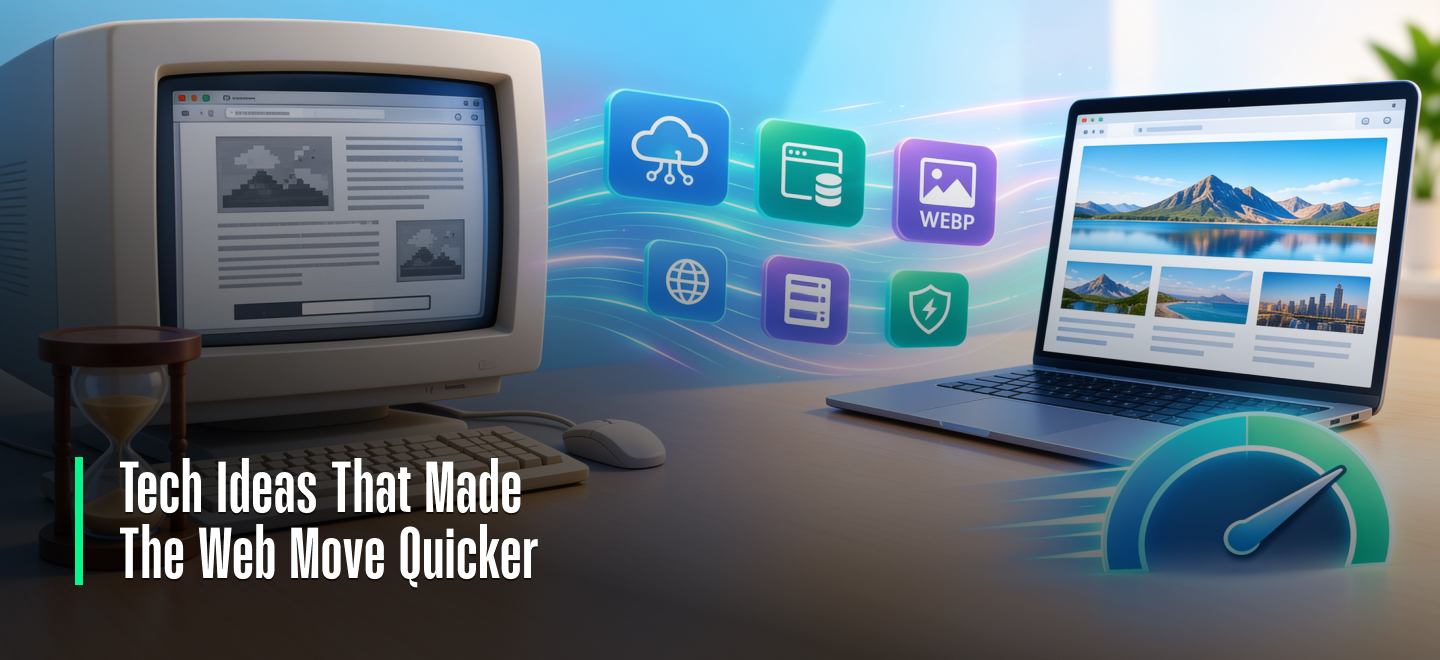
The Digital Speed Evolution: Revolutionary Tech Ideas That Made The Web Move Quicker!
Remember the 90s internet? If you wanted to load a single page with two photos, you had to clear your schedule.
Click the link. Walk to the kitchen and make yourself a cup of coffee. By the time you get back, the top half of that first photo may have appeared on your screen.
Dial-up internet had a max speed of a screaming 56 Kbps. Today’s fiber connections have a max speed of a gigabit. That’s 18,000 times faster than dial-up.
So, what are the tech ideas that made the web move quicker? Let’s find out!
Why We Couldn’t Stay In The Slow Lane

The early internet was a fragile network of documents.
But as the web grew into a global marketplace and a medium for streaming videos and online conferencing, speed stopped being a technical nicety and became a necessity.
As websites grew heavier with code, fancy fonts, high-definition videos, and tracking cookies, the old infrastructure simply choked on the traffic.
In response, engineers, developers, and companies had to rethink the internet. The blistering speeds we enjoy today didn’t come from one invention.
They emerged from an ecosystem of innovations that improved web speed and performance in leaps and bounds.
Let’s look at the web technologies that drove this speed increase and analyze how they helped transform the web.
Summary Of Core Web Speed Innovations
Before diving deep into the technical transformations, here is a scannable snapshot mapping out the core breakthroughs, what they do, and their direct real-world performance impacts.
| Technology Category | Core Innovation Name | Primary Engineering Purpose | Concrete Performance Impact |
| Physical Infrastructure | Fiber Optics & 5G | Replaces copper wires with light pulses and high-band cellular waves. | Delivers multi-gigabit connections over 1 Gbps along with near-zero latency. |
| Distributed Networks | CDNs & Edge Computing | Copies and processes data on global servers near the end user. | Shaves off hundreds of milliseconds in round-trip time (RTT). |
| Data Reduction | Brotli Compression & WebP | Vacuum-seals text code and shrinks raw image file payloads. | Drops overall page weight by 25% to 70% without loss of quality. |
| Network Protocols | HTTP/2 & HTTP/3 (QUIC) | Multiplexes streams and cuts out redundant connection handshakes. | Eliminates connection blockages; maintains speed on lossy networks. |
| Browser Engines | JIT Compilation (V8) & GPUs | Compiles JavaScript on the fly and utilizes local hardware graphics. | Allows heavy applications to run seamlessly inside a browser tab. |
Physical Upgrades: From Copper To Fiber And Beyond
You can’t have fast data without a fast highway. Before any of the software innovations below could be used, the physical internet infrastructure needed to be upgraded.
· Broadband Internet
Dial-up internet ties up your phone line and constantly disconnects and reconnects.
Broadband kept that phone line constantly connected and let people surf the web while talking to their mom.
But fiber optic internet is now taking over the market. Fiber optic technology replaces the copper wire with optical fibers.
Light travels much faster through glass tubes in fiber networks than electricity through copper wire.
Fiber can also carry much more data, with speeds over 1 Gbps and near-zero latency.
· The Mobile Wireless Shift
The evolution of cellular networks and speeds was just as dramatic. 3G internet made mobile browsing a possibility, and 4G LTE let us stream videos while walking around.
Now, 5G cellular offers speeds comparable to home fiber connections.
So the shift to faster wireless networks is another core tech idea that has made the web move faster for billions of mobile users.
Related Article For You: Unlocking the 10.0.0.0.1 Gateway: Your Router’s Secret Door.
Content Delivery Networks (CDNs): Bringing Data To Your Doorstep

Imagine you want to order a pizza, but the only restaurant open is on the other side of the world. Your pizza will arrive frozen.
A Content Delivery Network, or CDN, solves this exact problem for websites. Instead of keeping your website’s files on a server in New York, CDNs copy those files onto a huge network of computers worldwide.
So when a user in Germany visits your site, they get the images and text directly from local German servers.
Since the data doesn’t have to travel as far, latency is almost gone, and websites appear to load instantly.
This distributed engineering milestone is celebrated as one of the major tech ideas that made the web move quicker across the globe.
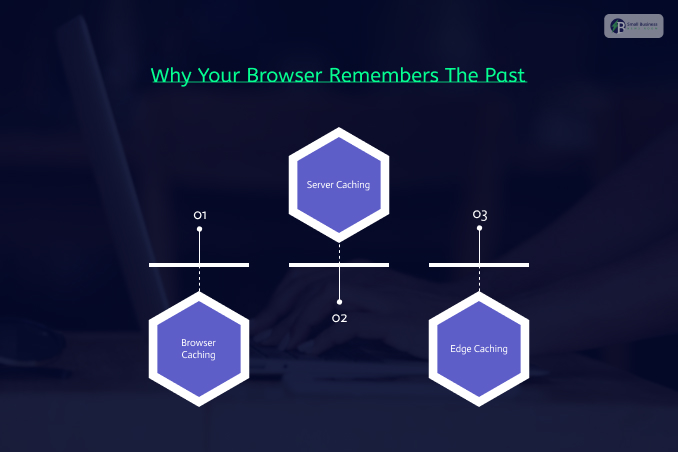
Caching: Why Your Browser Remembers The Past
Every single website is made up of dozens of hidden pieces, such as CSS stylesheets, layout structures, logos, and JavaScript files.
Downloading these identical pieces every time you click a page wastes time.
Web caching tells your device or server to remember files it has already seen. It operates across three distinct layers:
· Browser Caching
Your laptop or phone saves website logos, menus, and fonts locally on your hard drive.
When you return to the site, your browser pulls those files instantly from your device instead of downloading them again from the internet.
· Server Caching
Web servers pre-build complex pages and hold them in memory, avoiding the need to process database requests from scratch for every single visitor.
· Edge Caching
CDNs store fully generated pages right at the edge of the network, serving them to nearby users instantly.
Data Compression: Shrinking The Digital Payload
If you can’t widen the internet pipes fast enough, the alternative is to make what travels through them smaller.
Data compression acts like a vacuum-seal storage bag for web code.
Servers use advanced mathematical algorithms to compress text files before sending them over the wire.
Once they land on your device, your browser decompresses them in milliseconds.
- Gzip: The reliable industry veteran that handled text compression for decades.
- Brotli: A modern compression format developed by Google. Brotli can compress text files up to 20% to 30% more efficiently than Gzip.
Consequently, a heavy 100 KB file shrinks down to a lightweight 30 KB payload.
Multiplying that data reduction across billions of internet users massively cuts global network strain.
Shrinking file sizes proved one of the most effective, quiet tech ideas that made the web move faster behind the scenes.
Rewiring The Protocols: HTTP/2 As Well As HTTP/3
HTTP, or Hypertext Transfer Protocol, is the language web browsers use to talk to web servers and request web pages.
The old HTTP/1.1 protocol only let browsers request one file at a time.
If a web page had 30 images, the browser had to request them one after the other in a single-file queue. This is called head-of-line blocking.
HTTP/1.1 (Slow): [Request 1] ──> [File 1] ──> [Request 2] ──> [File 2]
HTTP/2 (Fast): [Request 1, 2, 3] ═══(Multiplexing)═══> [Files 1, 2, 3 Together]
· The Multiplexing Magic Of HTTP/2
HTTP/2 rewrote the whole protocol and introduced a revolutionary technology called Multiplexing.
Browsers can now request dozens of different web files at once over one single connection.
It also reduced the file header size with header compression.
This is one of the best examples of a major tech idea that made the web faster by eliminating connection blocking and speeding up complex web pages.
· Going Wireless-First With HTTP/3 And QUIC
HTTP/3 uses a new protocol stack called QUIC that runs over UDP instead of TCP.
Traditional TCP connections require browsers and servers to perform a time-consuming digital handshake before transmitting data.
HTTP/3 reduced that handshake delay considerably.
And HTTP/3 is exceptionally mobile-friendly. If your phone switches from Wi-Fi to cellular, HTTP/3 can handle the handoff without losing data packets or refreshing the web page.
Also Check: Don’t Ignore Droven IO Future Technology USA For Another Day!
AJAX: Updating Pages In Secret
In the early days of web development, clicking a button refreshes your entire web page.
AJAX stands for Asynchronous JavaScript and XML, and it lets web applications communicate with a server silently, behind the scenes.
That means web applications can update parts of a web page without forcing the whole page to refresh.
- Social Media: Your social media feed constantly updates you with new content as you scroll down.
- Mapping Apps: Google Maps smoothly updates the road and your location as you move around.
- Email Clients: Gmail pushes your new emails right to your inbox.
Distributed Infrastructure: Cloud And Edge Computing
Websites used to be hosted on one physical computer. If that computer failed or saw a traffic spike, those websites would go offline.
· The Flexibility Of Cloud Computing
Cloud platforms like AWS and Google Cloud changed that paradigm and provided massive, distributed virtual servers.
If a website was going viral and suddenly saw a surge in traffic, the cloud could scale up and add more virtual servers to keep the website online.
· The Proximity Of Edge Computing
Edge computing takes it a step further by moving raw processing power closer to the end user.
Instead of shipping a complex calculation back to a central server a few hundred miles away, edge servers can process that calculation right next to the end user.
Edge computing enables real-time data processing for live video, smart IoT devices, and business dashboards with no lag.
Smarter Browsers And Hyper-Fast JavaScript Engines

Even if the website code arrives fast, your device still needs to decode that raw code into a pretty picture.
Browsers like Chrome, Safari, Firefox, and Edge have become smarter and smarter.
They can utilize your computer’s GPU to paint layouts and composite web page layers in parallel.
They’ve also improved how browsers handle interactive JavaScript code.
Google’s V8 engine popularized a JIT compilation technique that lets browsers compile JavaScript directly into assembly instructions.
So JavaScript code doesn’t have to compile slowly, line by line, while running. This makes web applications feel as quick and responsive as natively compiled desktop programs.
Image Optimization: Trimming The Visual Fat
Visual media consistently makes up the largest share of a webpage’s size and weight.
Large images bog down a website, even with a fast connection. Luckily, next-generation image compression techniques deliver high-quality images in smaller file sizes.
WebP is Google’s answer to image compression that often provides identical image quality to JPEG or PNG, but at 25% to 35% less file size.
AVIF is an even newer image format that aggressively compresses without losing image quality.
Lazy loading makes sure your browser downloads only the images you’re currently viewing or about to view.
So your device doesn’t waste time downloading images at the very bottom of an article.
WebAssembly (WASM): Native Power In A Browser Tab
Heavy software applications used to require a native desktop install. JavaScript is incredibly versatile, but it has limitations when you’re dealing with large data sets or 3D graphics.
WebAssembly (WASM) is an open standard for running native applications inside a web browser tab. WASM lets web browsers run powerful applications at near-native speeds.
Core Web Vitals: Setting A Universal Speed Standard
For years, developers treated web performance optimization as an afterthought.
That dynamic shifted fundamentally when Google made Core Web Vitals an official search engine ranking signal. Suddenly, a slow website became a direct business threat.
Core Web Vitals quantify user experience via metrics like:
- Largest Contentful Paint (LCP) for loading speed,
- Interaction to Next Paint (INP) for responsiveness,
- Cumulative Layout Shift (CLS) for visual stability.
Turning speed into a ranking factor pushed developers to optimize code and caching.
These web technologies form an integrated architecture resolving requests in under a second through optimized DNS, nearby CDN nodes, fast protocols like HTTP/3, and efficient rendering.
Performance directly affects behavior: up to 53% of users abandon mobile sites that take over 3 seconds to load, and a 100-millisecond delay can reduce conversion rates by 7%. Looking forward, AI-driven automation and edge optimization continue to push internet speeds higher.