Table Of Contents
- Rapid View: Freshbooks Vs Quickbooks
- Invoicing: The Small Business Accountant's Heart
- FreshBooks
- QuickBooks
- Project Leadership and Teamwork
- FreshBooks
- QuickBooks
- Expense Monitoring and Accounting Power
- QuickBooks
- FreshBooks
- Connections and Environment
- Prices: What You Will Really Pay
- FreshBooks
- QuickBooks
- Taxes and Reports
- QuickBooks
- FreshBooks
- User-friendly and Easy to Learn
- FreshBooks
- QuickBooks
- Safety and Support
- Support-wise
- Real-World Scenarios: How Do You Select?
- 1. Freelancers And Solopreneurs
- 2. Groups And Small Teams
- 3. Retailing And Online Shopping
- 4. Growing Companies Or Multi‑user Environments
- Hidden Costs and Considerations
- Relocating and Moving Data
- Final Considerations: What's Best for You
- Frequently Asked Questions
Freshbooks Vs Quickbooks: What’s the Best Choice for Small Business in 2025?
If you’re in a small business or you’re self-employed, then you’re familiar with FreshBooks and QuickBooks.
Both are well-known online bookkeeping programs. Both are wonderful for handling invoices, tracking expenses, and facilitating tax time.
However, when it becomes a choice and you’re trying to determine which one’s best suited for you, the decision becomes more personal and can be confusing.
In this guide, I am going to describe the differences between Freshbooks Vs Quickbooks just for you to further assist you in picking the right one without any kind of fancy terms.
Rapid View: Freshbooks Vs Quickbooks
At first view, FreshBooks is suitable for flexible and dynamic workers who desire efficient client work and billing handling.
In contrast, QuickBooks is suitable for growing businesses with high-demanding accounting capabilities.
Here’s the proper comparison betweenfreshbooks vs quickbooks, read on…
| Feature | FreshBooks | QuickBooks Online |
|---|---|---|
| Best for | Freelancers, service providers, and small project teams | Established small to medium-sized businesses needing deeper accounting tools |
| Starting price | Around $13.60/month (+$11 per extra team member) | Around $10/month (50% off for 3 months if you skip the free trial) |
| Free trial | 30 days with no credit card | 30 days, but you lose the 50% intro discount |
| Integrations | 100+, including Gmail, HubSpot, Gusto, Squarespace | 750,+ including Amazon, PayPal, Shopify, Etsy, Gusto |
| Invoicing tools | One-click invoicing, recurring billing, late fees, deposits, and client chat | Branded invoicing, automated reminders, estimate-to-invoice conversion, and tip option |
| Project management | Built-in team chat, contractor access, and file sharing | Profitability tracking, timesheets, job costing |
| Reporting | Visual reports and dashboards | 25+ prebuilt and custom reports |
| Ease of use | Extremely beginner-friendly | Slight learning curve but robust features |
| Taxes | Limited freelance tax tools | Self-Employed tiers offer tax calculation and payment |
Invoicing: The Small Business Accountant’s Heart

When you are billing clients, invoicing likely concerns you; here, thefreshbooks vs quickbooks show a disparity.
FreshBooks
Invoicing in FreshBooks is a breeze. You can create plain, personalized invoices in a flash — on one page. You can:
- Insert your brand colors and logo here.
- Develop invoices from estimates right away.
- Create automatic reminders for late payments.
- Charge after-hour charges and take deposits.
- Payment methods are Apple Pay, Visa, Mastercard, and ACH.
Its automation is also remarkable! You can set up repeat invoices to run automatically and even convert quotes into invoices with just two clicks. For solo teams or freelancers dealing with multiple clients, this saves a lot of time.
QuickBooks
QuickBooks’ invoicing is efficient and designed to become more flexible and comprehensive. You can:
- Input billable hours and fees into invoices directly.
- Follow up payment status and automatically send reminders
- Accept payments online (e.g., ACH, cards, and even Venmo).
- Provide a tip or break large estimates into smaller payments.
One of the perks is that if your clients are also QuickBooks customers, then your invoices go straight into their system through the QuickBooks client network, payments are quicker.
Verdict: FreshBooks takes ease and design; QuickBooks takes flexibility and business-wide integration.
Project Leadership and Teamwork

If you are fed up with having too many tools for billing and project work, FreshBooks offers some surprising built-in collaboration features.
FreshBooks
With FreshBooks, you can handle your projects right from your accounting interface. You can:
- Establish project areas and invite clients or builders
- Chat and share files/images
- Create hourly rates, milestones, and a budget
That places it in the same class as a simple project management software like Asana or Trello, which are suitable for agencies or small creative teams.
QuickBooks
QuickBooks pays great attention to tracking the profitability of projects. You can establish
- Projects
- Add costs
- Timesheets
- Invoices
After that, you can print profitability reports so you can see what works (and what does not). It’s a more statistical approach.
Verdict: FreshBooks is better for collaboration; QuickBooks is better for tracking monetary projects.
Expense Monitoring and Accounting Power

Both Quickbooks and Freshbooks are leadiing options when it comes to expense monitoring and accounting power. However, they have been designed for different types of users.
Let’s take a look at the differences!
QuickBooks
This is where QuickBooks differs. It employs robust double-entry bookkeeping principles and includes full ledger support, with bank accounts automatically verified.
You can sort transactions, add your credit cards or PayPal, and produce in-depth reports such as:
- Cash flow statements
- Balance sheets
- Profit and loss statements
- Special labeling and options
QuickBooks allows many users to access it, helps manage inventory, and offers advanced reports in its higher plans, which is good for growing companies.
FreshBooks
FreshBooks does things the simple way. It records expenses, takes receipt photos with your cell phone, and automatically categorizes.
You’ll have profit/loss and sales tax reports, but fewer options for customisation and advanced features.
Verdict: FreshBooks is simple; QuickBooks provides the in-depth features accountants desire.
Connections and Environment
QuickBooks is the way to go here. It boasts more than 750 integrations, from big-brand names such as Amazon Business, Shopify, and Square, to payroll software such as Gusto. Its large ecosystem is part of why accountants are fond of QuickBooks: it plays well with all things.
FreshBooks covers the core bases: Gmail, HubSpot, Squarespace, and Gusto, but its total list of integrations is smaller (roughly 100+).
It does, however, connect with software that small teams actually use day in and day out.
Verdict: Large, complex technology systems are better served with QuickBooks. FreshBooks prefers the simple route.
Prices: What You Will Really Pay
The real cost includes hidden, ongoing, and intangible expenses that can significantly add up over time. In this section, we will take a look at the difference between freshbooks vs quickbooks based on the price.
FreshBooks
FreshBooks starts at a lower price but adds an $11-per-person-per-month fee for each additional team member.
Its plans range from lite solo plans to high-end team configurations. You can also opt for an additional $ 20 per month for the Advanced Payments add-on (saving cards and setting up subscriptions).
There’s a no-credit-card 30-day free trial, and that does not affect your pricing discount, which does sound wonderfully fair.
QuickBooks
QuickBooks begins at $10 per month if you forgo the free trial and take the 3‑month 50% discount instead.
If you must have the free trial, however, you forfeit the initial discount break. It’s a minor nuisance for first-time users.
A plus with QuickBooks is its price transparency; plans list the included features in plain sight. Upgrading plans provides custom reports, advanced analytics, and guided setup.
Verdict: FreshBooks takes the affordability and fair trials prize; QuickBooks takes the overall value at scale winner.
Taxes and Reports
The Tax season is where the difference really becomes noticeable between the two tools.
QuickBooks
When you’re self-employed, the Self-Employed version of QuickBooks automatically calculates your quarterly taxes and can even allow you to pay them from the app (for the upper levels). You get rid of last-minute penalties and stress.
For business reporting, QuickBooks provides:
- Two dozen ready-to-assemble reports
- Reusable dashboards
- Mobile access to reports
You can break down the data by projects, customers, accounts, or periods, extremely useful for budgeting.
FreshBooks
Basic features such as profit and loss statements, tax summaries, and balance sheets are also available in FreshBooks.
Visual health dashboards can also be accessed with ease. Customization options are minimal, though, which can be restrictive if you need certain financial information.
Verdict: Best for taxes and reporting, QuickBooks; useful but basic, FreshBooks.
User-friendly and Easy to Learn
This is where FreshBooks really stands out.
FreshBooks
Nothing in FreshBooks ever feels mechanical, whether you’re establishing your first invoice or viewing monthly statements.
The interface is modern and up-to-date, and can quickly become second nature even for non-accountants.
QuickBooks
The interface is more “feature-dense,” so you may need a few hours to master it. The silver lining: there’s guided setup, and high-end users enjoy customer support and training 24/7. You’ll love the richness once you get the hang of it.
Verdict: FreshBooks wins for simplicity; QuickBooks wins for long-term functionality.
Safety and Support
Both platforms use strong 256-bit encryption and safe cloud hosting. FreshBooks focuses on privacy and giving users control, while QuickBooks provides a reliable infrastructure and meets rules for larger businesses.
Support-wise
FreshBooks: Email and live chat are available, with decent turnarounds.
QuickBooks: It offers help through chat, phone, and screen-sharing, especially for higher tiers.
Verdict: Both are safe and reliable; QuickBooks provides more direct support at the high-end levels.
Real-World Scenarios: How Do You Select?
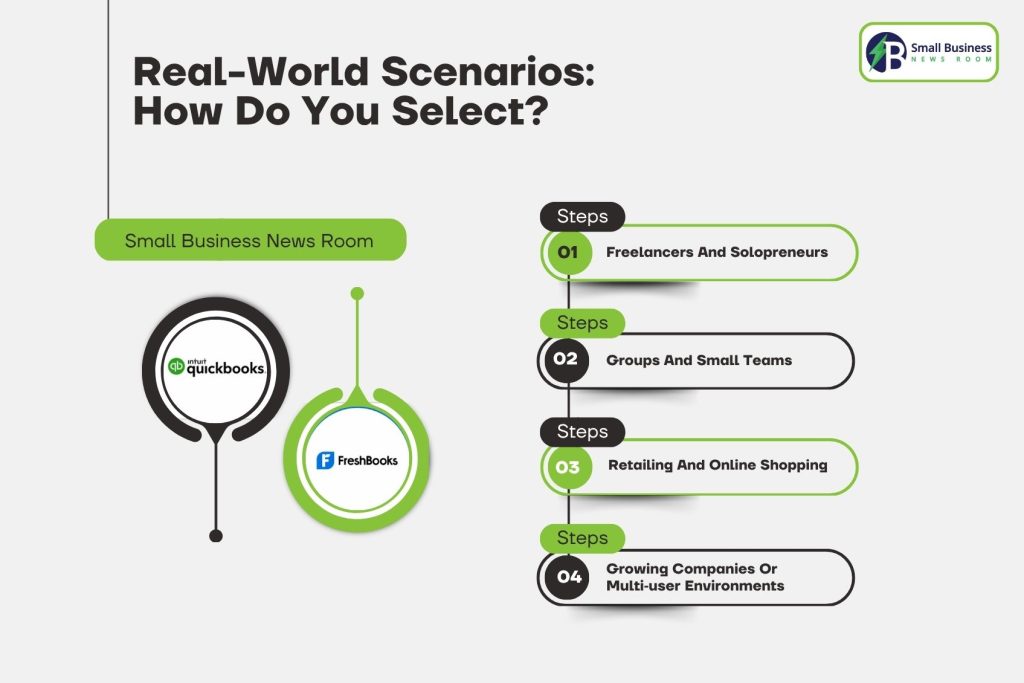
The overall decision between Freshbooks and Quickbooks solely depends on your specific needs along with the financial complexity.
In the following, I am providing you real life scenario to illustrate which accounting software would be a better fit for you!
1. Freelancers And Solopreneurs
Select FreshBooks. It’s fast, intuitive, and creates invoices that impress clients. The automation features allow you to spend less time requesting payments and more time building work.
2. Groups And Small Teams
You can get FreshBooks to work if you require real-time team talk or basic project collaboration. If tracking finances and tax prep are most important, though, the QuickBooks Online Plus packs more serious tools.
3. Retailing And Online Shopping
QuickBooks. It supports Shopify, Square, and Amazon, making it the superior selection for businesses selling products.
4. Growing Companies Or Multi‑user Environments
QuickBooks scales. It’s easier to add people, process payroll, track inventory, and sell from more than one location.
Hidden Costs and Considerations
Both programs possess some add-on costs worth knowing:
Payment processing fees: Both charge about 2.9–3.5% per transaction.
Additional users: FreshBooks charges $11 per team member per month, while QuickBooks’ prices increase with plan levels.
Inventory/advanced reporting: Not offered in the lower QuickBooks levels. If you’re concerned with prices, FreshBooks’ simpler plan may be more in line with your needs.
In the event your company grows rapidly, QuickBooks’ more comprehensive plans are justified.
Relocating and Moving Data
Switching between systems is not impossible, it’s just a little tricky. Both allow you to save data as CSV or Excel files.
Services like Zapier or SaaSAnts can also transfer the data automatically. Save your clients and invoices before you modify.
Tip: You should always plan migration at the end of a fiscal quarter, it makes bookkeeping and keeping records easier.
Final Considerations: What’s Best for You
Let’s get real! FreshBooks and QuickBooks are great, but Freshbooks Vs Quickbooks for different types of users!
Choose FreshBooks if you are looking for something easy, fast, and well-suited for invoicing in a friendly way.
Choose QuickBooks if you need robust accounting, reporting, tax support, and scalability to grow with your expanding business.
In the unlikely event that you’re still uncertain, benefit from their free trials, a week with each and you will see more than if you read dozens of reviews in total.
The bottom line: FreshBooks is simple and enjoyable. QuickBooks is extremely powerful. The choice depends on whether you are more interested in having fun with it or in controlling every little detail.
It’s better to opt for the one that makes you feel in control of your finances and not dominated by them.
Frequently Asked Questions
A: For freelancers and consultants, Freshbooks is a bit better due to its ease of use and project management, along with time tracking and invoice features.
A: For e-commerce or retail businesses, Quickbooks is always considered a better choice due to its essential features, such as inventory management and better scalability for growth.
A: Yes, FreshBooks supports both double-entry accounting and automated bank reconciliation.
A: Yes, both FreshBooks and QuickBooks support global taxation, including VAT, GST, and other international sales taxes.