Table Of Contents
- What Is Hamraaz Web?
- What Is The Objective Of The Hamraaz Portal?
- What Are The Key Features Of Hamraaz Web?
- Who Can Get Access To The Hamraaz Web?
- How Can You Register Yourself On Hamraaz Web?
- Step 1: Visit The Official Portal
- Step 2: Start Your Registration
- Step 3: Enter Your Pan Details
- Step 4: Verify Your Identity Via OTP
- Step 5: Create A Strong Password
- Step 6: Finish Up
- Hamraaz Login Process: A Step-By-Step Guide
- Step 1: Visit The Login Page
- Step 2: Enter Your Login Details
- Step 3: Complete The Captcha
- Step 4: Click Login
- How To Download A Payslip Via The Hamraaz Web
- The Comparison Between Hamraaz Web App vs Hamraaz Web Portal
- What Are The Common Issues One Might Face?
- How To Keep Everything Secure On The Hamraaz Portal?
- What Details Can You Find On The Payslip?
- Frequently Asked Questions
Hamraaz Login Explained: Step-By-Step Instructions For Seamless Access
Last Updated on: May 18th, 2026
The Indian army is famous for its incredible discipline and bravery. Behind these heroes is a strong management system that handles everything from salaries to official records.
Today, the Hamraaz web portal is a vital tool for the modern administration.
The Ministry of Defence has launched this platform specifically for active soldiers. It serves as a very helpful self-service hub for both officers and jawans.
By using a Hamraaz login, you can easily manage your military life online.
- View Monthly Payslips: you can check your salary and deductions instantly.
- Tax Documents: The site allows you to download Form 16 for your income tax filings.
- Service Records: You can further access your personal history and official messages.
In short, this guide will teach you how to register and sign in. We will also cover how to download documents and fix common login issues.
What Is Hamraaz Web?
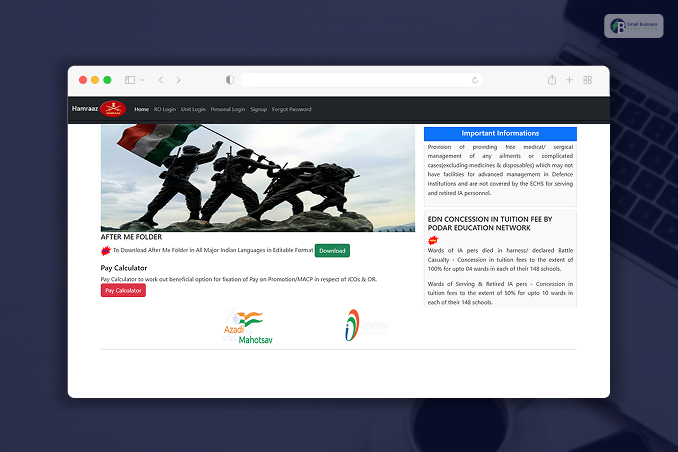
The Hamraaz web portal is a government-approved site. It is built by the tech experts from the Indian Army.
It was specifically designed to serve the soldiers and further make their lives much easier. The platform is pretty safe and centralized. Thus, it becomes easy for you to keep all your information in one place.
So, you can quickly access your service records, pay slips, and tax documents by using the Hamraaz login.
In the past, the infrastructure was not this good! The soldiers had to deal with numerous office visits and paperwork.
Thanks to the Hamraaz web portal, it has streamlined the HR tasks and further reduced the use of physical documents.
Actually, it is a big part of the Digital India initiative. It focuses on making administrative work faster and more modern.
Now, managing your career and finances is simple, secure, and just a few clicks away.
What Is The Objective Of The Hamraaz Portal?
The Hamraaz Web portal is a super reliable tool built just for the Indian Army. It helps soldiers stay on top of their work life without any hassle.
For instance, you can instantly check your monthly payslips and Form 16 after completing your Hamraaz login.
You can also find details on new postings and advertisements. Not only that! The portal even allows filing complaints if needed.
Moreover, this app was made to make daily tasks easier. This is why it is very beneficial for every soldier. However, you must keep in mind that this portal is strictly for military employees.
This means common citizens cannot use it at all. Everything is kept secure and private for the troops.
However, if you want to explore more features, you should definitely check out the official site today. It really simplifies your military responsibilities.
What Are The Key Features Of Hamraaz Web?
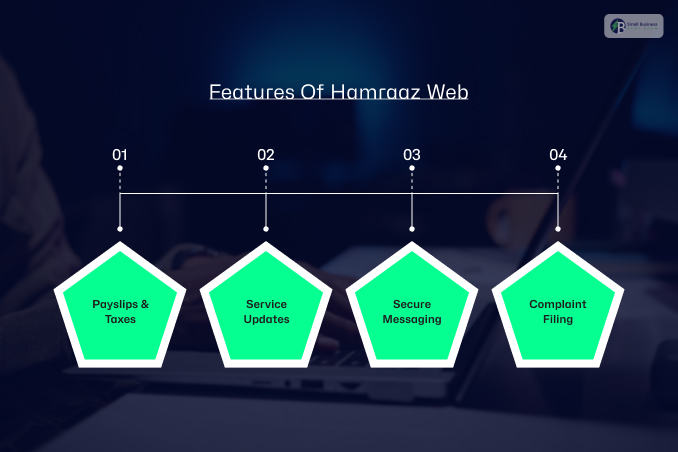
The Hamraaz Web portal is packed with useful tools designed just for our soldiers. It makes managing your career much simpler and faster.
Once you finish your hamraaz login, you have access to everything you need in one place.
Here are some of the main features you can use:
- Payslips & Taxes: You can instantly download your monthly payslips as PDF files or grab your Form 16 for tax season.
- Service Updates: You can also track your personal info and get real-time alerts about new postings or promotions.
- Secure Messaging: Not only the taxes, payslips, or updates, but the platform also lets you receive official messages directly from Headquarters without delay.
- Complaint Filing: Lastly, you can register grievances online and monitor their resolution.
All these great features are also available on the mobile app for your convenience. Since security is a top priority, only verified personnel can access these services. This keeps your private data safe while you focus on your duties.
Who Can Get Access To The Hamraaz Web?
The Hamraaz web portal is a special platfrom which is built specifically for those who are currently serving in the Indian Army.
Furthermore, the eligibility rules are quite strict as they handle sensitive data. Essentially, only active members of the force can use the system to manage their records.
Here is a quick look at who can use the Hamraaz login:
| Soldiers (Jawans) | All currently serving Jawans are eligible. |
| Junior Commissioned Officers (JCOs) | Active JCOs can access all portal features. |
| Commissioned Officers | Serving officers up to specific ranks are cleared for entry. |
However, there are some restrictions you should keep in mind. For instance, retired personnel and civilians are not allowed to sign up.
Additionally, family members cannot create their own accounts. This ensures that the platform remains a secure space for active duty military business.
By following these rules, the Army keeps everyone’s personal information safe and organized.
How Can You Register Yourself On Hamraaz Web?
Now, to get started with your Hamraaz web services, you first need to register your account.
The process is pretty straightforward! However, you will want to have your documents ready before you even begin.
Here is exactly how you can set up your account:
Step 1: Visit The Official Portal
First, you have to open your browser and visit the official Hamraaz website. You just have to make sure you are on the genuine government site to keep your personal details protected.
Step 2: Start Your Registration
Secondly, you can look for the “Sign Up” or “New Registration” button on the home page. Once you click it, the system will prepare the registration form for you.
Step 3: Enter Your Pan Details
You will need to type in your PAN number. You just have to be sure to use uppercase letters specifically. This is because the system is case-sensitive.
Then, the system will ask you to enter the captcha code exactly as it appears on your screen.
Step 4: Verify Your Identity Via OTP
The portal will ask for your registered mobile number. After you submit it, you’ll receive a One-Time Password (OTP). Moreover, you simply enter that code to prove it’s really you.
Step 5: Create A Strong Password
Now, you get to choose your username and password. For a successful hamraaz login, pick a password that is at least eight characters long. Moreover, you can just try to mix in capital letters, numbers, and a special character like an @ or #.
Step 6: Finish Up
Once you hit submit, you should see a confirmation message. That is it! You are now ready to use your new credentials to log in whenever you need to check your records.
Hamraaz Login Process: A Step-By-Step Guide
The Hamrazz login process is not that difficult. So, it would be easier for you to log in successfully.
In the following, I will provide simple steps to complete your Hamraaz login and access your dashboard.
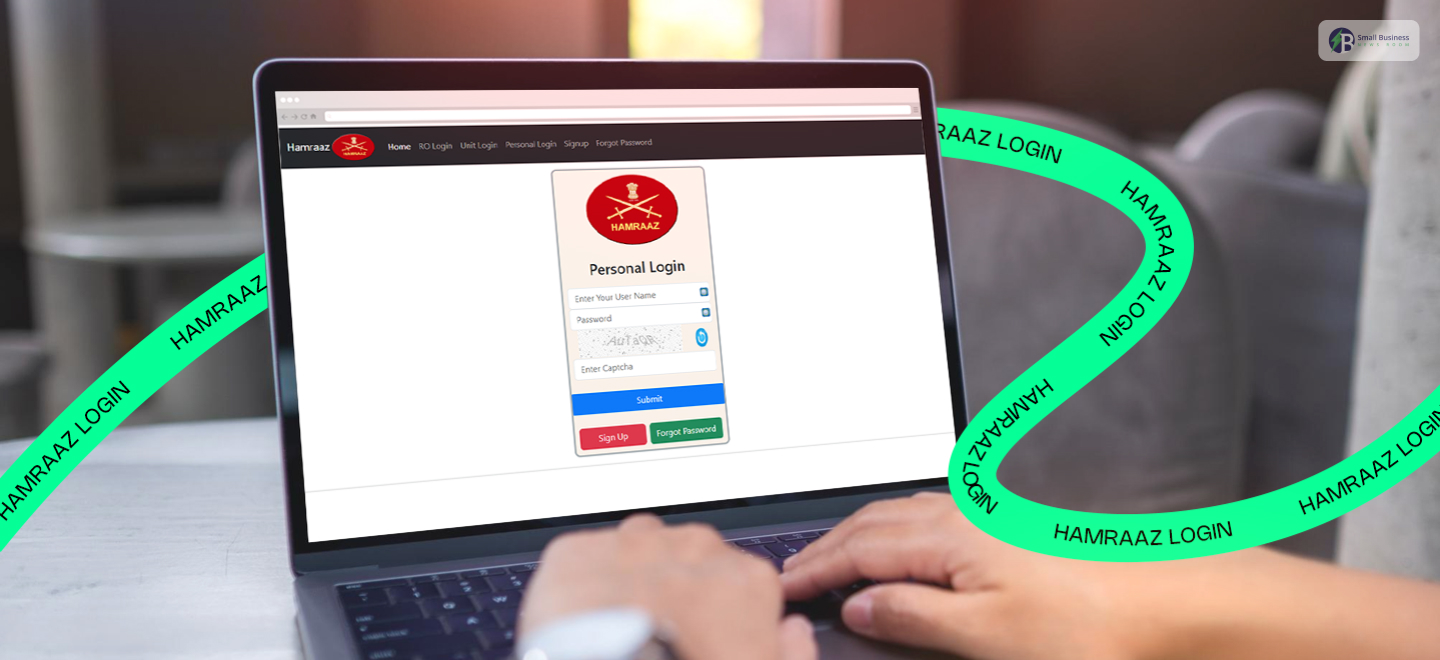
Step 1: Visit The Login Page
First, open your web browser and go to the official Hamraaz web login page.
You just have to double-check that you are on the correct government website. This can help you to keep your information safe.
Step 2: Enter Your Login Details
Next, you will need to provide your credentials. To start, just type your User ID. This user ID is typically your PAN number in capital letters. After that, carefully enter your secret security code.
Step 3: Complete The Captcha
Once you enter all the login details, you can see an image appear on the screen, containing a few characters.
You can just type out the characters into the box. This helps the system to understand that you can not a robot.
Additionally, you just have to make sure you match the letters exactly as they appear, so you don’t have to restart.
Step 4: Click Login
Finally, you can click the sign-in button. If everything is correct, your personal dashboard will open up immediately.
Now, you can easily check your payslips, view promotions, and update the records.
Finally, click the “Sign In” button. If everything is correct, your personal dashboard will open up immediately. Now, you can easily check your payslips, view promotions, or update your records.
How To Download A Payslip Via The Hamraaz Web
You can even get your salary slip from the Hamraaz Web portal. This is quick and very simple. Just follow these steps to get it done:
First step, Sign In: First, you have to complete your Hamraaz login to access your personal account.
Second step, Find the Payslip Section: Once you are on your dashboard, look for the “Payslip” option and click it.
Third step, Pick the Date: You can choose the specific month and year for the payslip you want to see.
Fourth step, View or Download: After that, you can click the “View” button to view it online or the “Download” button to save it as a PDF.
Pro Tip: Your payslip will be in PDF format, so make sure you have a PDF viewer installed on your device to open it.
The Comparison Between Hamraaz Web App vs Hamraaz Web Portal
While both platforms help you manage your service details, they work a bit differently.
Essentially, you can choose the one that best fits your needs. The web portal is great for big screens, but the mobile app gives you alerts on the go.
| Feature | Hamraaz Web Portal | Hamraaz Mobile App |
| Access Method | Web Browser | APK (Android Only) |
| Login Frequency | One-time per session | May require frequent hamraaz login |
| Form 16 Access | Yes | Yes |
| Payslip Access | Yes | Yes |
| Notifications | No | Yes (Push notifications) |
| Downloadable? | No | Yes (via APK) |
Important Note: You won’t find the Hamraaz App on the Google Play Store. Instead, you must download the APK file directly from the official Hamraaz website. This keeps the app secure and ensures you are using the real version.
Also Check: How To Use myuday.lupin.com Login For Free Access?
What Are The Common Issues One Might Face?
Even the best systems have hiccups sometimes. If you’re having trouble with your hamraaz login, don’t worry! Here are the most common issues and some quick ways to fix them:
- Forgot Password: Simply click “Forgot Password” on the login page. Enter your PAN or mobile number, verify the OTP, and create a new password.
- OTP Not Received: First, check if your phone has a good signal. If the code doesn’t arrive, wait five minutes and try again. Also, make sure your registered number is active.
- Page Not Loading: This usually happens due to a slow connection. Try clearing your browser cache or switching to Chrome or Firefox for a smoother experience.
- Access Denied: Just double-check your PAN and credentials. Remember, this portal is strictly for serving personnel only.
- App Install Fails: Since the app isn’t on the Play Store, you must enable “Install from Unknown Sources” in your Android settings first.
How To Keep Everything Secure On The Hamraaz Portal?
The Hamraaz web platform implements several security protocols due to the nature of sensitive military records. This includes:
- Encrypted Data Transfer
- Login Activity Tracking
- Device & Browser Restrictions
- Two-Factor Authentication (2FA)
- Password Protection and Expiry Policies
You must log out immediately after use! Try not to use public Wi-Fi networks or computers when accessing the portal.
What Details Can You Find On The Payslip?
When you try to complete the Hamraaz login and download your payslip, it will show you a very detailed breakdown of your earnings.
If you check, you will see that the slip clearly shows the total deductions, along with the final amount sent to your bank.
It is a great way to track your hard-earned money!
Specifically, the Indian Army provides several essential allowances based on your service and location:
- Daily Needs: This includes Uniform and Transportation allowances.
- Special Postings: You get extra pay for High Altitude, Border, and Siachen duty.
- Risk & Service: This covers Hazard and Discipline location allowances.
- Cost of Living: You will also see the Dearness Allowance and leave benefits.
Everything is listed clearly to ensure you are paid correctly for your dedication.
Frequently Asked Questions
Hamraaz personal login is only available for the Indian Army officers, JCOs, and other ranks.
Other than that, the family members, retired army personnel, and civilians cannot access this one.
You will need your PAN card number and your registered mobile number to access the portal.
You just need to enter the details. You will receive an OTP (One-Time Password) to verify your identity. This way, you can complete the login process.
Don’t worry! You can easily reset it. Just go to the Hamraaz portal login page and click the “Forgot Password” link.
Furthermore, you need to follow the on-screen instructions to verify your identity and create a new one.
Once you log in with your credentials, head over to your personal dashboard. You will find dedicated sections for both pay slips and Form 16 there.
These allow you to view or download them directly to your device.
You can only access it if you are currently employed.
Additional Resource: Understanding The MCA V3 Login: A Comprehensive Guide For Users