


Table Of Contents
- What Exactly Is A Customer Feedback Survey?
- How Important Is Listening To Your Customers?
- How to Build a Great Customer Feedback Survey
- Understanding The Big Three Customer Feedback Surveys
- 1. The CSAT Survey: Measuring Instant Happiness
- 2. The NPS Survey: Measuring Deep Loyalty
- 3. The CES Survey: Measuring Effort And Ease
- Great Questions To Ask In Your Next Customer Feedback Survey
- How To Create Your Customer Feedback Survey?
- Step 1: Start Your New Form
- Step 2: Add Your Questions (And A Little Magic)
- Step 3: Make It Look Pretty
- Step 4: Launch It Into The World!
Ultimate Guide: How To Create A High-Converting Customer Feedback Survey
What are the real secrets behind keeping a business alive and expanding? Sure, having a great product or an impressive website is a plus, but it doesn’t guarantee success.
Customer satisfaction is the real driver of your sales. Studies indicate that emotionally committed consumers are three times more likely to purchase from the same vendor again or to recommend that vendor.
That is why you should prioritise your consumers’ happiness, because that is the best way for the business to grow and thrive.
But again, you cannot just be a mind reader and figure out what they want and expect.
For this reason, customer feedback surveys play a big role in the equation.
Customer lifecycle surveys will help you understand customer perception, identify your strengths and weaknesses, and uncover major problems.
In the long term, regular feedback is an excellent tool to keep clients happy and help every department within the organization to deliver results.
What Exactly Is A Customer Feedback Survey?

See how a customer feedback survey is quite similar to a relaxed yet honest conversation with your customers?
It is nothing but a set of questions designed to bring your customers’ authentic opinions to the surface.
You may find out whether they are happy or not, whether the effort of shopping at the site or in-store has taken a toll on them, or indeed their honest opinions about your website, products, or the quality of service.
The word “survey” used to give people visions of either a long, boring phone call or a large, lengthy questionnaire delivered by post.
But nowadays, a customer feedback survey could be any of these a quick one-question pop-up on your website or even a short, casual email.
How Important Is Listening To Your Customers?
The real question is, how does listening through a survey affect your bottom line? Research lately has revealed that consumers tend to be more impatient than ever.
For instance, PwC’s 2025 Customer Experience Survey Insights Report states that over 52% of all shoppers will immediately stop buying from a brand when their product or service experience is bad at least once.
Plus, almost 30% will give up buying if the service, online or in-store, is a real pain.
Hence, the customer feedback survey serves as your last resort to retain your customers.
In short, customer experience trend studies say that over 63% of consumers go for a competitor right after just one bad experience.
By talking to customers constructively, you can identify potential problems and resolve them before they lead to the customer leaving you forever.
In effect, it delights the readers, protects revenue from loss, and helps build a company that people are loyal to.
How to Build a Great Customer Feedback Survey
Getting feedback from your customers is like chatting with a friend over coffee. You want to listen well, ask the right things, and not waste their time.
While every questionnaire has a different purpose, a few golden rules always apply if you want to get honest and helpful answers.
Here is a simple breakdown of the three rules you should always follow:
| Rule | What It Means | Why It Matters |
| 1. Know Your Goal First | Figure out exactly what you want to learn before writing any questions. | Helps you ask the right questions and gives you a clear plan for improving later. |
| 2. Pick the Right Spot | Put your questionnaire where your customers already are. | Ask on your website for tech bugs, or send a quick email after they buy a product. |
| 3. Keep It Short & Sweet | Use simple words and only ask a few essential questions. | Nobody likes long forms. Shorter surveys mean way more people will finish them. |
Understanding The Big Three Customer Feedback Surveys
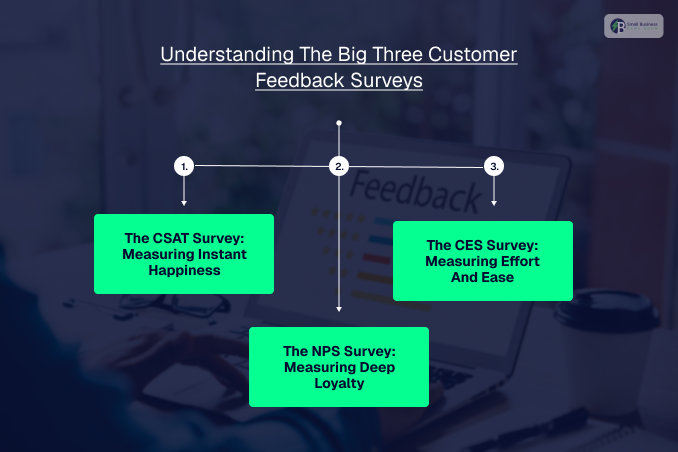
Choosing the right customer feedback survey depends entirely on what you want to discover.
Think of these tools as different lenses: one checks for immediate happiness, another predicts long-term loyalty, and the third spots roadblocks in the user journey.
Below is a quick comparison table to help you choose the right one at a glance:
| Survey Type | What It Measures | Best Used For | When to Send It | Example Question |
| CSAT (Customer Satisfaction) | Short-term happiness | Measuring instant satisfaction with a specific service or item. | Right after a purchase, delivery, or support chat. | “How satisfied are you with your experience today?” |
| NPS (Net Promoter Score) | Long-term loyalty | Finding your brand champions and spotting unhappy customers. | After a user has real, ongoing experience with your brand. | “How likely are you to recommend us to a friend?” |
| CES (Customer Effort Score) | Smoothness & ease | Finding hidden friction points in your website or app. | Immediately after a signup, checkout, or issue resolution. | “How easy was it for you to fix your issue today?” |
1. The CSAT Survey: Measuring Instant Happiness
A CSAT survey acts like a quick pulse check. It helps you see how well a specific interaction resonated with your audience while the memory is completely fresh.
How it works
You simply ask customers to rate their recent experience. You can use star ratings, smiley faces, or numerical scales.
When to use it
- Post-Interaction: Send it immediately after a customer service call or product delivery.
This timing keeps response quality high, typically bringing in a 10% to 30% completion rate.
- Always-On Feedback: Keep a permanent feedback button on your website so users can report bugs or wins at any time.
2. The NPS Survey: Measuring Deep Loyalty
An NPS survey looks at the big picture. It helps you find your “promoters” (fans who rave about you) and your “detractors” (unhappy users who might leave bad reviews).
How it works
Customers score how likely they are to recommend you on a scale from 0 to 10. This metric is a massive driver for business growth.
In fact, industry data from Bain & Company shows that companies leading in NPS growth outpace their competitors by more than double.
Why it matters
- Reward your fans: You can give promoters a discount code to encourage repeat purchases and word-of-mouth marketing.
- Rescue unhappy customers: Reaching out to detractors with a genuine apology and a real solution can completely turn a negative experience around.
When to use it
Moreover, never send this to a first-time website browser. Wait until a customer has genuine experience with your brand, such as a few weeks after their delivery.
3. The CES Survey: Measuring Effort And Ease
The CES survey focuses entirely on friction. It tells you exactly how much effort a customer had to exert to get things done with your business.
How it works
You ask a simple question like, “How easy was it to complete your checkout today?” The customer responds on a scale ranging from “very difficult” to “very easy.”
When to use it
Place these surveys right after automated tasks. Great examples include:
- Immediately following a new account signup,
- Right on the order confirmation screen,
- After a support ticket is marked as resolved.
Also Check: The TimeWarp TaskUs Advantage: Delivering Exceptional Support Every Time!
Great Questions To Ask In Your Next Customer Feedback Survey
The specific questions you choose for your customer feedback survey depend entirely on your starting goals.
Because of this, what you ask in a loyalty survey will look drastically different from what you ask in a website speed questionnaire.
Moreover, to help you get inspired, here is a list of excellent, proven questions you can use today, grouped by exactly what they help you discover.
The Standard Metrics (Proven to Work)
- CSAT: “How satisfied are you with our [product/service/brand]?”
- NPS: “How likely are you to recommend our [product/service/brand] to your friends and family?”
- CES: “How easy was it for you to [insert action here]?”
Website and Content Checkups
- “Did you manage to find what you were looking for today?”
- “What is your main goal with visiting our website today?”
- “How would you rate this blog post or video?”
- “How can we make our website better for you?”
- “Would you like to report a glitch or a bug?”
Customer Journey & Support Insights
- “How would you describe your overall experience with us to a friend?”
- “How easy was your checkout experience today?”
- “Where did you first hear about us?”
- “How would you rate your recent experience with our support team?”
How To Create Your Customer Feedback Survey?
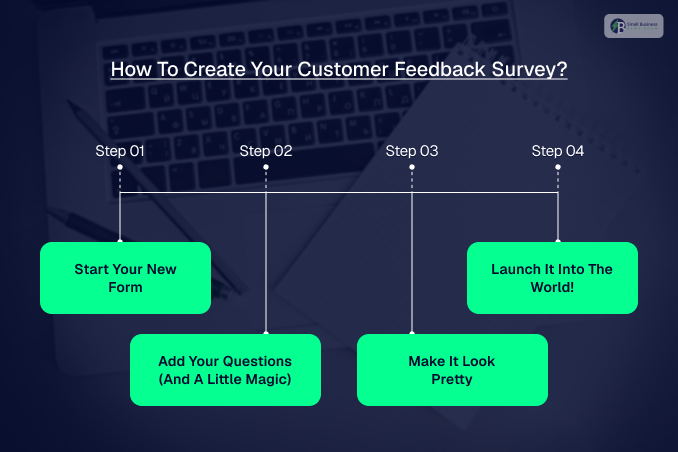
Ready to get your hands dirty and actually build one? Creating a customer feedback survey in is surprisingly easy and only takes a few straightforward steps.
Here is exactly how to do it, step-by-step:
Step 1: Start Your New Form
First, log into your dashboard on your selected customer survey. Look over at the sidebar on the left side of your screen, click on Data Collection, and then select Feedback Forms.
Next, click that bright New Form button. You will be asked where you want to gather your feedback.
Choose whether this survey is for your website, your mobile app, or an email campaign.
Step 2: Add Your Questions (And A Little Magic)
Now, you can either pick a ready-to-use template or start with a completely blank slate.
Simply drag and drop the questions you want into your form and type out your text.
This is also the perfect time to add something called question logic. This is just a fancy way of saying “if a customer answers X, show them question Y.” For example:
- You ask: “Did you find what you were looking for today?”
- If they click Yes, the survey ends with a nice thank you.
- If they click No, the logic automatically pops up a helpful follow-up question like: “We are so sorry about that! What were you trying to find?”
Step 3: Make It Look Pretty
Once your questions are locked in, click over to the Design tab. This is where you get to make the survey look like it actually belongs to your business.
Moreover, you can choose a pre-made theme or customise it yourself. Be sure to add your exact company colours and decide where the form should sit on the screen.
Don’t forget to hit Save when you are done!
Step 4: Launch It Into The World!
To make your survey go live, go back to the sidebar, click Data Collection, and select Deployments.
This is where you control the rules of how, when, and where your survey shows up. You can set specific “triggers,” such as:
- Firstly, showing the survey only when someone clicks a permanent feedback button.
- Secondly, making it pop up after a reader spends 2 minutes on a blog post.
- Thirdly, triggering it right as someone moves their mouse to close the page (exit intent).
Finally, paste the provided HTML snippet or use Google Tag Manager to connect it to your website. If you are launching it inside a phone app, just use your unique Deployment ID. Hit publish, and you are officially live!


