


Table Of Contents
- The Big Question: Can You Change Your Etsy Shop Name?
- Phase 1: How To Change Etsy Shop Name Step-By-Step
- Step 1: Etsy Shop Manager Dashboard
- Step 2: Info & Appearance
- Step 3: Enter The New Name And Save
- Understanding Etsy’s Strict Naming Requirements
- How To Change Etsy Shop Name: What Happens Behind The Scenes After The Change?
- 1. URL Address Will Automatically Be Updated
- 2. Profile Gets A Notification About The Update
- 3. Both Old And New Names Remain Unavailable For Registration
- Clear Up The Confusion: Username Vs. Shop Name Vs. Preferred Name
- Pro Tips For Brainstorming A Catchy, Unique Etsy Name
- 1. Descriptive Names
- 2. Abstract Names
- 3. Personal Names
- The Essential Pre-Launch Rebranding Checklist
- Phase 2: Updating Your Print On Demand Dashboard
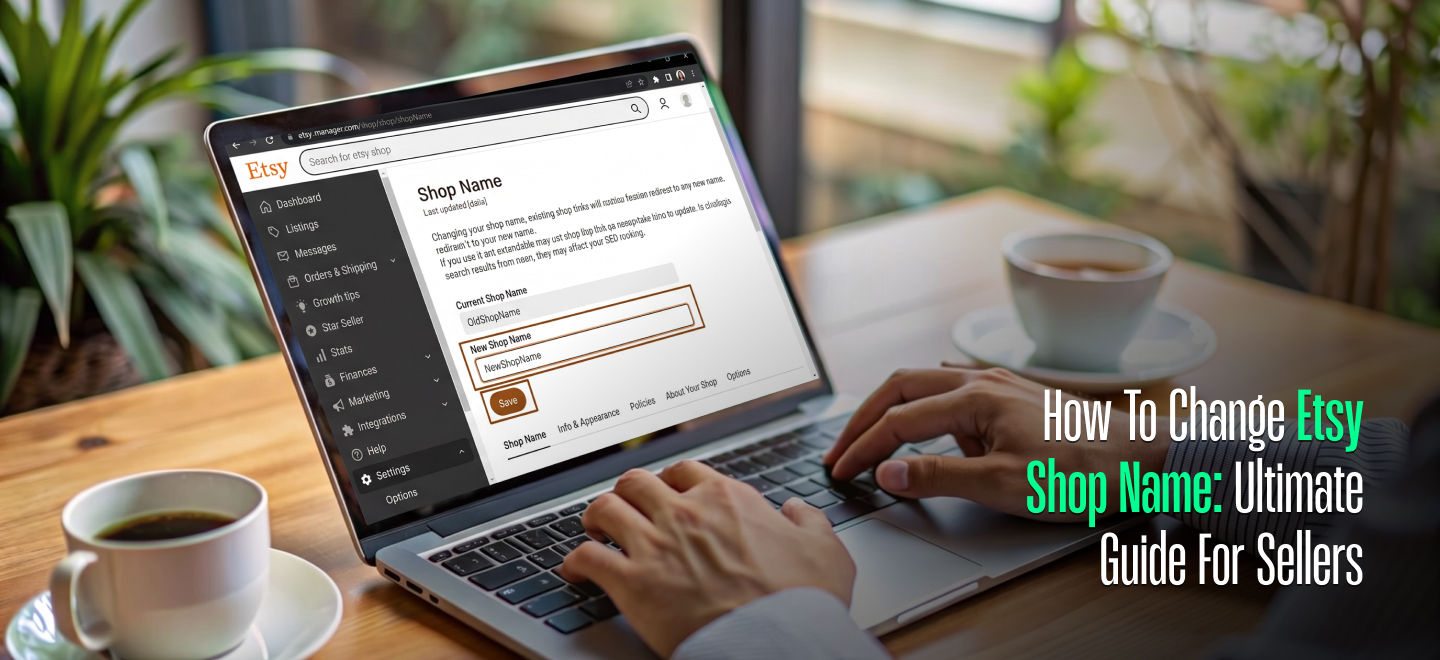
The Ultimate Step-by-Step Guide On How To Change Etsy Shop Name Without Losing Your Traffic
The moment you choose a name for your business, you have already crossed a massive milestone.
When you first launched your storefront, you likely picked a name that felt perfect at the time.
But as your business grows, evolves, and may even shift direction, that name may no longer fit.
Let’s say you started selling crocheted blankets and now you want to expand your collections by adding customized printed apparel as well.
Another scenario can happen too. Maybe you realized your original name is simply too hard for your customers to spell, or you have thought of something much more memorable.
Whatever your reasons, you don’t have to feel stuck with your past choices. Etsy understands that brands change, so it makes it easy to update your storefront branding.
In this ultimate guide, we will walk you through exactly how to change Etsy shop name in a completely stress-free, step-by-step format.
We will also break down the critical platform requirements, explore what happens to your store traffic after the change, and share expert tips for rebranding successfully.
Let’s dive right in!
The Big Question: Can You Change Your Etsy Shop Name?
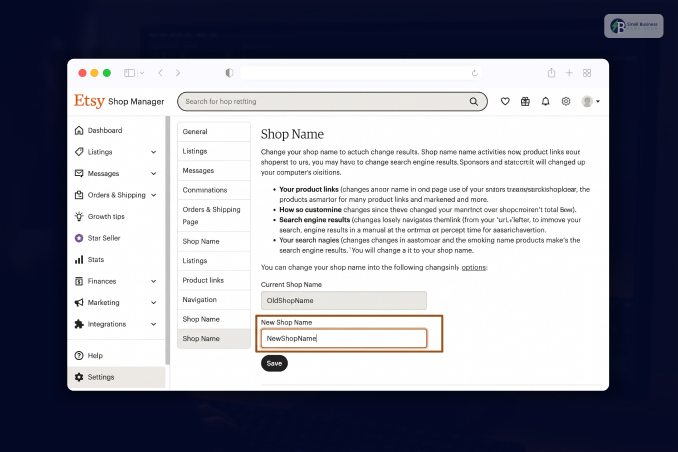
The short answer is yes, absolutely! There is no need to make a huge deal out of canceling the currently existing store and registering a new Etsy seller account under a different brand name
Etsy gives you an option to rebrand your business at any given moment you see fit.
In the early stages of the platform’s development, the e-commerce marketplace limited how many name changes sellers could make because of their inexperience and lack of administrative rights.
Luckily enough, the system has evolved significantly over the years to give more flexibility and variety for small business owners who wish to expand their creative brands online.
Nevertheless, one small problem remains before you decide to officially change your shop name.
Etsy shop names are first-come, first-served, meaning that every seller who manages to register a specific business title gains full authority over it for as long as they keep the store active.
Even if an owner cancels their shop or renames it, the previous title stays unavailable for security reasons.
Phase 1: How To Change Etsy Shop Name Step-By-Step
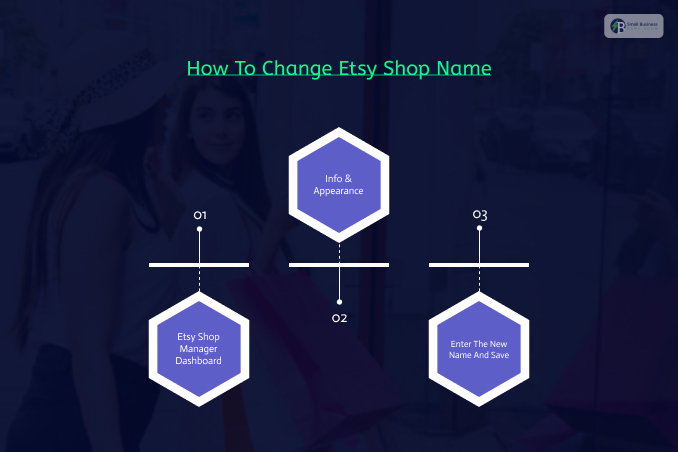
Are you ready to get started? Grab a cup of coffee, open your favorite web browser, and follow the easy step-by-step guidelines below.
[Shop Manager] ➔ [Settings ➔ Info & Appearance] ➔ [Shop Name ➔ Save]
Step 1: Etsy Shop Manager Dashboard
First, visit the official website and sign in to your Etsy account to start your ETSY shop. Once there, find the Shop Manager icon in the upper-right corner of your screen.
Once you get to the dashboard, scroll down on the left side until you see the Settings icon represented by a gear symbol
Step 2: Info & Appearance
Inside the Settings panel, you will see several categories you can choose from. Look for the Info & Appearance tab.
This defines the appearance of your online boutique. At the top of the page, you should see the Shop Name section.
Step 3: Enter The New Name And Save
Make sure to write your desired business title in the empty field. Etsy will automatically notify you whether the name is available.
When you are done, click the Save button at the bottom of the page.
Understanding Etsy’s Strict Naming Requirements
Before you type out your new business title, you must understand that the platform has very rigid formatting guidelines.
If your new design idea breaks even one of these rules, the system will flag it as invalid and block you from saving the changes.
- The 20-Character Limit: The entire shop name must be under 20 characters.
- No Spaces Allowed: Etsy shops cannot contain multiple words divided by spaces.
- Capitalize Letters: Use capital letters for each new word to keep your name readable (e.g., CozyClayCrafts).
- No Punctuation or Symbols: The marketplace guidelines do not allow punctuation, unique symbols, or characters.
- Character Restrictions: You must completely avoid using hyphens, underscores, exclamation points, asterisks, or emojis.
How To Change Etsy Shop Name: What Happens Behind The Scenes After The Change?
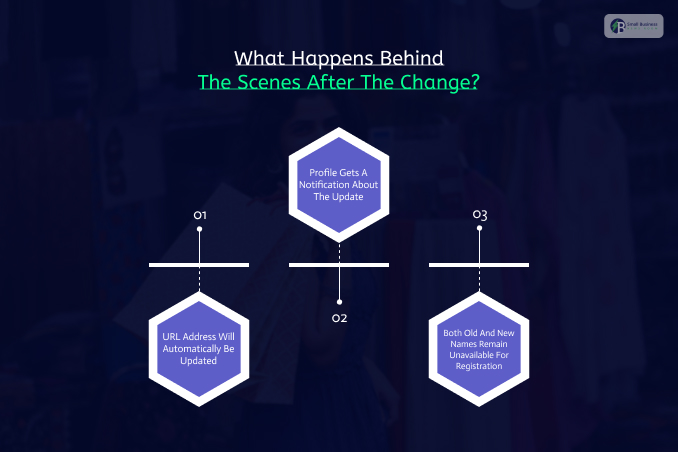
It is completely normal to feel concerned, and even a little afraid, about changing your old business name, especially if the title has gained enough popularity to attract a decent number of customers.
Fortunately, Etsy has a smart system that lets you update your shop name without damaging your hard-earned progress.
1. URL Address Will Automatically Be Updated
Once Etsy approves your request, it will update your custom shop URL immediately. For example, your web address will change from: shopname.etsy.com to://etsy.com
Luckily, your old links won’t break on other web pages. If someone sees the old URL bookmarked on Pinterest or a personal blog, they will still be redirected to your new page.
All your external traffic will be preserved seamlessly, with no loss.
2. Profile Gets A Notification About The Update
To prevent customers from getting confused on their next visit to your online boutique, Etsy lets you let regular buyers know they’re visiting a renamed shop.
In particular, your account will show up with a special badge indicating your former shop name.
This badge remains active for 45 consecutive days after your request is approved.
This also helps everyone familiar with your previous branding transition smoothly to the new version of your online store.
3. Both Old And New Names Remain Unavailable For Registration
Another advantage of updating your shop name is that Etsy prohibits sellers from renaming their stores to the same or a previously used title.
This way, you can be absolutely confident your brand name will not be stolen by cyber attackers or other dishonest individuals.
Related Article For You: The Ultimate Step-By-Step Guide On How To Sell On Etsy And Build A Profitable Creative Business From Scratch.
Clear Up The Confusion: Username Vs. Shop Name Vs. Preferred Name
Many beginner e-commerce sellers get incredibly confused by the different naming fields inside their account profiles.
To manage your account like a true professional, you must understand the differences between these three distinct entities.
| Name Type | Core Purpose | Can It Be Changed? | Visible To Public? |
| Etsy Shop Name | Represents your specific online business storefront and builds your custom web URL. | Yes, you can change this as many times as needed. | Yes, prominently displayed to all global shoppers. |
| Etsy Username | The unique internal technical string used strictly to log into your account profile. | No. This is locked permanently upon registration. | Generally hidden; only visible in deep profile tracking. |
| Etsy Preferred Name | A casual personal nickname or first name used to sign off on direct messages. | Yes, editable via your Public Profile settings. | Yes, shown when you reply to buyer conversations. |
Pro Tips For Brainstorming A Catchy, Unique Etsy Name
Take time to brainstorm a few attractive, memorable ideas if you are wondering how to change Etsy shop name.
Below are some popular naming conventions e-commerce sellers usually follow.
1. Descriptive Names
Descriptive names clearly define the specific theme and products your online store sells. This makes it easier to attract the right audience.
For example, if your boutique specializes in selling planners, notebooks, and journals, your name could include words related to this product niche, such as StencilStation.
Descriptive names help you appear in searches related to the products you sell
2. Abstract Names
If you want your future boutique to sound more unique and memorable, consider choosing an abstract name for your shop.
Moreover, avoid common words, and instead try combining different terms, roots, and syllables that appeal to your target market.
Look for words and names that are easy to pronounce and, most importantly, are not already taken.
Think about what big companies such as Kodak and Google used for their brand names.
There is literally no logic behind them. However, people still remember these names easily.
3. Personal Names
A great idea for your boutique name is to use your personal name or the name of a loved one.
This strengthens the personal connection to your business and makes your brand more trustworthy.
Moreover, you can either use your actual name to brand your shop or try modifying certain syllables to make your name sound cooler and more unique.
Personal names are among the hardest categories to steal because they usually refer to real people.
The Essential Pre-Launch Rebranding Checklist
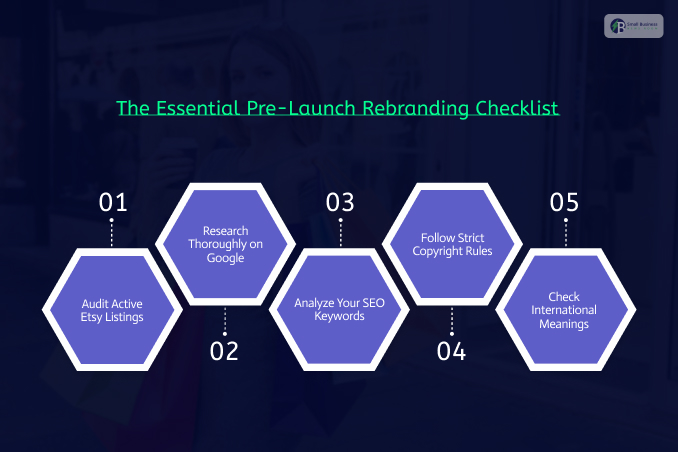
Once you have chosen your ultimate dream name, do not hit the save button just yet!
Run your ideas through this rigorous professional checklist to ensure you do not run into legal or operational trouble down the road:
- Audit Active Etsy Listings: First, search the main Etsy marketplace search bar for your exact proposed name to make sure it isn’t already in use.
- Research Thoroughly on Google: After that, type your chosen name into Google search engine results to check if another company dominates that phrase.
- Analyze Your SEO Keywords: Now, weave popular, high-volume search phrases naturally into your branding to boost your organic traffic levels.
- Follow Strict Copyright Rules: After that, never infringe on active trademark laws by using protected brand terms, celebrity names, or cartoon characters.
- Check International Meanings: Lastly, research your name to ensure it doesn’t have any negative, embarrassing, or offensive connotations in different languages.
Phase 2: Updating Your Print On Demand Dashboard
Etsy is not the only system you will need to update if you are renaming your boutique.
If you use print-on-demand to manage your print-on-demand orders, update your external dashboard too.
[Go to the Dashboard] ➔ [Manage My Stores] ➔ [Gear Icon ➔ Edit Store Name]
First, log in to your account and open the dashboard. In the top-left corner, you will see your current store name.
Then click it to open the drop-down menu. From there, select Manage my stores.
In the window, find the Etsy account and click the Gear icon to edit your store name.
Enter your new name, then click Save. Remember, this step only updates the name field on the print-on-demand invoice, not the actual business name. This means you will need to update two separate accounts simultaneously to ensure that none of your customers receive incorrect data about your boutique.


