Table Of Contents
- Why Choose Etsy Over Other Online Marketplaces?
- Phase 1: Setting Up Your Etsy Storefront Step-By-Step
- Step 1: Set Up Your User Profile
- Step 2: Configure Your Shop Settings And Pick A Shop Name
- Step 3: Connect Bank Account And Set Up Payments
- Step 4: Activate Two-Factor Authentication And Set Up Billing Method
- Step 5: Publish Your First Listing
- Phase 2: Integrating Print On Demand (POD) For A Low-Risk Business Model
- How Does The POD Method Work?
- Why Use Printify To Sell On Etsy?
- How To Connect Printify To Etsy
- The Etsy Transparency Rule
- Phase 3: Mastering Etsy Seo And Marketing To Stand Out
- Phase 4: Understanding Pricing, Fees, And Store Profitability
- The Real Cost Of Selling: Etsy Fee Breakdown
- A Real-World Profit Example
- Essential Equipment To Keep Costs Low
The Ultimate Step-By-Step Guide On How To Sell On Etsy And Build A Profitable Creative Business From Scratch
| Quick Summary Starting an online business does not have to be complicated, risky, or expensive. Selling successfully on Etsy comes down to three execution phases: setting up a secure storefront, choosing your production model (Handmade vs. Print on Demand), and mastering conversational SEO. By verifying your identity early, utilizing all 13 descriptive tags, completing deep product attributes, and leveraging high-impact 2:3 vertical visuals, you can tap directly into Etsy’s 96 million active buyers. This comprehensive guide provides every number, cost breakdown, and strategic tip you need to build a thriving storefront with minimal upfront financial risk. |
Starting an online business can often feel like a massive mountain you are about to climb. You might have amazing ideas for handmade crafts, gorgeous custom designs, and even unique vintage finds.
However, the technical steps of setting up an online store can easily slow you down and cause frustration.
If you want to share your creative passions with the world and do not even have to deal with the headache of building massive websites from scratch.
Etsy is that solution for you.
According to Yahoo.com, this massive global platform connects creative small business owners directly with over 87 million active buyers.
These shoppers are not looking for mass-produced items from big-box stores; they visit the platform for unique, personalized, and meaningful goods.
In this ultimate beginner’s guide, we will break down exactly how to sell on Etsy in a highly practical, step-by-step format. We will keep things incredibly simple, clear, and easy to read.
By the end of this article, you will know exactly how to set up your storefront, use low-risk inventory models, master search engine traffic, and manage your budget like a pro. Let’s dive in!
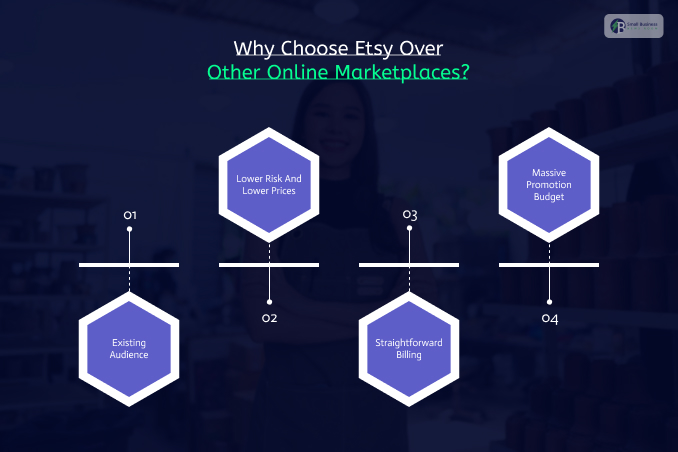
Why Choose Etsy Over Other Online Marketplaces?
You can’t sell something without choosing the right ecosystem to grow your business in the long run.
Here are the key reasons why people opt for Etsy as their marketplace of choice:
- Existing Audience
An independent website requires time and effort to build an audience. Etsy sellers, however, get millions of credit card holders ready to shop at their online store every day.
- Lower Risk And Lower Prices
Other marketplaces charge hundreds of dollars per month, while Etsy offers a low-cost entry with a 20-cent listing fee.
- Straightforward Billing
You don’t have to ask customers to invoice or pay you. Etsy has native checkout options to accept payments via credit card, Apple Pay, and Google Pay.
- Massive Promotion Budget
Etsy has a huge advertising budget that promotes the platform on television and in online media. This means that you get tremendous exposure for free via the company’s promotions.
Phase 1: Setting Up Your Etsy Storefront Step-By-Step
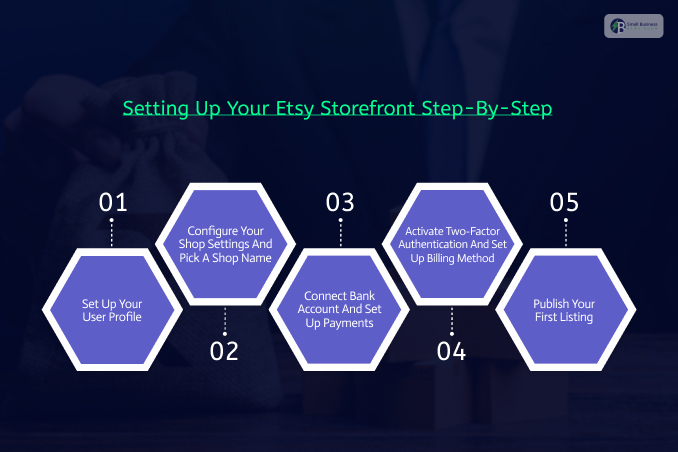
You can set up your shop within an hour. Let’s get started with this beginner’s guide on how to set up an Etsy shop.
Step 1: Set Up Your User Profile
Go to etsy.com and sign in or register a new account. Then, click Shop Manager to begin the setup process.
You will need to identify yourself early in the process, so have your ID documents ready.
Step 2: Configure Your Shop Settings And Pick A Shop Name
Make sure you configure these three settings correctly:
- Shop language
- Shop country
- Shop currency
Then, think of a unique shop name (no special characters or spaces allowed – 4 to 20 characters).
It’s wise to research potential shop names on Google to ensure nothing is taken. Ideally, incorporate a relevant keyword into the shop name, like Knits.
Also consider whether the name might be trademarked (see why trademarks matter here).
Step 3: Connect Bank Account And Set Up Payments
Provide your banking details. Etsy needs you to connect your online shop with a verified bank account.
For example, sellers in the United States must verify their accounts with Plaid. You will also need to decide whether you want to register as a sole proprietor or a corporation.
As a beginner, select the sole proprietorship option.
Step 4: Activate Two-Factor Authentication And Set Up Billing Method
Enable two-factor authentication (2FA) and set up a billing method to fund your Etsy shop.
Activate 2FA via text message for extra security. Also, you need to add a credit card to your account to pay for your first listing (or any other expenses).
You may also be charged a one-time account verification fee, depending on your country.
Step 5: Publish Your First Listing
Etsy requires you to publish at least one listing (for $0.20) to activate your account.
You can use a dummy listing for now and delete it later.
Just make sure you add high-quality photos, write a good title and description, fill out attributes, and publish your first listing.
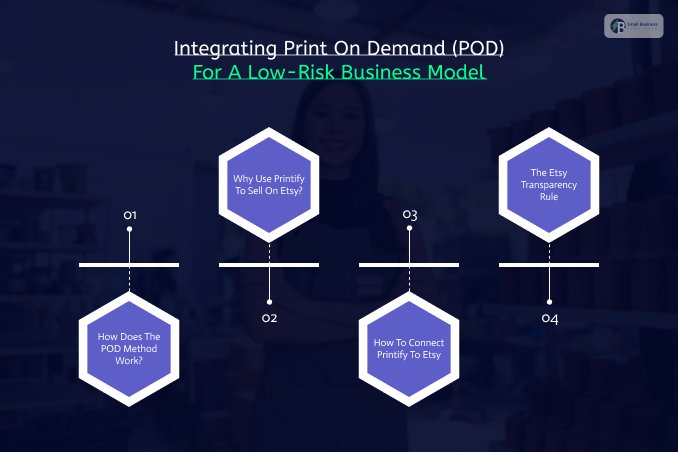
Phase 2: Integrating Print On Demand (POD) For A Low-Risk Business Model
Some beginners want to sell on Etsy but can’t afford to stock products. Luckily, you can avoid buying goods and spending serious cash on inventory with a print-on-demand (POD) service.
How Does The POD Method Work?
One simple way to start selling on Etsy without inventory is POD, or print-on-demand.
With this method, you do not have to maintain any stock because products are printed only when a customer buys them.
POD services like Printify let you sell a wide range of goods without inventory.
Essentially, you design a graphic, place it on a digital 3D image (mockup) by using Printify’s free tools, and publish the product on Etsy.
Then, when someone purchases the item, the Printify app sends the order to a local print supplier, who prints the design and ships the product to the customer.
Why Use Printify To Sell On Etsy?
When using the POD method, you can:
- Eliminate the risk of inventory: you pay for products only when a customer buys them
- Test products easily: delete unwanted graphics with a click of a button
- Save on shipping costs: avoid packing boxes and standing in line at the post office; everything is automated
How To Connect Printify To Etsy
Connecting Printify to Etsy takes less than two minutes:
- First, you need to create a Printify account and visit the dashboard
- Then, you need to click the Manage My Stores dropdown and hit Connect
- Finally, choose Etsy and authorize access
The Etsy Transparency Rule
Etsy has a strict policy on third-party services. Since you are not manufacturing any products, you need to disclose that information to Etsy customers.
In other words, you need to add Printify as an official Production Partner to your Etsy shop.
Go to your Shop Manager and select Settings > Partners for production
Add Printify to your list of Production Partners, so Etsy customers understand you aren’t manufacturing any items. In reality, a trusted Printify supplier produces your products.
Phase 3: Mastering Etsy Seo And Marketing To Stand Out
Beginners often make the mistake of thinking that their products will sell themselves.
However, as mentioned above, Etsy’s search engine has become much smarter in 2026.
Therefore, you need to optimize your listings so that they appear on the first page of search results.
- How To Write Etsy Listing Titles That Actually Convert
In previous years, SEO specialists stuffed irrelevant keywords into titles to beat the algorithm.
However, this approach is no longer effective. According to recent research, Etsy titles should be human-friendly in order to rank higher in 2026.
In addition, the first 40 characters in a listing are crucial since mobile shoppers see only the beginning of a title.
Furthermore, it’s a good idea to utilize the most relevant phrase at the beginning of your title. Then, you can add a few additional terms.
Examples of bad and good Etsy listing titles:
Spammy title: t-shirt, tee, shirt, top, custom clothing, cute shirt, cotton apparel
Good title: Organic Cotton Graphic Tee – Cute Wildflower Shirt for Plant Lovers and Gardeners
- How To Use All 13 Etsy Tags To Increase Sales (And Why It’s So Important)
When you list a product on Etsy, use all 13 tags. Many sellers miss this tactic, leaving potential traffic and sales on the table.
Etsy’s search algorithm analyzes tags in order to understand what the listing is about.
Therefore, use descriptive, multi-word tags that reflect how humans search on Etsy. Avoid using single-word tags.
Consider the target audience, as well as holidays and use cases. Good examples include funny office gift and boss lady mug. Also avoid tags that match your title exactly. Instead, you should use the attribute section to attract traffic.
- How To Leverage Attributes As Extra Tags For Your Etsy Listings
When shopping on Etsy, some buyers use the left-hand sidebar to narrow down their search. For example, they may look for a particular color, style, material, or size.
This means your product may not show up in search results if you leave certain attributes blank.
In reality, attributes are extra tags you should use like regular tags. Make sure that you complete all relevant fields when publishing a product listing.
For instance, if you sell a ceramic product, specify the material as ceramic.
You can also select colors as primary or secondary attributes. You can also include holidays or rooms, where applicable.
- How To Optimize Your Etsy Listings To Increase Click-Through Rates
Did you know that search engines care about your listing’s click-through rate (CTR)?
If hundreds of shoppers view your listing but don’t click “Buy it now,” the search algorithm will deem it irrelevant and lower its ranking in search results.
High-quality images are one of the best ways to increase CTR.
In particular, you should aim to use a 2:3 vertical image as your product photo. This image format is more likely to catch the eye of mobile shoppers.
You can also take advantage of Etsy’s new video feature.
To do that, upload a short 15-second clip that showcases your product. You can spin the camera to capture different angles of the product.
Additionally, videos reduce buyer hesitation, which can significantly increase your sales.
| Visual Asset | Best Practice Strategy | Direct Benefit |
| Primary Thumbnail | Use a clean 2:3 vertical aspect ratio with bright, natural lighting. | Dominates mobile screen real estate and catches the eye instantly. |
| Listing Video | Upload a stable 15-second clip showing the product’s texture or motion. | Builds immense buyer trust and lowers checkout hesitation. |
| Alt-Text | Write clear, descriptive text for every single image uploaded. | Boosts accessibility and helps you rank on Google Image Search. |
Also Check: The Link Building Strategy Every New Startup Should Use in Their First 12 Months.
Phase 4: Understanding Pricing, Fees, And Store Profitability
So, treat your numbers with respect to build a genuinely sustainable, profitable business that lasts.
And as a result, many beginners fail because they price their products too low, letting basic platform fees eat up their profits.
The Real Cost Of Selling: Etsy Fee Breakdown
Etsy is a business-friendly platform. However, it does charge for its services. Here is a transparent breakdown of the standard fees you will encounter:
- Listing Fee ($0.20)
This flat fee is charged every time the user creates a brand new listing or renews an old one. The listing status stays active for exactly four months or until the item sells.
- Transaction Fee (6.5%)
As soon as you make a successful sale, Etsy takes a flat 6.5% cut of the total amount the customer paid. This includes any shipping fees you charged.
- Payment Processing Fee (3% + $0.25)
This fee helps cover the security costs of processing credit card payments through the Etsy Payments portal.
- Offsite Ads Fee (12% – 15%)
Etsy automatically advertises your products on major external websites such as Google, Pinterest, or even Facebook.
The best part? You only pay this fee if a customer clicks on one of those external ads and actually makes a purchase within 30 days.
If your store makes under $10,000 a year, the fee is 15%, and you can opt out in your settings. If you make over $10,000, it drops to 12% and becomes mandatory.
A Real-World Profit Example
Let’s look at a concrete mathematical example to see how much money actually lands in your pocket. Imagine you are using Printify to sell a premium custom t-shirt.
- You set your retail price on Etsy at: $30.00
- Etsy deducts the flat listing fee: -$0.20
- Etsy deducts the 6.5% transaction fee: -$1.95
- Etsy deducts the payment processing fee: -$1.15
- Total Etsy Fees Deducted: $3.30
After these initial fees, you are left with $26.70 in revenue. Out of this amount, you pay Printify $12.41 to cover the base production cost of the shirt, and $3.99 for the shipping label.
Net Profit = $30.00 – $3.30 (Fees) – $12.41 (Production) – $3.99 (Shipping) = $10.30
Your clean take-home net profit from that single T-shirt sale is $10.30. If you scale your shop to make just ten of these automated sales a day, you are looking at over $3,000 a month in extra income!
Essential Equipment To Keep Costs Low
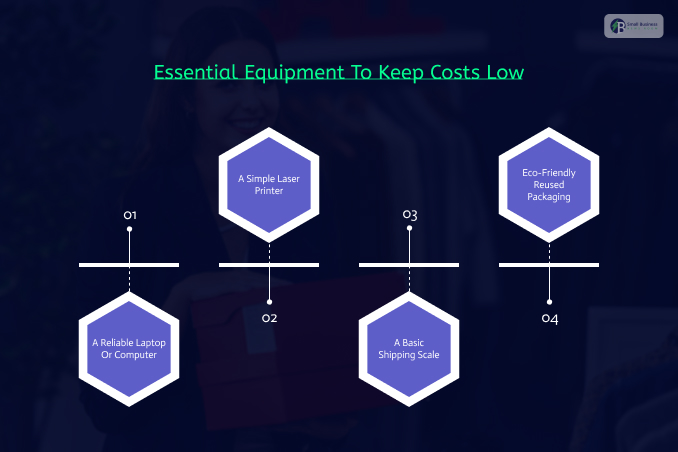
When you are starting the business, you don’t need an expensive office or industrial machinery.
Instead, you can easily run a highly successful business from your kitchen table using a few items you likely already own.
- A Reliable Laptop Or Computer
The mobile Etsy seller app is incredible for tracking daily orders and even responding to customer messages.
However, you’ll still want a computer for setup, which can help with store preferences and formatting shipping labels clearly.
- A Simple Laser Printer
At first, you can print all shipping labels on standard paper. You’ll just need basic household or clear packing tape.
However, as your sales grow, investing in a basic, inexpensive black-and-white laser printer will save you a massive amount of money on ink cartridges.
- A Basic Shipping Scale
If you ship your own physical crafts or vintage goods rather than using Print-on-Demand, accurate weight is critical.
So, consider buying a small digital scale on Amazon. This ensures you never overpay for postage at the post office counter.
- Eco-Friendly Reused Packaging
Do not waste precious capital buying expensive branded boxes when starting out. Ask your friends and family to save clean Amazon boxes and bubble mailers for you.
You can also use reusing clean packaging. This is wonderful for the environment, lowers your overhead costs, and keeps your profit margins high.