Table Of Contents
- What Is My Best Hours Report?
- Why Is The My Best Hours Report Important?
- What Are The Key Features Of My Best Hours Report?
- 1. Precision Tracking And Billing
- 2. Deep Insights And Reporting
- 3. Seamless Team Management
- 4. Secure And Connected
- How To Login To My Best Hours Report?
- How Can You Reset The Login Password At My Best Hours?
- How To Generate My Best Hours Report (Step-By-Step)
- Step 1: Log In
- Step 2: Find The Reports Section
- Step 3: Choose Your Style
- Step 4: Set Your Filters
- Step 5: Review The Data
- Step 6: Save And Share
- How To Interpret Your My Best Hours Report
- 1. Total Logged Hours
- 2. Billable Vs. Non-Billable Hours
- 3. Productivity Trends
- Practical Use Cases Of My Best Hours Report
- The Solo Freelancer
- The Remote Team Lead
- The Savvy Business Owner
- Expert Tips To Get The Most Accurate Report
- 1. Log Time Daily
- 2. Use Project Tags
- 3. Separate Your Tasks
- 4. Spot The Trends
- 5. Automate Everything
- Common Problems With My Best Hours Report (And Fixes)
- 1. Missing Time Entries
- 2. Inaccurate Productivity Data
- 3. Reports Not Showing Correct Filters
- What Are The Best Practices For Using Time Tracking Reports?
- 1. Check-In Weekly
- 2. Compare Team Progress
- 3. Adjust Your Schedule
- 4. Connect Your Tools
- Alternatives To My Hours Reporting Tools
- 1. Clockify
- 2. Toggl Track
- 3. Harvest
My Best Hours Report: Complete Guide To Understanding And Generating Your Productivity Report (2026)
Ever feel like you’re constantly busy but somehow getting nothing done?
Between information overload and the struggle to find a work-life balance, it’s easy to feel drained.
Does not matter whether you are a freelancer, student, or entrepreneur, the secret to performing extraordinarily is not working longer! It is about knowing when you work best.
That’s where the My Best Hours Report comes in. It’s a handy digital tool designed to help you pinpoint your peak productivity windows so you can stop fighting the clock.
You can schedule your toughest tasks for when your brain is actually firing on all cylinders., Instead of guessing.
Think of it as a roadmap for your daily routine. You can boost your efficiency without sacrificing quality by tracking your habits and fixing specific times for your work.
So, are you ready to transform how you handle your day? Let’s dive into the features and benefits to get you started!
What Is My Best Hours Report?
The My Best Hours Report is a brilliant digital tool. It makes managing your day much easier.
Moreover, it helps you plan, track, and study your work habits. This way, it becomes easy for you to stay on top of your tasks.
You can follow clear steps and track your progress in real time by setting specific time limits for each job.
Thus, this smart scheduling gives you total control over your busy life.
Moreover, one of the best features is how it encourages you to reflect on your day.
You can easily compare your planned time with your actual work. This can help you to spot distractions and find your most productive patterns.
Does not matter if you are a student, a freelancer, or a busy professional; this platform is the perfect partner for staying organized and stress-free!
Why Is The My Best Hours Report Important?
The My Best Hours Report is important! Because it acts as a personal coach for your daily schedule.
This website helps you break down your day by assigning specific time slots to every task.
So, once you follow the clear instructions, you can complete your work and monitor your progress in real-time.
The real value always comes from the analysis. You can improve your workload management by looking at how you actually spent your time compared to what you planned.
If you often feel overwhelmed or struggle to stay organized! This tool is the perfect partner to help you stay on track and boost your productivity.
What Are The Key Features Of My Best Hours Report?
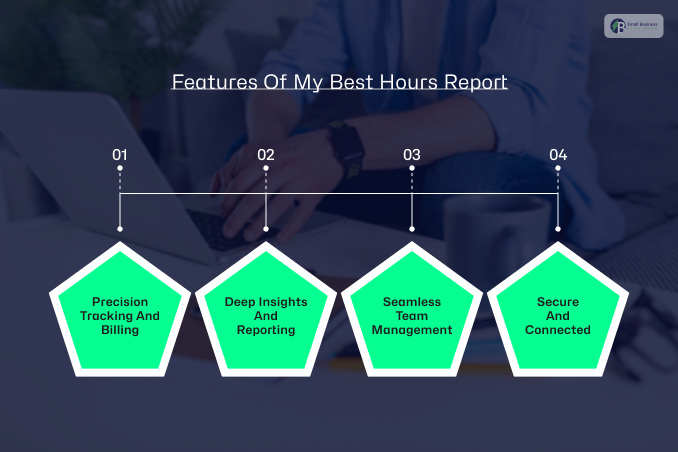
The My Best Hours platform is packed with clever tools! They are designed to simplify your daily routine.
From tracking your minutes to managing big budgets, here is how the platform helps you stay on top of your work:
1. Precision Tracking And Billing
The core of the platform is Time Tracking. This lets you use a live timer or manually log hours, along with extra details like mileage.
The Automated Calculations feature instantly turns those hours into billable amounts based on your set rates. This way, it becomes for you to track whatever is necessary!
2. Deep Insights And Reporting
Second comes the understanding that your work is easy with the Logged Hours Analysis dashboard.
You can quickly see the difference between billable and non-billable time. This can help you check your team’s efficiency.
Moreover, the Customizable Reports allow you to create professional PDFs or spreadsheets in seconds when you need to share progress.
3. Seamless Team Management
Third comes organising a team. With this platform, it’s a breeze for Task Management and Timesheet Approvals.
Moreover, the managers can assign tasks based on budgets and lock entries to ensure data stays accurate.
Plus, the Dynamic Project Tracking keeps sensitive information. This includes individual rates, private, while still allowing for total supervision.
4. Secure And Connected
You can access your data from any browser or mobile device, since the platform is cloud-based.
It also features Zapier integration to sync with your other favourite apps.
Best of all, it is hosted on Microsoft Azure, so your information stays secure and reliable around the clock.
How To Login To My Best Hours Report?
Account set up on the My Best Hours platform is quick and easy. You just need to follow these simple steps to start tracking your time:
1. Visit the Website: First, you need to open any web browser on your laptop or mobile phone.
After that, you have to search for the official My Best Hours platform or go directly to their website link.
2. Start Your Registration: Once the homepage loads, you have to look for the “Register Now” button and click on it.
3. Enter Your Details: After that, you will see a short form asking for basic information. Fill in your full name, state, country, and district in the provided fields.
4. Confirm and Join: Lastly, you need to take a quick second to double-check your information for any typos.
When you are ready, hit the “Register” button to complete the process. Now you are all set to log in and start managing your schedule!
How Can You Reset The Login Password At My Best Hours?
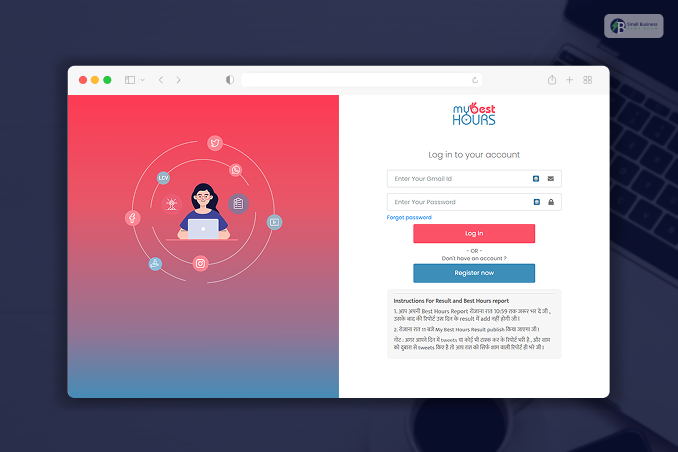
Don’t worry if you’ve forgotten your password for My Best Hours! It happens to everyone. Getting back into your account is quick and takes only a few minutes. Just follow these simple steps:
- Visit the Website: Head to the official My Best Hours platform at https://mybesthours.in/.
- Find the Reset Link: On the homepage, look for the “Forgot Password” option and click it.
- Enter Your Email: You will see a box asking for your email ID. Make sure you type in the same email you used when you first signed up.
- Check Your Inbox: The system will send you a reset link or a special code via email. Simply click that link or enter the code to create a brand-new password.
- Log In Again: Once you have saved your new password, you can use it to log in directly to your dashboard and get back to work!
How To Generate My Best Hours Report (Step-By-Step)
A professional report is the best way to show off your hard work and stay organized.
Does not matter whether you need to bill a client or just check your own progress! The My Best Hours platform makes it incredibly easy.
Here is a quick step-by-step guide to getting your data ready in just a few minutes.
Step 1: Log In
You can start by opening your My Hours dashboard. For this, you can use your computer or mobile device. This is where all your tracked time is stored safely.
Step 2: Find The Reports Section
Once you are inside, look for the “Reports” tab in the main menu. After that, click it to see all your reporting options.
Step 3: Choose Your Style
Once done, you need to pick the type of report that fits your needs. You can choose a Detailed Report for a deep dive into every task.
Otherwise, you can use a Timesheet Report for a quick daily summary.
Step 4: Set Your Filters
This is where you get specific. You just have to select the date range you want to look at and filter by specific projects or clients.
Step 5: Review The Data
Furthermore, you need to take a moment to analyze your results. This helps you spot your most productive hours and see if you met your goals.
Step 6: Save And Share
Finally, you can export your report as a PDF or Excel file. You can even schedule reports to be automatically emailed to your manager or clients every week. This can save you even more time!
How To Interpret Your My Best Hours Report
Now that you have successfully generated the report! Your next step is understanding what the numbers actually mean for your day.
Once you understand how to read your My Best Hours report, you’ll work smarter, not harder.
Here is a simple guide to the most important sections.
1. Total Logged Hours
This is the big picture. It shows your overall work activity for the entire week or month.
Checking this number helps you see whether you are meeting your basic work goals or accidentally putting in too much overtime.
2. Billable Vs. Non-Billable Hours
This section is a lifesaver for freelancers and agencies. It separates the time you can actually charge to a client from the “admin” time.
This can include:
- Answering emails
- Organizing files.
It might be time to find ways to automate your paperwork if your non-billable hours are too high!
3. Productivity Trends
This is where the real magic happens. By looking closely at your data, you can identify:
- Busiest Days: Which days of the week are you working the hardest?
- Most Productive Hours: Do you get more done in the morning or the evening?
- Underutilized Time: You can also spot the gaps where you might be getting distracted or losing focus.
Practical Use Cases Of My Best Hours Report
My Best hours report can easily turn the messy schedules into much clearer success stories. Does not matter whether you are working solo or leading a large team.
The Solo Freelancer
The Goal: Getting paid every cent you deserve.
The Use Case: You can use the reports to track all the billable hours with the utmost precision. When it is time to send an invoice, you will have a very clear list of exactly what you did.
This makes it easy for clients to say “Yes” to your bill.
The Remote Team Lead
The Goal: Staying connected across time zones.
The Use Case: You can now just check the team’s productivity reports instead of the constant status update!
You can easily see progress in real time. This is what helps your team without hovering over their digital shoulder.
The Savvy Business Owner
The Goal: Maximizing your company’s profits.
The Use Case: You can now dive into the data to evaluate a project’s profitability. You will quickly spot which clients are worth your effort and which ones are taking so much time.
Furthermore, it allows you to make smarter business moves.
Expert Tips To Get The Most Accurate Report
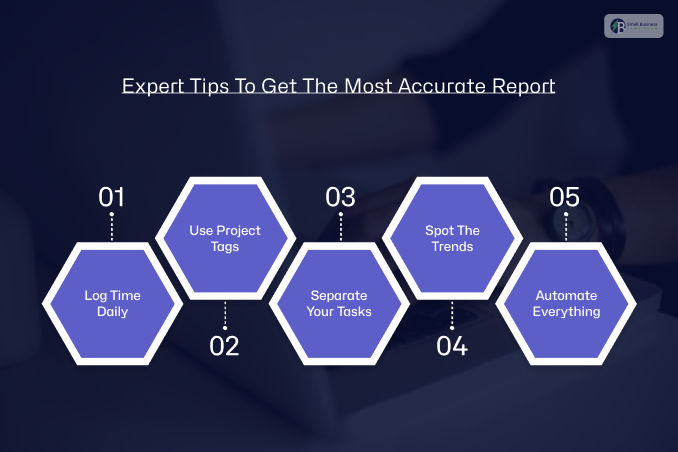
You need high-quality data. Simply tracking time isn’t enough if you want your reports to be truly useful.
There is nothing to worry about! You just have to do it the right way. Here are some expert tips to help you get the best insights out of your tracking tool.
1. Log Time Daily
Do not wait until the end of the week to guess what you did on Monday. You just need to log your hours every day.
This can help you to avoid making inaccurate estimates. I mean, your memory is never as good as a real-time entry!
2. Use Project Tags
Second comes the tags. These are your best friends for organization. You can use them to label different types of work.
This is what makes filtering your reports much faster and easier later on.
3. Separate Your Tasks
Thirdly, you must always mark which hours are billable and which are not. This can help you to ensure your clients get accurate invoices.
Moreover, this way you can know exactly how much “unpaid” administrative work you are doing.
4. Spot The Trends
Next, you have to set aside time for a weekly review.
Just try to take a look at your data once a week to spot productivity trends. This way, you can fix bad habits before they become a problem.
5. Automate Everything
Lastly, you have saved yourself the manual work by using automated report scheduling. You can have your progress reports sent straight to your inbox every Monday morning.
Common Problems With My Best Hours Report (And Fixes)
Even the best tracking tools can have a few hiccups. If your reports aren’t looking quite right, don’t worry!
Most problems are easy to fix with just a few clicks. Here are the most common issues and how to solve them.
1. Missing Time Entries
It is easy to forget to hit “start” when you are busy. If you notice gaps in your day, the best solution is to enable tracking reminders.
These little nudges will prompt you to log your hours so your reports stay complete.
2. Inaccurate Productivity Data
If the numbers look a bit weird, the cause is usually inconsistent logging. Try to log your tasks as they happen rather than waiting until the end of the day.
This keeps your data fresh and accurate.
3. Reports Not Showing Correct Filters
Sometimes a report looks messy because of the settings. Simply adjust the report columns to hide what you don’t need and highlight the important details.
What Are The Best Practices For Using Time Tracking Reports?
Collecting data is great. However, the real magic happens when you actually use it to improve your workday.
So, you can just follow these simple best practices to stay productive and organized when you want to get the most out of your time-tracking reports.
1. Check-In Weekly
First things first, do not wait until the end of the month to look at your data. Instead, you can easily spend a few minutes every Friday reviewing your reports and industry analysis.
2. Compare Team Progress
You can try comparing performance monthly if you are working in a group. This is not about spying on people!
Instead, it helps you see:
- Which tasks are taking the most effort
- Where the team might need a little extra help or better tools.
3. Adjust Your Schedule
You can use your data to fix your work schedule. You can plan your day more realistically if the reports show that a specific task always takes 5 hours, not 2.
Moreover, this reduces stress and helps you meet your deadlines.
4. Connect Your Tools
Combine your reports with other productivity apps for the best results. This includes:
- Calendars
- Task managers
Thus, you get a much clearer picture of your overall success when all your tools work together.
You Can Also Check: The TimeWarp TaskUs Advantage: Delivering Exceptional Support Every Time!
Alternatives To My Hours Reporting Tools
Let me tell you one thing! There are plenty of great options available besides My best hours if you are looking for different ways to track your time.
Each of these tools has a specific purpose. This is why it is the best choice, depending on how you like to work!
Here are some of the most popular alternatives that you can find:
1. Clockify
Clockify is fans’ favorite! It can offer you a free version so you can check and get a sense of how exactly the platform works!
This is perfect for those willing to track hours across different projects without spending a lot of money!
2. Toggl Track
Toggl Track can be the one for you if you want to keep things pretty simple and pretty at the same time!
The platform offers a very clear design and is incredibly easy for users to navigate.
Moreover, it is great for staying focused without getting bogged down in complicated settings.
3. Harvest
Lastly, this specific tool goes a bit further. It can help you track time and, in turn, make all those lengthy, boring invoices.
So, if you are looking for a way to turn your tracked hours into professional billing for the client, you can do so. The process is very smooth.
While My Hours is great for detailed reports, these alternatives might fit your workflow better if you want more automation or integrated billing.
Additional Resource: TimeBears com Review 2026 — Features, Safety, Pros & Cons + Expert Guide To Boost Productivity